Once the contract has been checked out, the customer details can no longer be changed. Changing this information could invalidate the signed contract. However, it often happens that the customer still wants to modify the billing information after check-in.
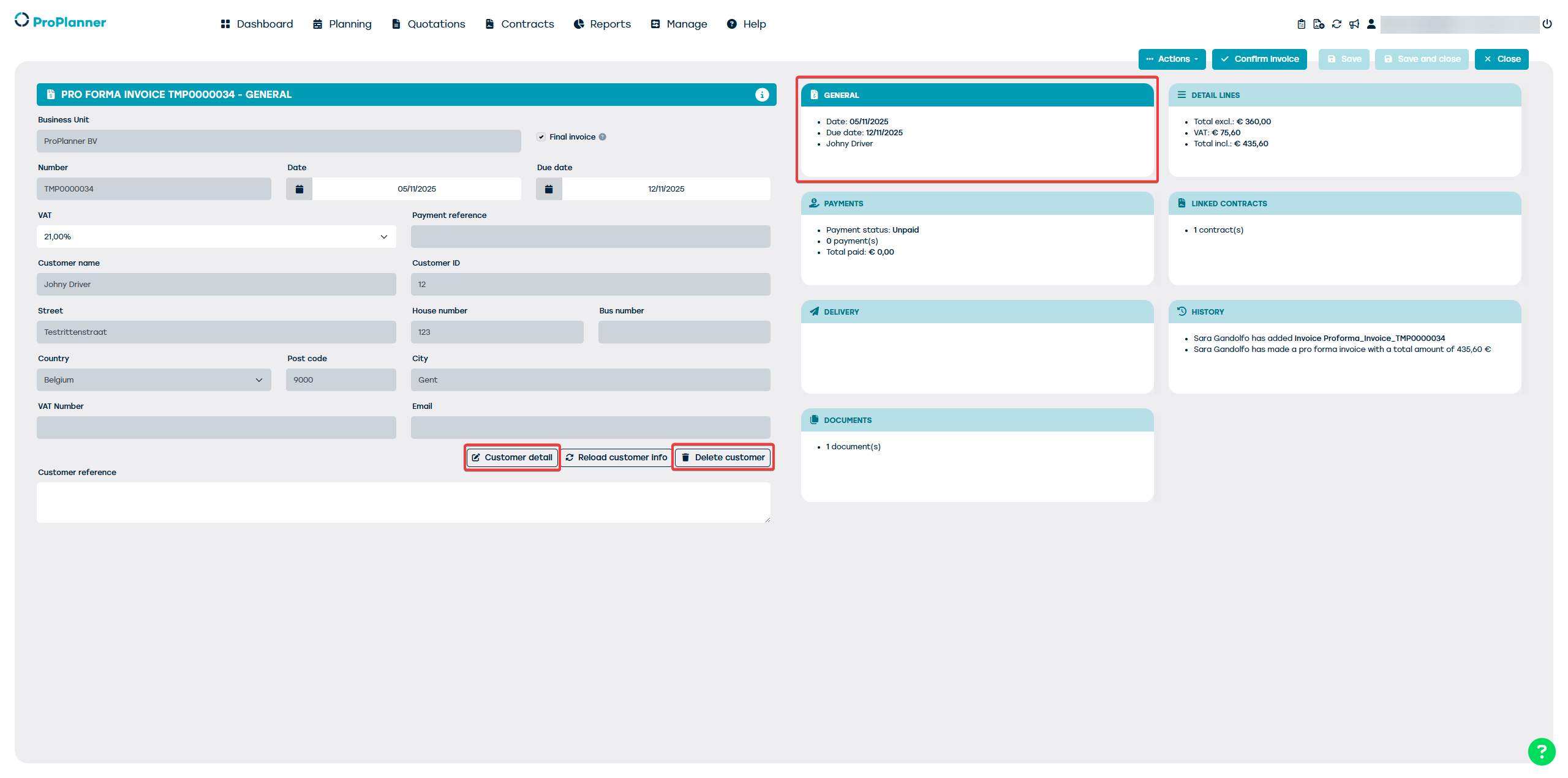
The best way to do this is by creating a pro forma invoice in the name of the customer filled in the contract and then modifying the customer information on the pro forma invoice.
To create a pro forma invoice from the contract, you can create the invoice as you normally would by clicking on the '+ create invoice' button, but instead of choosing 'confirm invoice' on the next screen, simply click 'close'

Next, you go to the invoices through management, where you will find the pro forma invoice in the list of invoices. (If you do not see the invoice, be sure to check the settings of the filter bar on the left)
You open the invoice on the general tile where you can find the contact details. Here you can delete or edit the customer data and add the correct details.