The tablet and the web version of ProPlanner work closely together. Photos taken with the tablet (for example, of damage) are directly sent to the relevant file in the web version of ProPlanner. Sometimes, due to connection issues or if the tablet shuts down, there may be delays in sending these photos. ProPlanner tries to resend the photos multiple times. If this repeatedly fails, we will send you an email to inform you that some photos have not been uploaded.
In that case, we ask you to take the following steps:
- Take hold of the relevant tablet. It is important to know that this process is only possible on the tablet where the photos were originally taken. An upload icon appears at the top. This icon displays a number if there are photos in the queue.

- When you have found the correct tablet, click on the upload icon. You will then see a list with the following information:
- Time of the photo
- Creator of the photo
- Contract number
- License plate of the resource
- Number of attempts made to send the photo to the ProPlanner web version
- Date and time of the last attempt
For each photo, you will also see four icons that offer the following options respectively: view, delete, save in the gallery of this tablet, and lastly, manually send this photo to ProPlanner.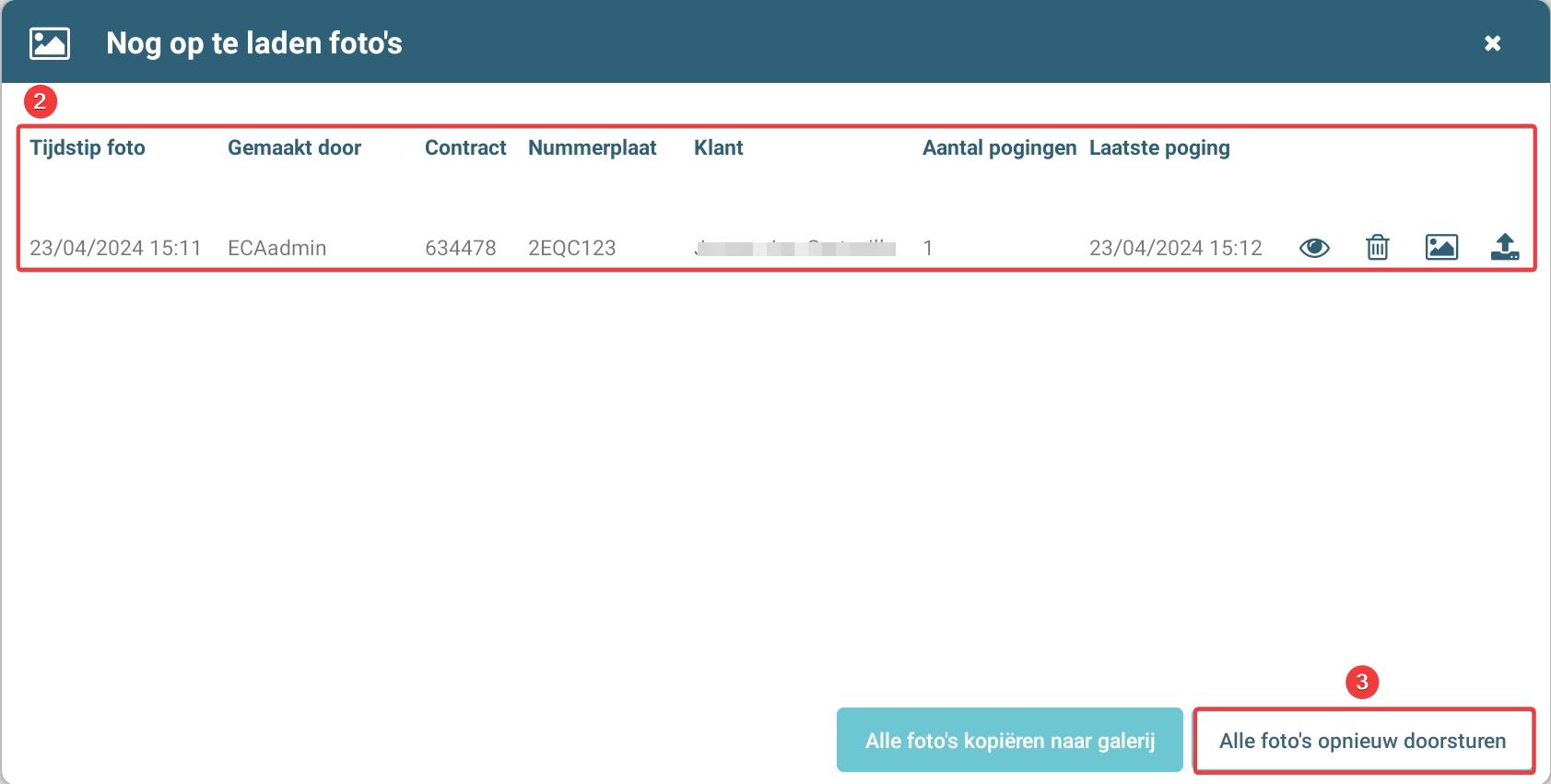
- At the bottom of the list of photos, you will find the option to send all photos simultaneously (in bulk) to ProPlanner. If you prefer a more efficient method than sending photos individually, you can choose this option to send all photos at once to ProPlanner.
Pay attention to the upload icon, which indicates with a red number how many photos are still in the queue to be sent. In an ideal situation, no number is displayed, meaning that all photos have been successfully sent to ProPlanner.
Please pay attention to photos that concern damage. Check the damage document to ensure that all relevant photos have been correctly sent to the customer. Should any photos be missing, we recommend that, after uploading the missing photos, you manually resend the damage document to the customer.