There are several ways to mark an invoice as "Fully paid" in ProPlanner:
- Automatically by registering payments on the invoice
- Manually by adjusting the status of an individual invoice
- Manually through the invoice overview where you can mark multiple invoices as "Fully paid" at once
Automatically marking an invoice as "Fully paid"
This is only possible if you can register payments on an invoice and thus when the module "Collections" has been activated. If you want to take advantage of this opportunity, contact us via support@jumik.be.
When you register a payment on a contract, it is possible to link this payment to an invoice within the respective contract. By doing so, this payment will also be registered as a payment on the invoice, reducing thebalance of this invoice by the paid amount. When the balance of the invoice reaches €0.00, the invoice status will automatically be updated to "Fully paid".
Manually mark an individual invoice as "Fully paid"
When you open an invoice in ProPlanner, you can adjust the invoice status on the "Payments" tile of the detail screen. Possible statuses are:
- Unknown
- Not paid
- Fully paid
- Partially paid
- Never paid
The status "Never paid" should be used to indicate that the respective invoice will never be paid anymore (e.g. in case of bankruptcy of the respective customer).
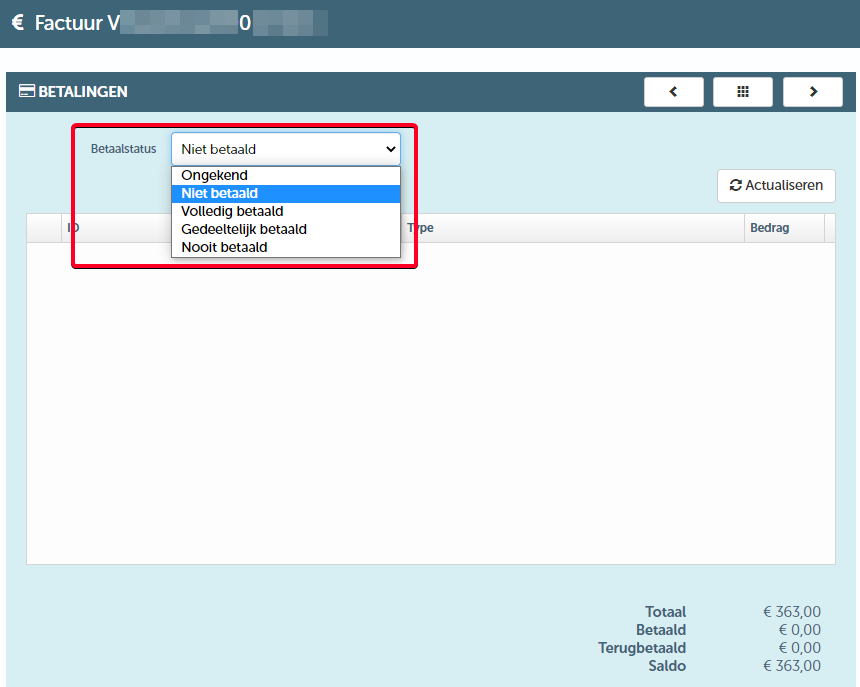
When you change the status to "Paid in full", a dialogue box will appear where you can indicate whether or not you want to set the invoice balance to €0.00.
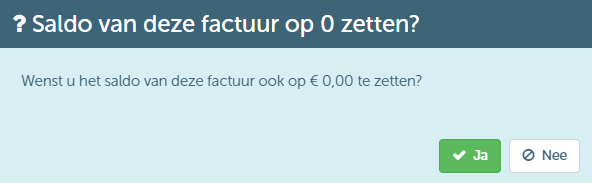
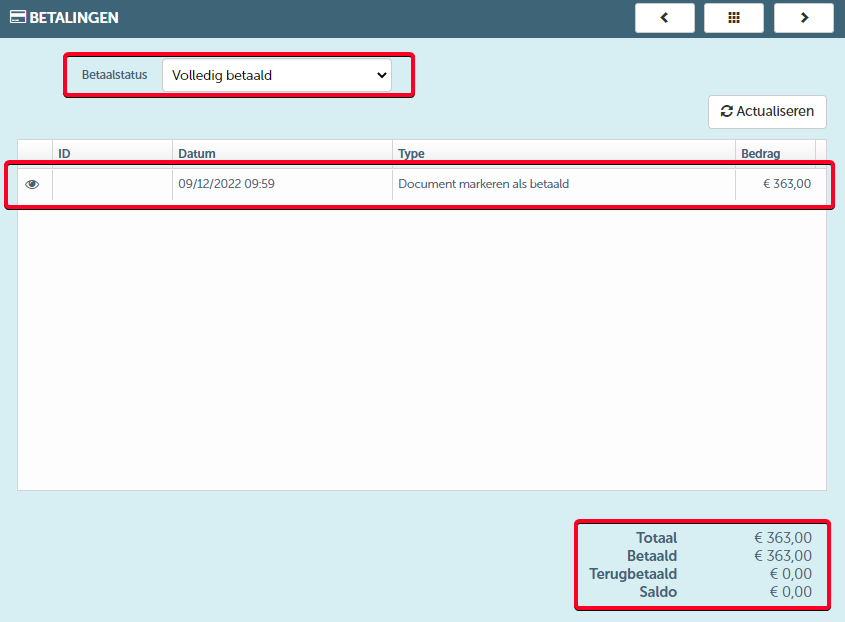
- If you click "Yes", a transaction will be recorded to set the invoice balance to €0.00. This administrative transaction will not be sent to accounting (if there is an integration with an accounting package).
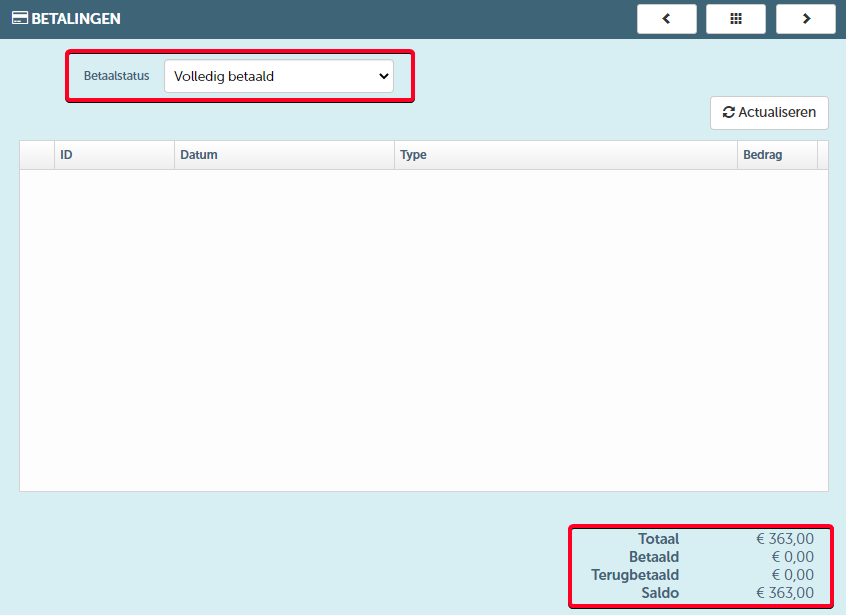
- If you click "No", only the status of the invoice will be changed. The balance remains unchanged.
Mark multiple invoices as "Paid in full" at once.
When you select one or more invoices on the invoice overview that have not been fully paid, the "Actions" button will be activated. When you click on it, you will be able to choose the "Mark as paid" action.

After confirming this action in a dialog box, you will receive a notification that the selected invoices have been marked as "Fully paid". Furthermore, you will see that the balance of the respective invoices has been set to €0.00:

To set the balance to €0.00, a transaction will be automatically recorded by ProPlanner, as described above. Again, this administrative transaction will not be sent to an accounting package with which ProPlanner may have been integrated.