On the resource card, there is an option to register the costs related to the resource. To do this, go to the "TCO" (Total Cost of Ownership) tile where you can add the costs for this resource:
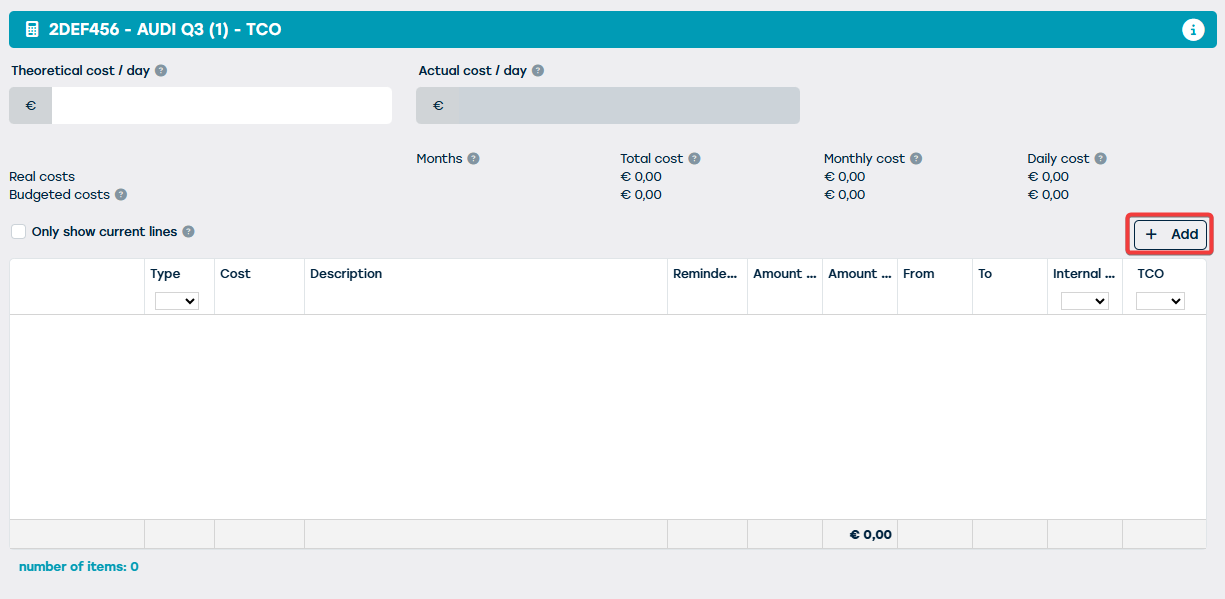
When you click on this button, you will be taken to the following dialog box where you can specify the details about the cost to be added:
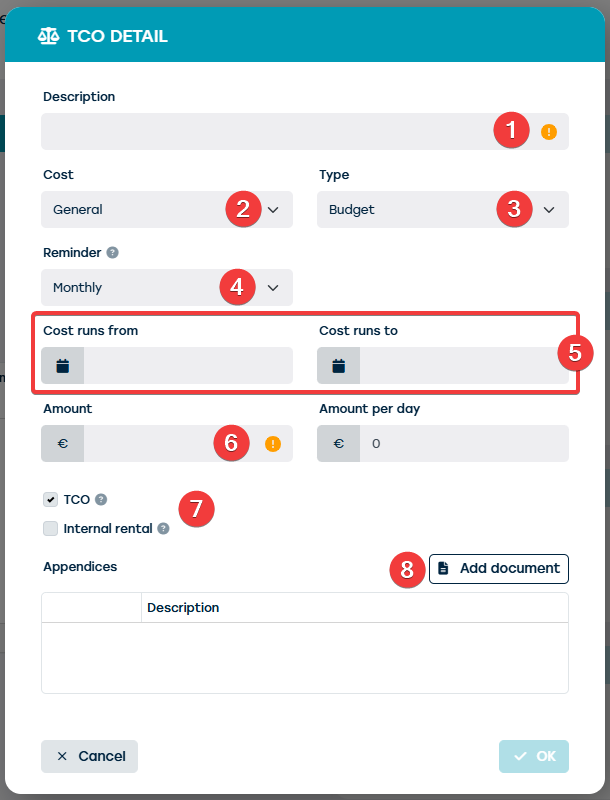
Within this screen, you can:
- To describe the cost to be added
- In the field "Kost", you can indicate the type of cost it is. Here you can choose from a number of predefined costs.
- The field "Type" is intended to indicate whether it is a real cost or an estimated cost that will occur in the future.
- The field "Herhaling" allows you to indicate whether it is a one-time cost or a cost that is repeated periodically.
- In the indicated date fields you can specify how long the cost lasts. Here you can, for example, use it if you want to spread a certain cost over a certain period within the vehicle's life cycle.
- In the field "Amount" you enter the total amount of the cost to be logged. If it is a periodically recurring cost, we expect the amount for 1 period here. Based on the duration of 1 period, the amount per day of this cost will then be calculated. For example:
- Repetition = Monthly
- Amount = € 60.00
- Amount per day = € 2.00 (i.e. Amount per day = € 2.00 (i.e. € 60.00 / 30 days in a month)
- Via the checkboxes you can indicate whether the cost should be included in the calculation of the total cost of ownership (TCO) of the vehicle and/or in the calculation of the internal rental price of the vehicle.
- Via this button you can add a document that is related to the corresponding cost (e.g. the invoice of a maintenance).
After costs have been registered on the resource, the field "Actual cost per day" will be calculated by ProPlanner. This will be the amount of the total daily cost on today's date. This means that this field will only take into account the costs related to the current date.