If you try to read an eID and the software is not yet installed, you will receive a pop-up window that will guide you through installing the software.
Two steps must be taken in this process:
- The installation of the software itself
In the pop-up, you will find a link to download and install the software.
If you don't get a pop-up, you can also find the software through this link: https://eid.belgium.be/nl - Add a Chrome or Edge extension:
Then, scroll down in the pop-up window and you will see that you can add a Chrome extension. Click on it and choose to add extension.
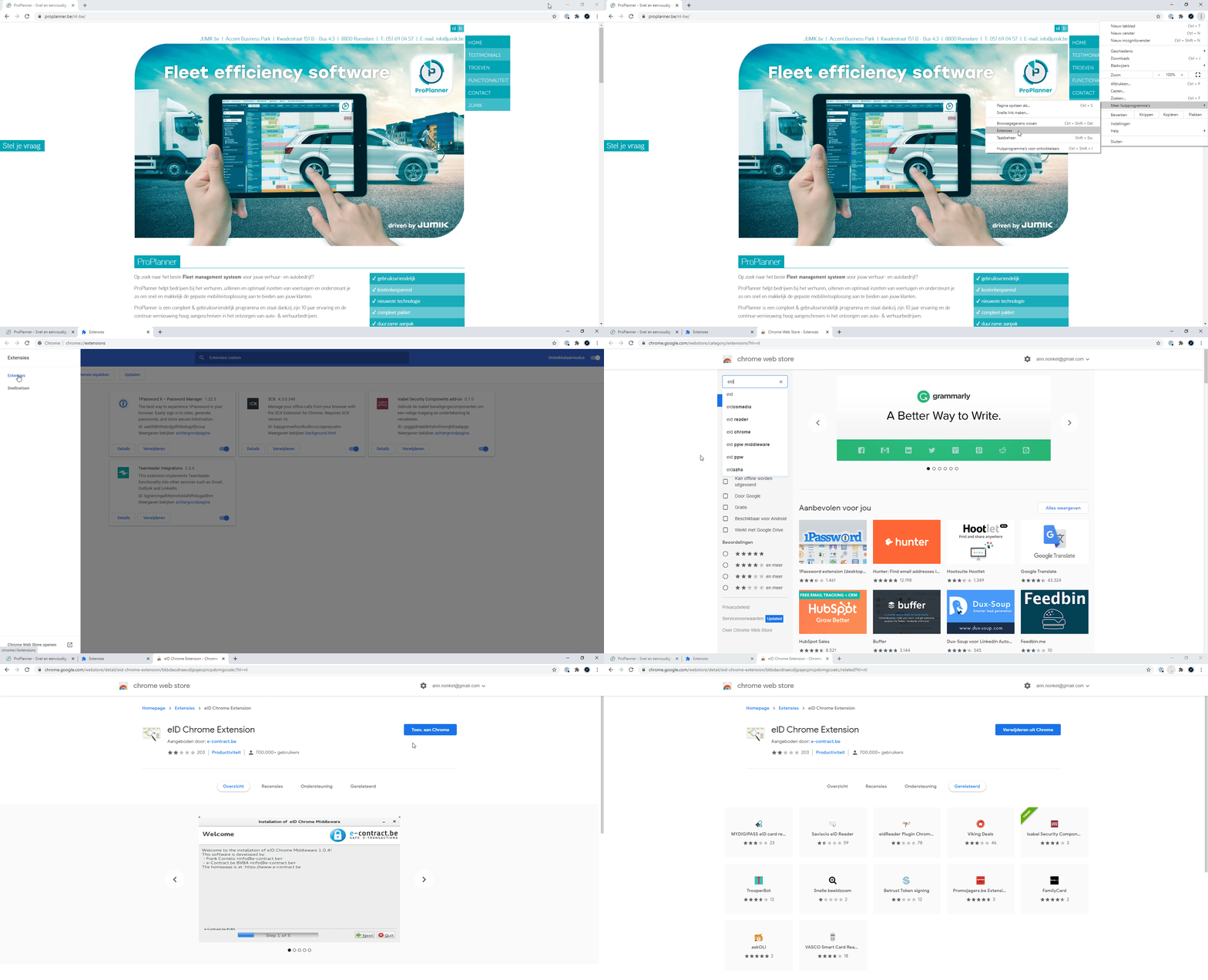
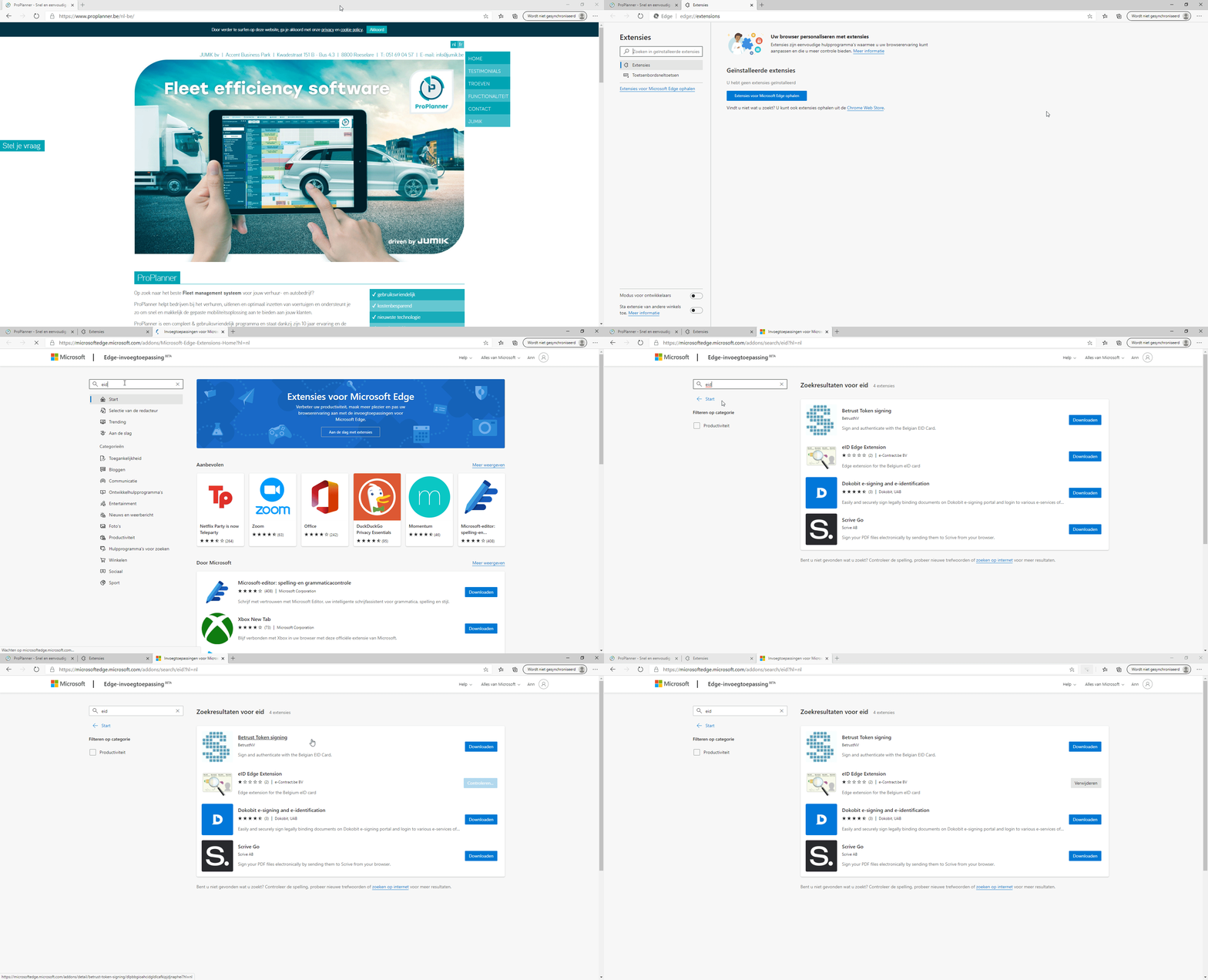
If you do not have the ability to install the extension through the pop-up window, you can do it manually using the steps below:
- Installation of the extension in Chrome:
- Installation of the extension in Edge:
After completing both steps, you can close the pop-up window and read the eID.