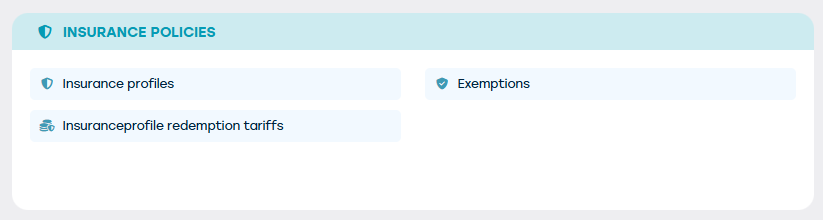
If you have sufficient rights, you have access to 3 buttons through the "Management" menu:
- Insurance profiles
- Exemptions
- Insurance surrender rates
Exemptions
First, we need to determine the different types of exemptions. Traditionally, we have: Comprehensive insurance, civil liability, glass breakage, theft, etc...
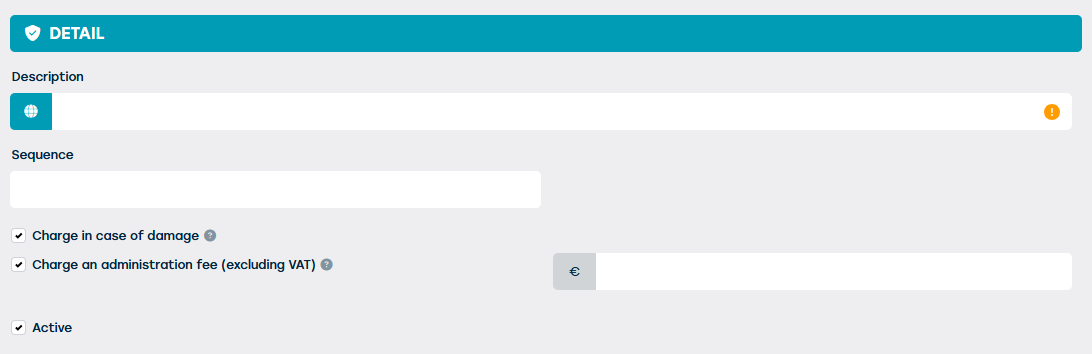
In this screen we can determine:
- Which description receives the exemption. This is also what the customer sees on his quote or contract.
- Whether the exemption is active. Used exemptions cannot be deleted, only deactivated.
- Whether the exemption should be charged when registering damage at check-in.
- Whether there should be a case cost charged if the exemption is charged
- In which order the exemption appears on the contract
Insurance profiles
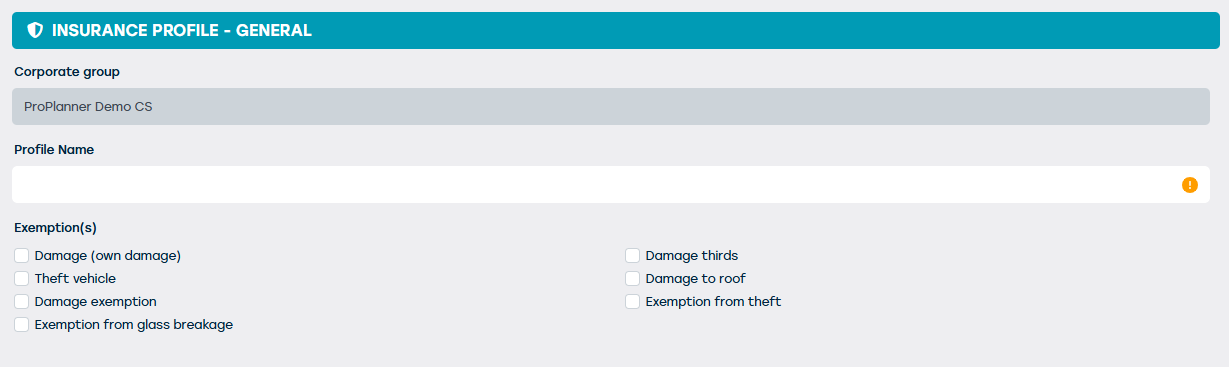
Once the exemptions have been determined, different insurance profiles can be created. Usually, a profile is created per resource category. A bicycle will have different exemptions and amounts than a car. For example, the theft exemption will be lower and there will be no exemption for glass breakage.
Everything starts with choosing a good name. Usually, "Car Insurance" or "Bike Insurance" is chosen here. This is the value that you will also see in the resource form and on the contract screen. You also determine here which exemptions you want to provide. These are the exemptions entered in the previous step.
Then go to the "Options" tile where we can determine whether we want to let the customer choose whether he wants an additional insurance or not. Ideal for upselling.
You can choose whether the corresponding option should be shown as "Recommended" on the website/app (only visible if the website/app module is enabled).
For each chosen exemption, you can choose the amount of the exemption. There is a choice between a fixed price (€) or a percentage (%) of the list price or the purchase value. There is also a fallback option if the chosen calculation basis is empty on the resource sheet.
Finally, a memo can be entered that may or may not be printed on the contract.
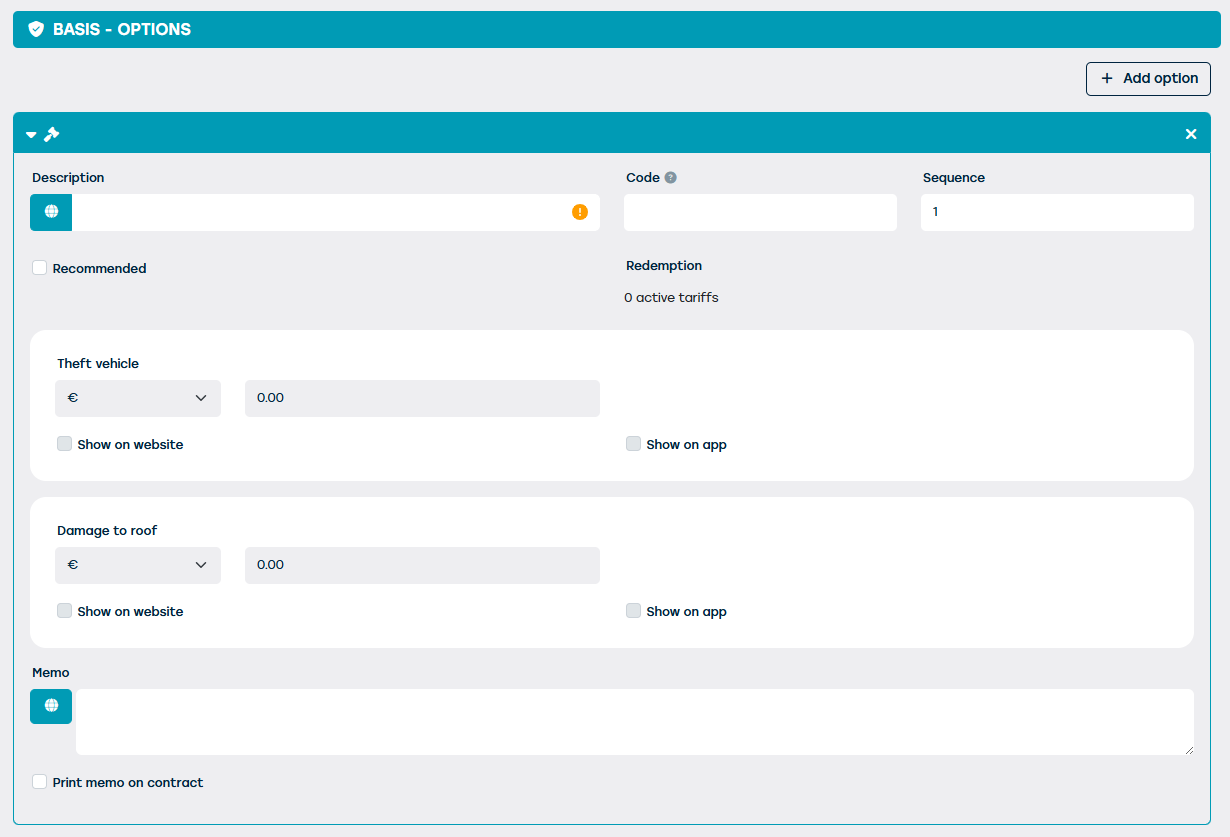
Finally, you can determine which insurance option should be selected by default in which scenario through the "Standards" tile. You can specify the following:
- The general default option to choose
- The option that should be chosen by default for a private customer
- The option that should be selected by default for a business client
- The option that should be selected by default for a young driver
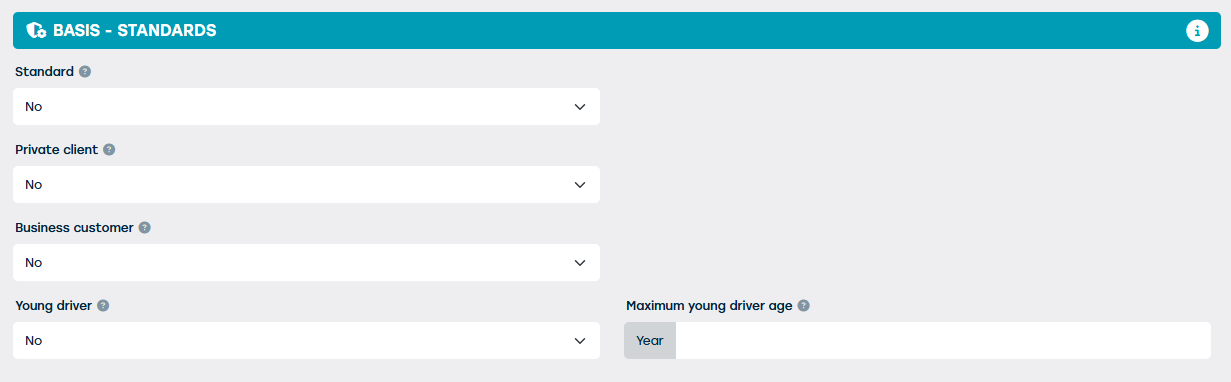
To determine which insurance option will be selected as the default on a contract, first the drivers on the contract will be considered, and then the main client on the contract will be considered. If a default option cannot be found in this way, the general default option will be used as a fallback.
Insurance redemption rates
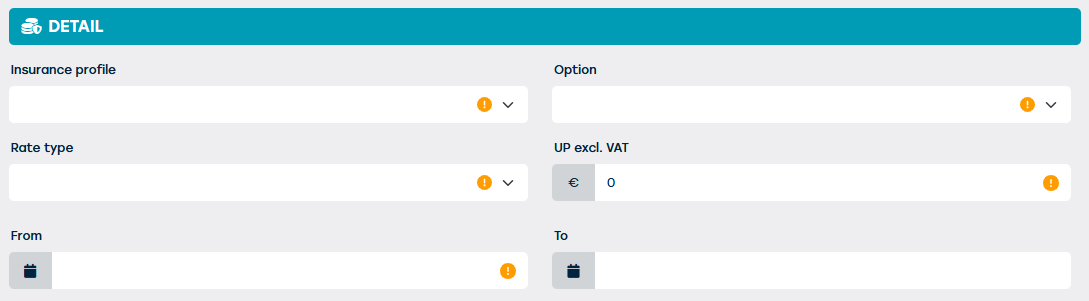
If there is only one option, it usually means that it is the default and no sales price should be associated with it. However, if upselling is done and the customer is given the choice to pay for lower deductibles, the price of these options must still be determined.
This screen allows you to determine the daily/weekly/monthly/... rate for each option.