While it is always recommended to carry out a check-out using a tablet, in some cases it can also be useful to do so using ProPlanner.
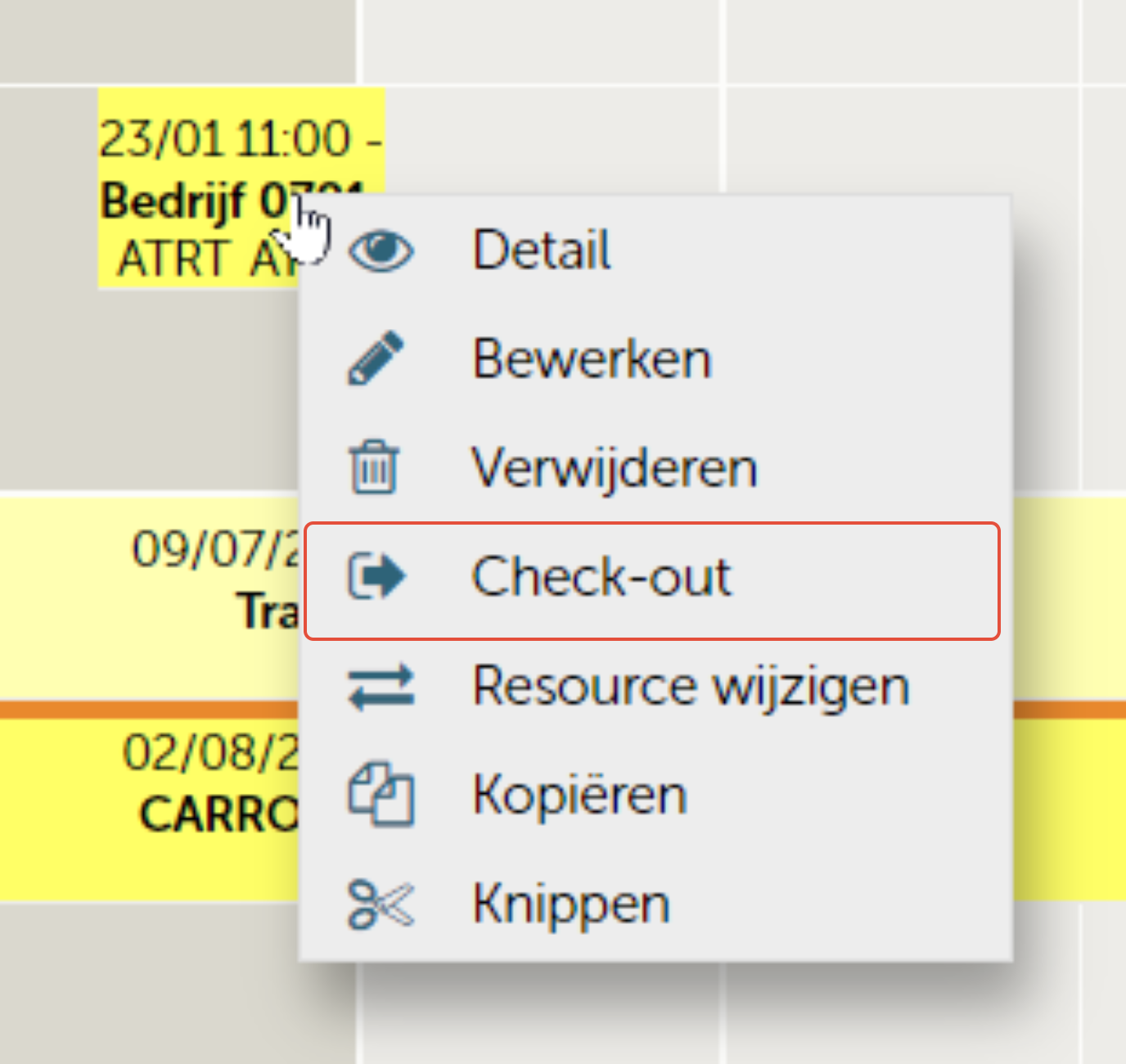
You can do so by right-clicking the reservation and choosing "Check-out" via the calendar
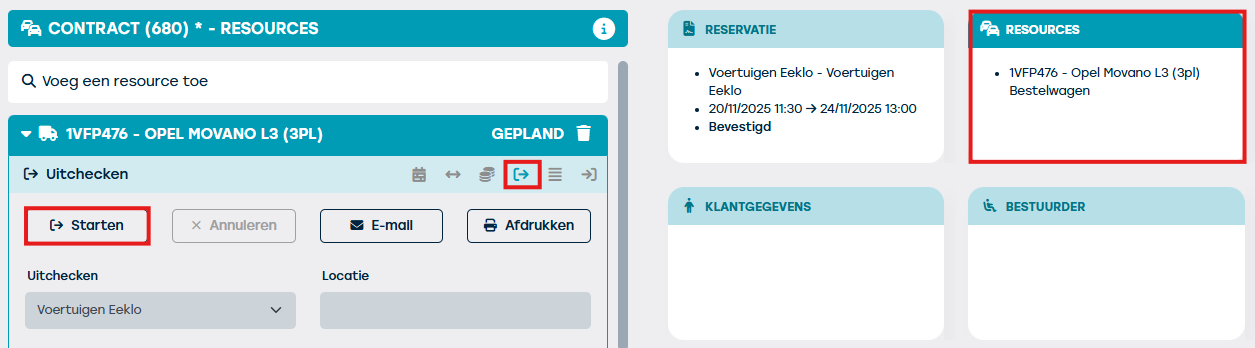
On the other hand, you can also open the contract and click the "Resources" tile and choose the check-out mini-tile. You then click "Start check-out".
The check-out date is automatically set to the current time. The mileage and fuel level are copied from the resource record and the checklist becomes available.
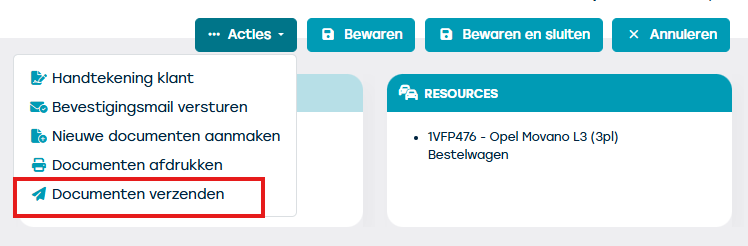
Don't forget to click "Save" after entering everything. If you wish to send an email to the customer, go to Actions > Send documents.