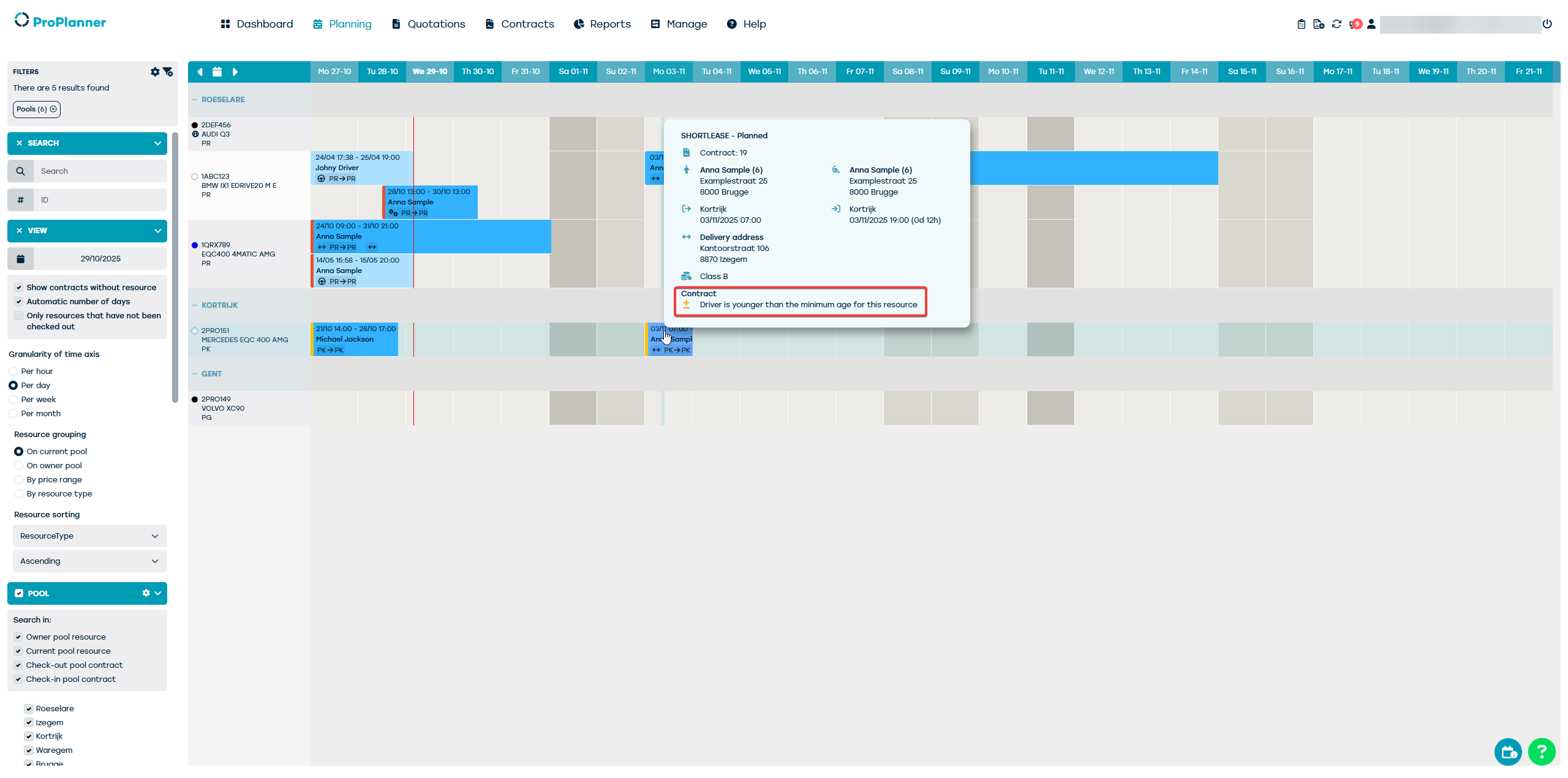
For insurance reasons (or others), it may be desired that certain vehicles are not used by drivers below or above a certain age. This includes expensive luxury cars or powerful sports cars. Did you know that in these cases it is possible to set this on the vehicle sheet?
For each resource, it is possible to specify a minimum and/or maximum age for the driver. These settings do not block ,,, , and, but only serve to generate a warning if the corresponding resource is assigned to a driver who does not meet the age limits set. This warning will be displayed on both the relevant contract and the planning.
Set the minimum and/or maximum age on the resource
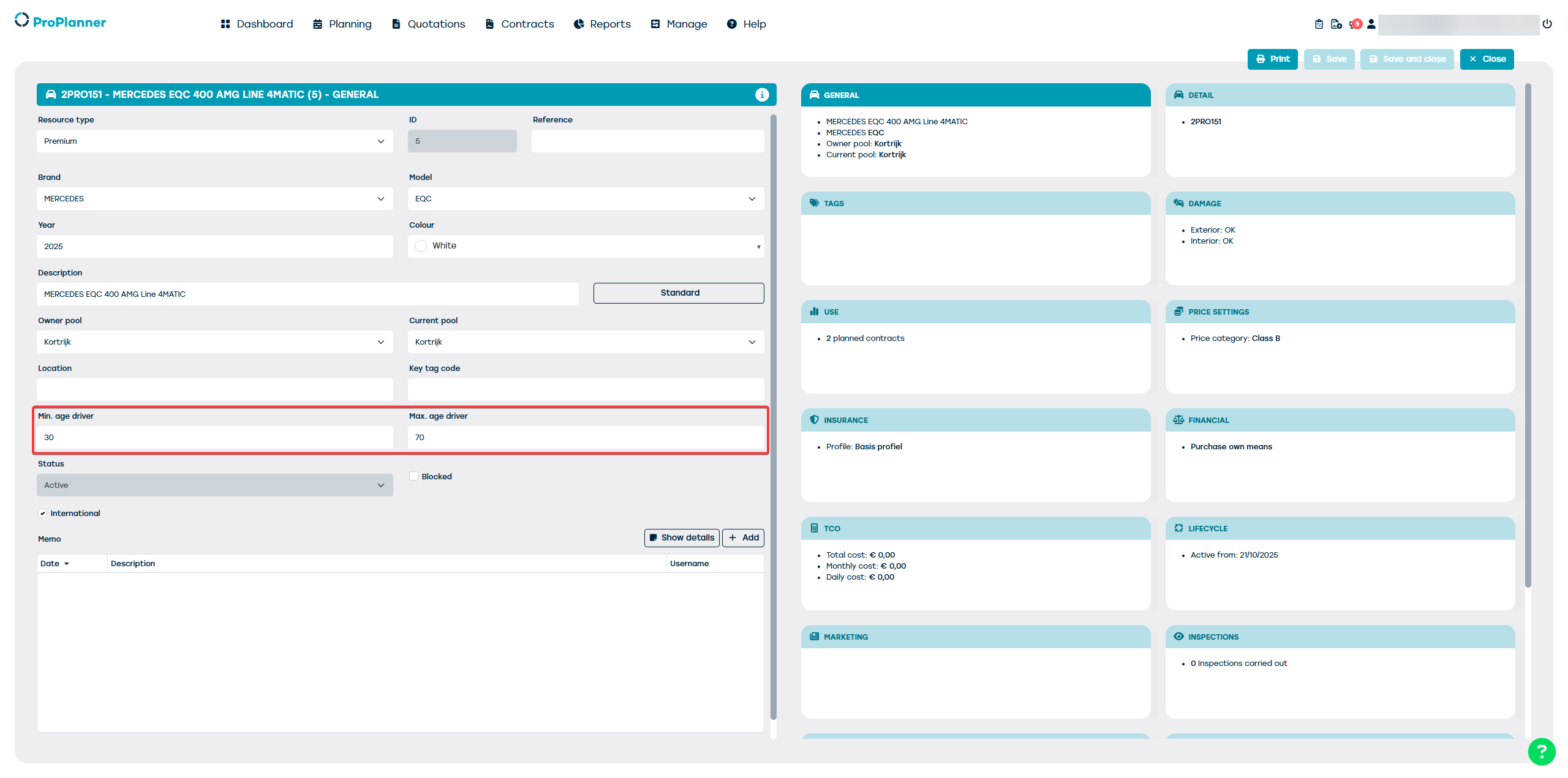 As indicated in the above screenshot, you can set the age limits on the "General" tile of the resource card. If these fields are not filled in, no warning will ever be displayed regarding the age of the assigned driver.
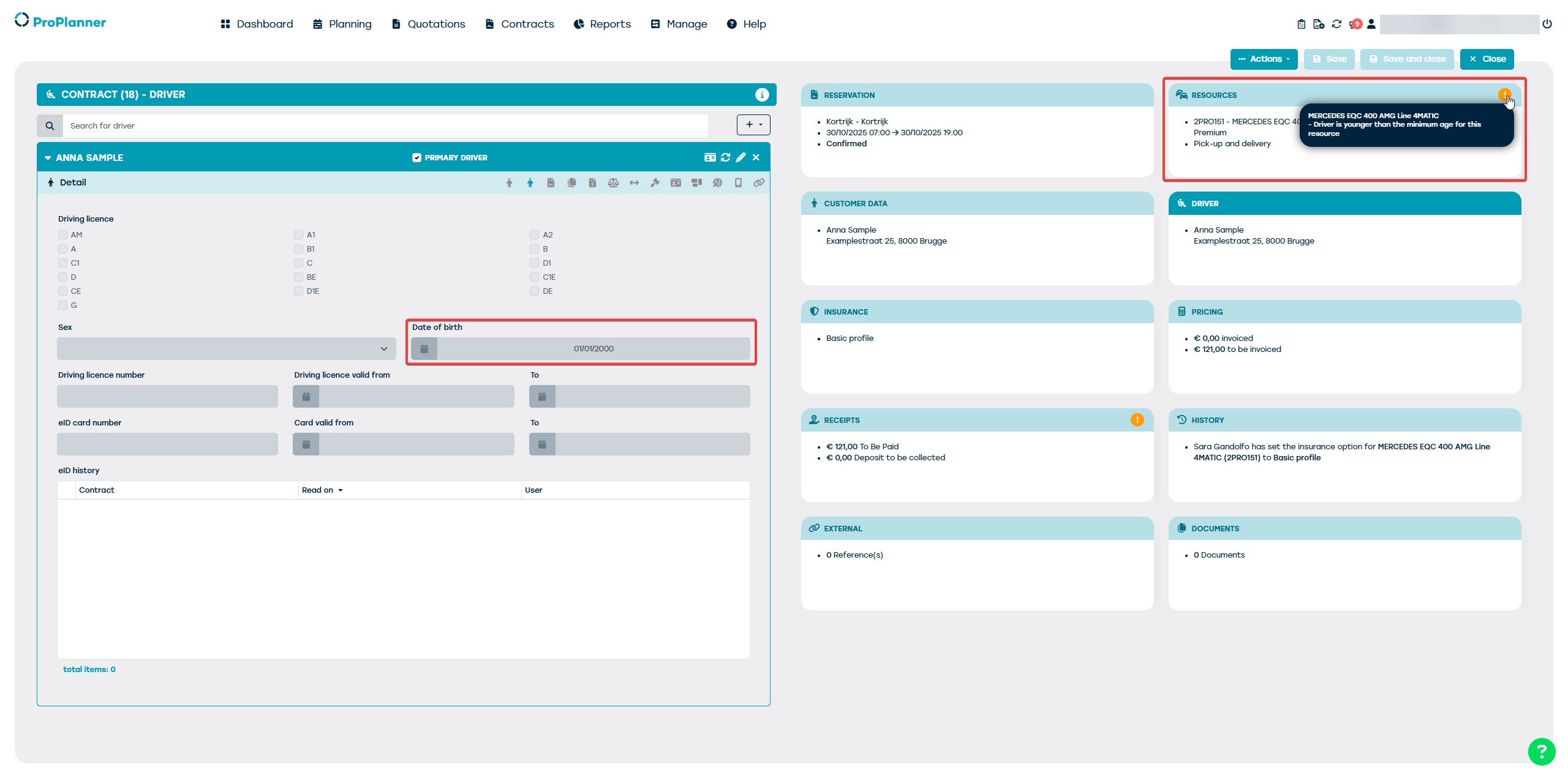
Displaying a warning on the contract
If the driver on the contract does not meet the age limits set on at least 1 of the resources on the contract, a warning will be displayed on the "Resources" tile of the contract. This warning is not blocking for saving the contract, nor for checking out the related resource.
This warning will also be visible on the schedule: