During the check-out and check-in process, a checklist is shown to the user.
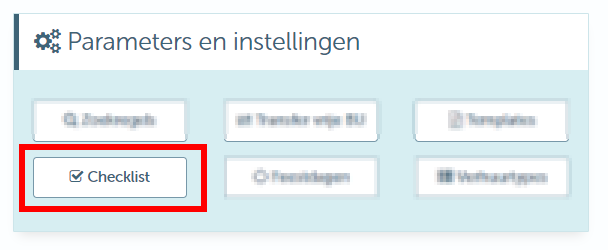
Our consultant goes over these during start-up. People with rights can start personalising this checklist themselves. Under Management > Contracts, you find the management screen:
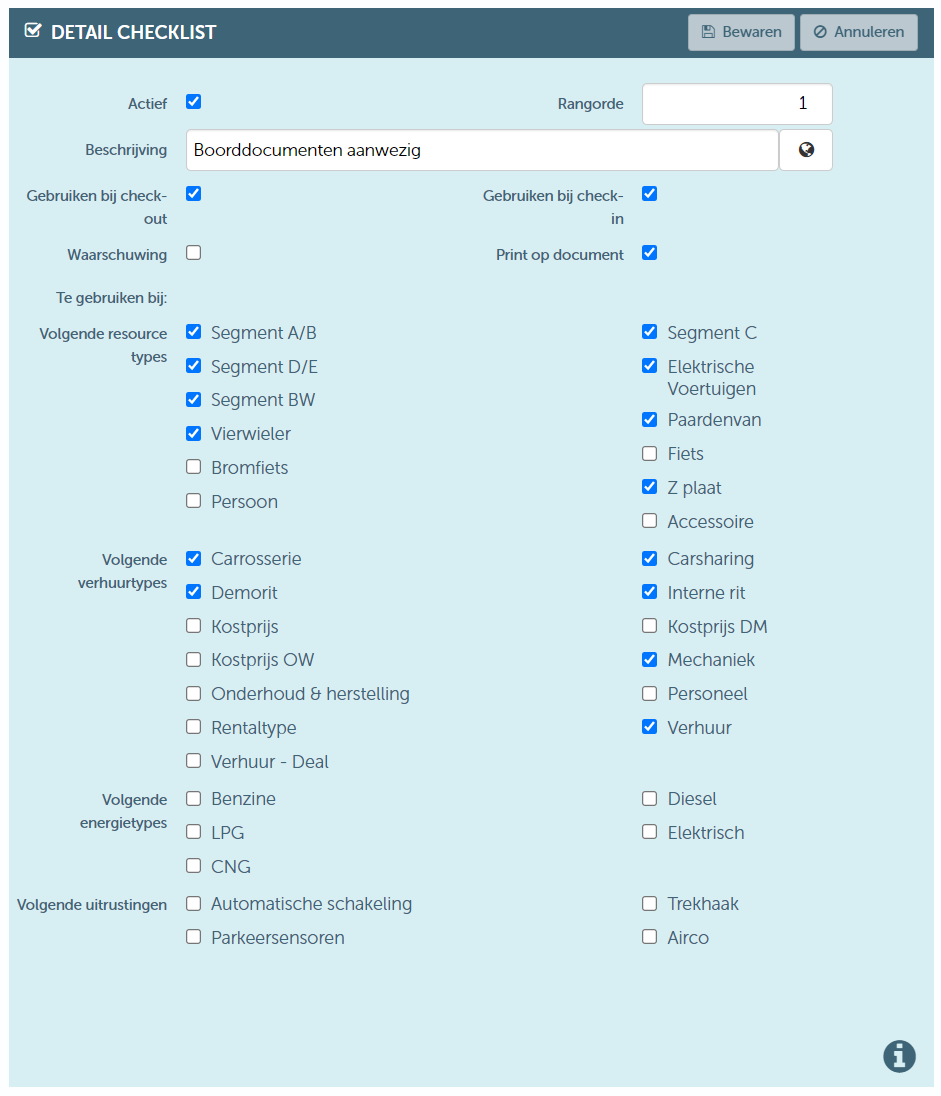
There are several ways to set these. The parameters are discussed below:
| Active | A checklist item that is in use cannot be removed. If you no longer wish to use an item, you can deactivate it. |
| Ranking | This determines the order in which the item is displayed. |
| Description | Multilingual item description. Keep in mind that in the checklist you can choose: yes/ok (checkmark) or no/not ok (cross) or unknown (question mark). Beware of double negations such as "Not cleaned". |
| Use at check-out | Does this item need to be shown during check-out? You may only want to check something at the check-out of the resource, but not at the check-in. |
| Use at check-in | Does this item need to be shown during check-in? You may only want to check something at the check-in of the resource, but not at the check-out. |
| Warning | Should there be a warning if you don’t check/uncheck the item? |
| Print on document | Does the item have to be specified on the check-out document? It is possible to carry out a check that you don’t want to see on the document. |
| To be used for next resource types | In which resource types do you want to see this item? In case of a bike, you don't want to check if the SD card is present. |
| To be used for the following rental types | In which rental type do you want to see this item? For a demo ride, it may not be relevant to check whether the car has been cleaned. |
| To be used for the following energy types | Checking whether the charging cable is available is something you obviously only want to do with electric cars. |
| To be used for the following equipment | Snow chains, SD card, etc., it’s worth checking to see if they are at least present. |