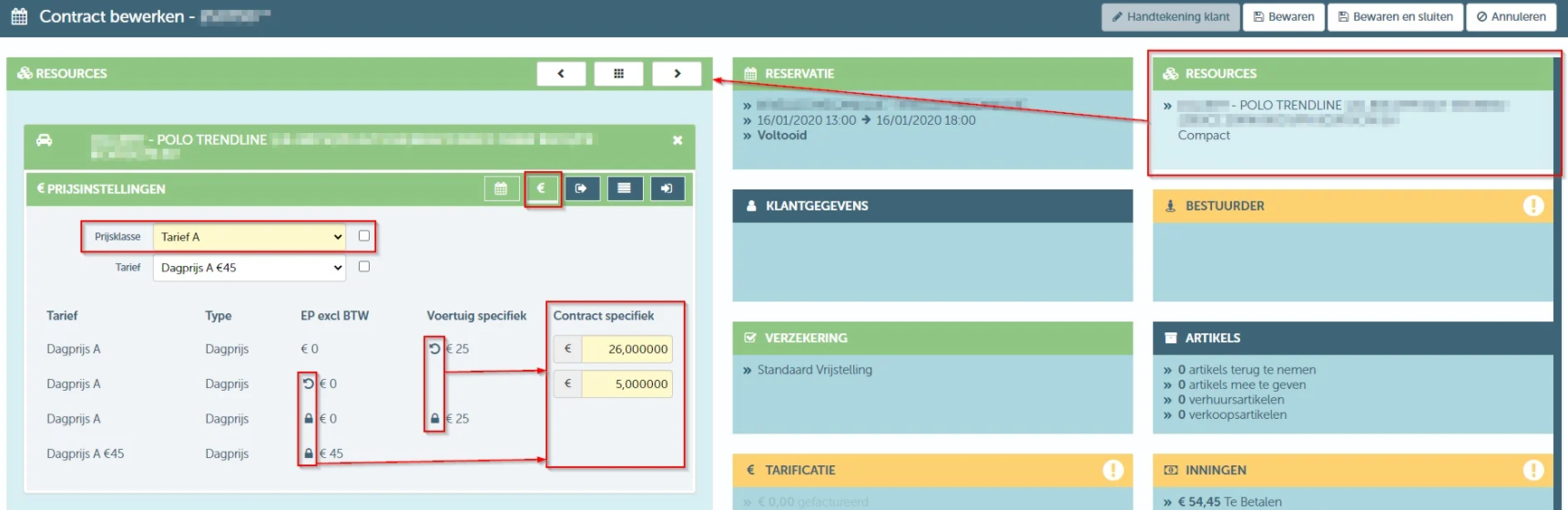
There is a possibility to deviate from the applicable rates, both at the resource level and at the contract level. When calculating the price on a contract, the following will be taken into account: the deviating rates.
- If there is a deviating rate at the contract level, this will be the rate used for calculating the price.
- If there is no deviating rate at the contract level, but there is at the resource level, the deviating rate at the resource level will be used for calculating the price.
- If no deviating rates are set at the contract or resource level, the standard rate will apply.
Via the "Pricing Settings" tile on the resource details screen, you can set the special rates at resource level. You do this by clicking on the lock icon next to the corresponding rate. To return to the standard rate, click the circular arrow.
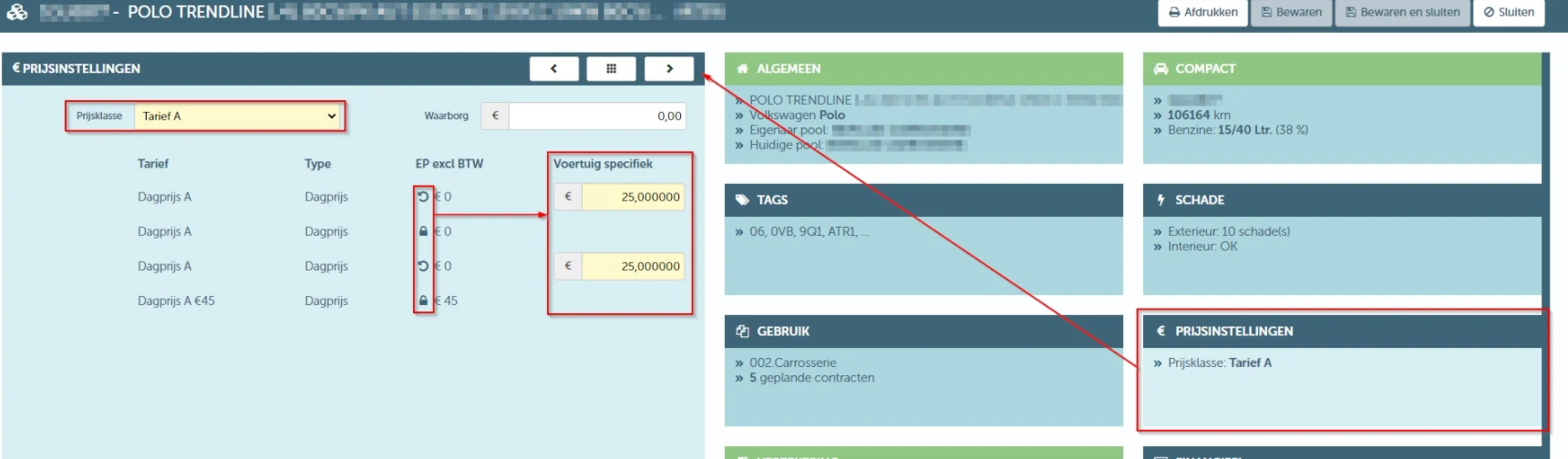
It is also on this tile that you set the default price range of the resource.
At contract level, you can set the price deviations on the sub-tile of the resource planning on the contract. You also do this via the lock icon. To return to the price deviation at resource level or to the standard rate, click the circular arrow.