As part of security enhancement, administrators can create their own password requirements. Please contact us to configure the following settings:
- Minimum length: the minimum number of characters a password must contain (#characters).
- Complexity: the password must contain at least one uppercase letter, one lowercase letter, one number and one non-alphanumeric character.
- Mandatory change: set after how many days (minimum 30) a password must be changed.
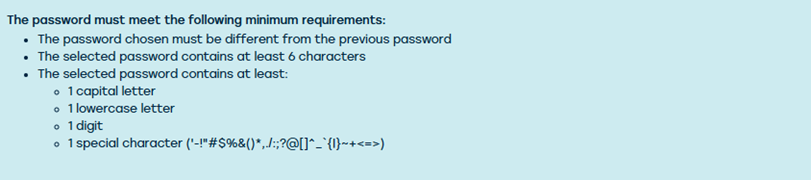
Once these settings are configured, a handy info box appears on the user sheet. This shows the minimum requirements that the password must meet, so users know exactly what is expected.
One week before the password needs to be changed, the following toaster will appear by default in ProPlanner at the bottom:

When you click on it, or if your password simply needs to be replaced immediately, you will see the following screen where you can change it:
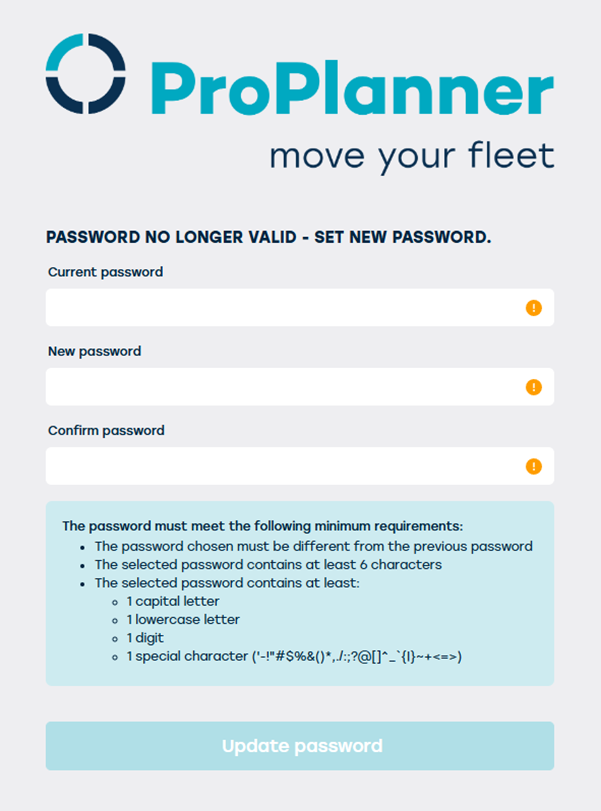
You will also obtain this screen when you specify 'forgot password.'
In addition, Single Sign-On (SSO) still remains an option for simplicity and security.