It is possible to include conditions with various documents. We distinguish between two types of conditions:
- General conditions:
These conditions are extensive and apply to all transactions and agreements between your company and your customers.
In Proplanner, you can automatically add the general conditions to the following emails:- Reservation confirmation email
- Customer signature email
- Check-out document email
- Check-in document email
- Quotation email
- Invoice email
- Specific conditions:
These conditions are specifically aimed at a particular document and contain provisions that only apply to this specific document.
In ProPlanner, you can provide quotation conditions and invoice conditions. Here too, you can set these conditions to be automatically included with these documents.
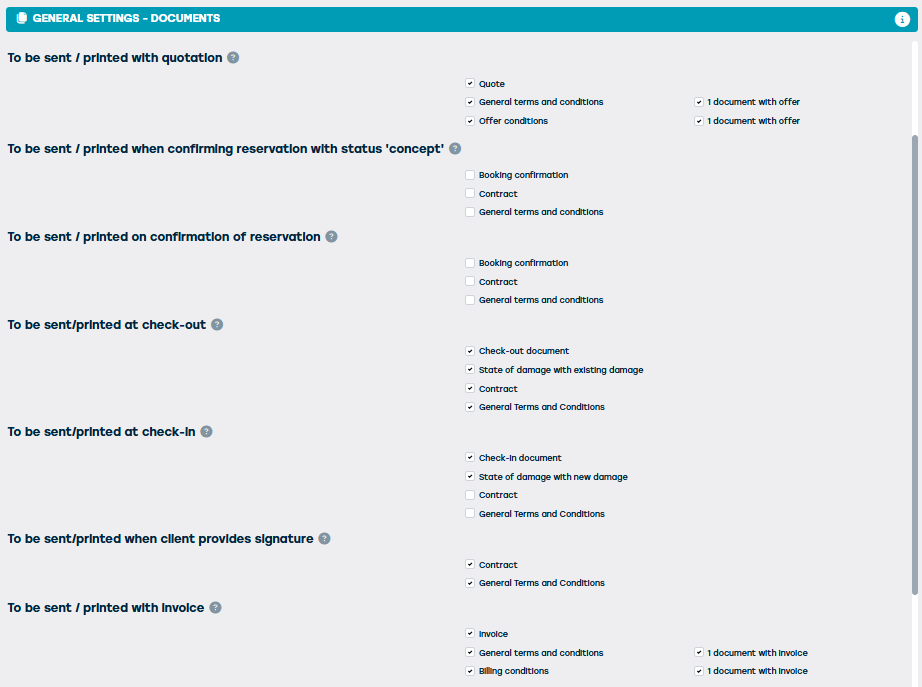
Contact support@proplanner.eu to set this up for you.
To be able to include the conditions, they must be added as a template. Here's how you do it:
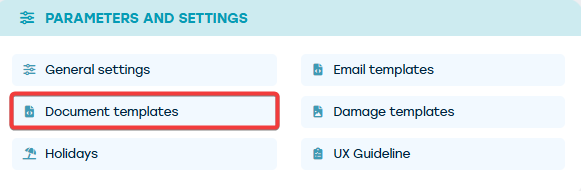
You can set up these templates via "Manage" > "Parameters and Settings" > "Document Templates" (note that you need sufficient rights for this).
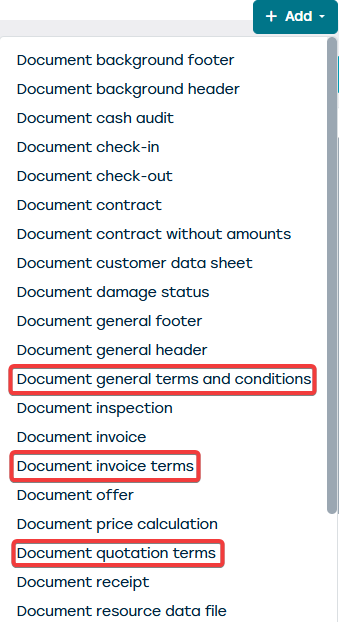
Click the 'Add' button at the top right and choose the document you wish to add:
- Document general terms and conditions
- Document quotation terms
- Document invoice terms
A new template will be opened.
The easiest way is to upload the conditions as a PDF. On the 'General' tile, choose PDF in the Editor:

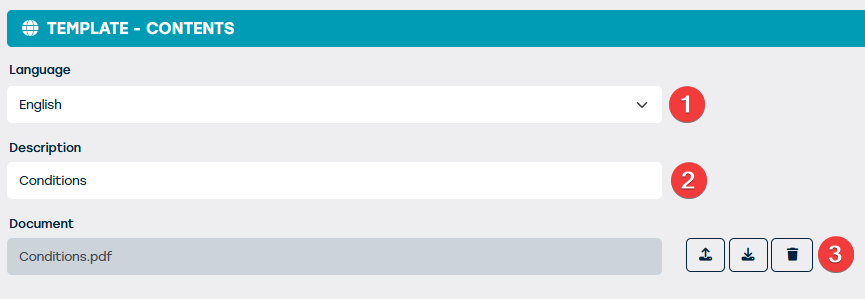
On the 'Content' tile, we will then add the conditions in the different languages.
Depending on the number of available languages in your ProPlanner environment, you will need to repeat the steps below according to the number of available languages.
- Choose a language
- Provide a description for the conditions in the chosen language
- Upload the file in the correct language
- Repeat these steps until all languages are completed, only then will you be able to save
Save this template by pressing 'save' at the top right. Your template with the conditions has been created.