We have ensured that the default pool filter setting in the filter bar in ProPlanner can be customed to your personal preference.and have made sure that you
This is possible on all screens where the pool filter is used:
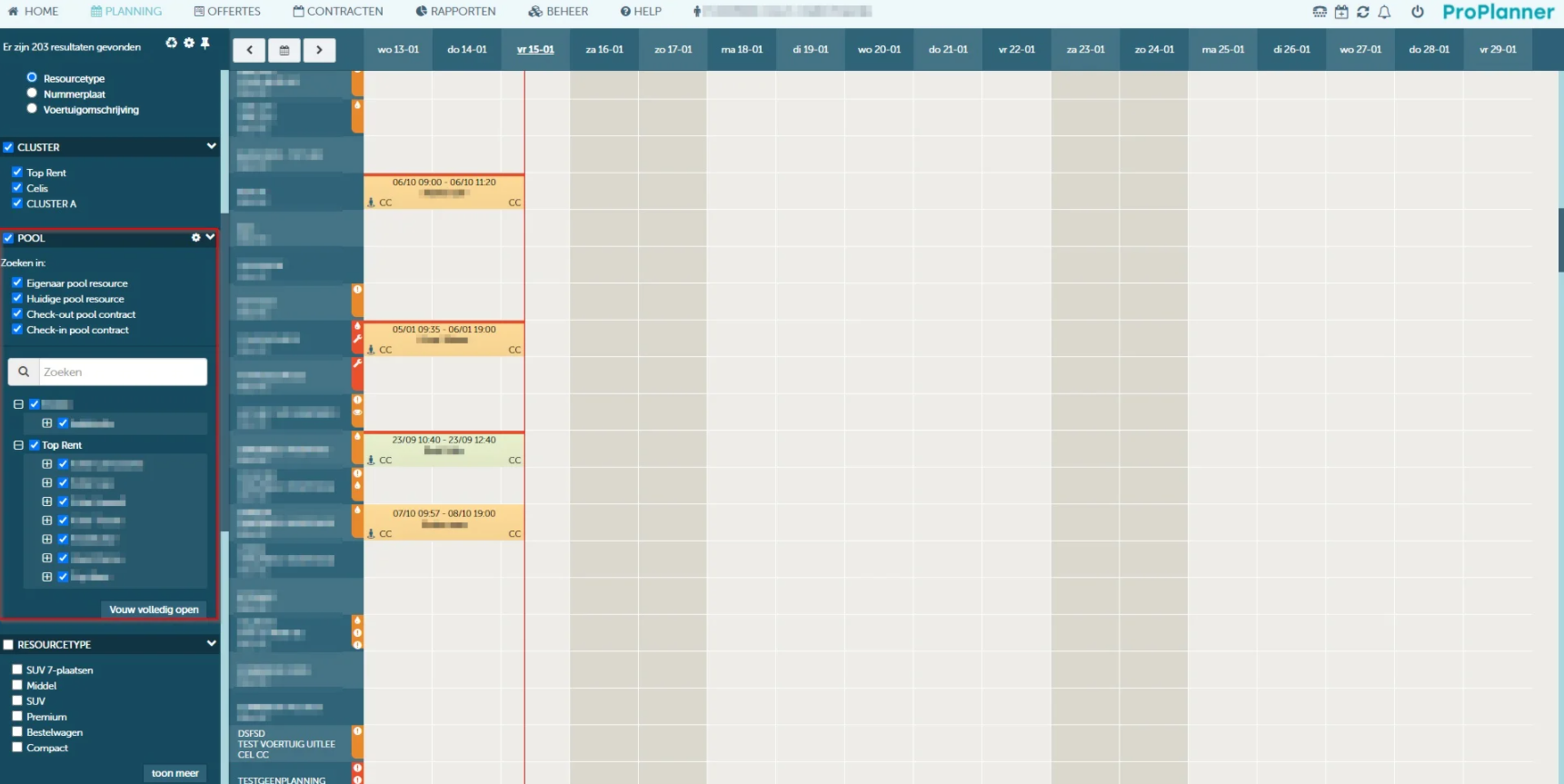
You can access (and change) the pool filter's user settings with the gear icon next to the "Pool" title in the filter bar:

Depending on which screen you are in, a different window will open:
The following window is shown on the home screen:
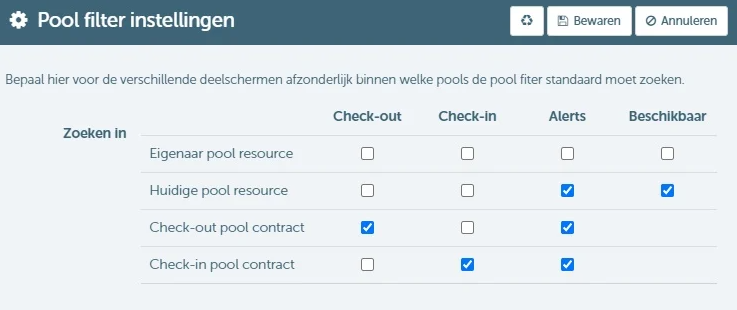
Here you can define the type of pool the pool filter should search in for each part screen, including the table of available resources. The following window is shown on all other screens:
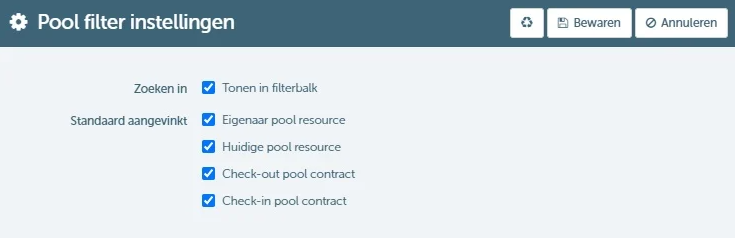
Here you can:
- Set within which pools the pool filter should operate for the relevant screen
- Determine whether to show this on the filter bar or not. This saves screen space.
In either case, you can always return to the initial settings via the reset icon.