Our supplements module provides an answer to assigning extra costs/surcharges at check-out and/or check in.
This can be an extra service, intervention or intervention. Some examples: cleaning, minor repair, fuel costs, charging cable,...
These supplements can be manually or automatically added via a checklist. This can be called up during check-out and/or check-in on pc or tablet or afterwards via pricing on the contract
Creating one or more supplement(s) is done as follows:
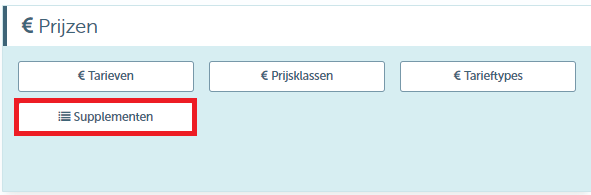
At 'prices' under menu 'management' , you can find the module 'supplements'
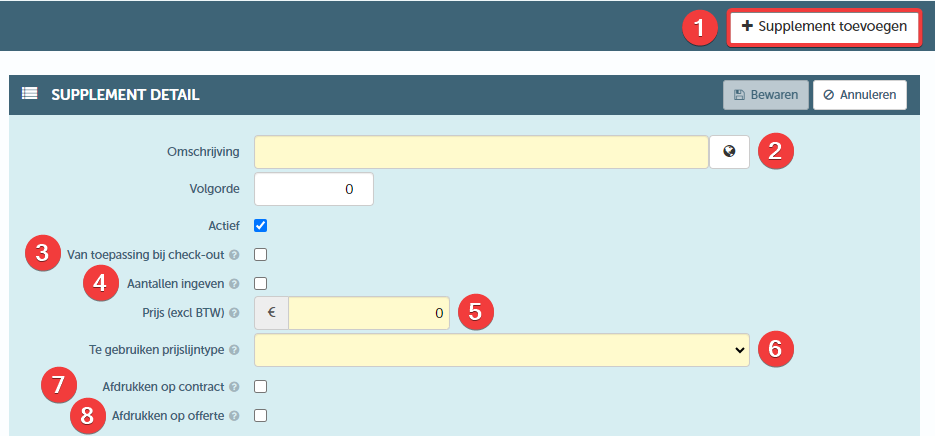
Then, one or more supplement(s) can be created via '+ add supplement' (1)
The following can be set:
- Description (2) - Give the desired name for the supplement
- From application at check-out (3) -By default, the surcharge is only displayed at check-in, if checked, this surcharge will also be displayed at check-out
- Entering quantities (4) - By default, a lump sum price per supplement will be charged. If 'entering quantities' was checked, it will be possible to enter these supplements in quantities at check-in. Subsequently, this supplement will be charged per unit.
This can, for example, be a scratch that has been observed 4 times. As a result, the unit price for a scratch will be charged 4 times - Price (excl VAT) (5) - Determine here the price to be charged. If 'entering quantities' was checked, the unit price should be entered here
- To be used price type (6) - Here one can determine which price line should be used when charging this supplement
- Print on contract (7)- If checked, the supplement (with price) will be printed on the contract
- Print on quote (8) - If quote module has been purchased, the supplement (with price) can be printed on the quote
Supplements can be manually or automatically added (or removed) on the tablet during the check-out or check-in procedure
To automatically show the supplements (and charge them if applicable), they must be added to the checklist.
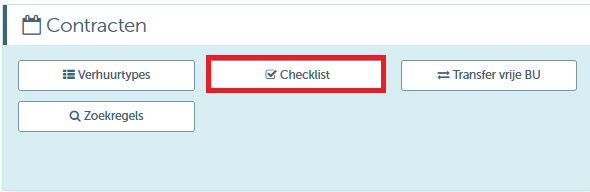
This can be set at 'checklist' located under the tile 'contracten'
Then click on '+ add checklist item' (1) to create a new checklist item
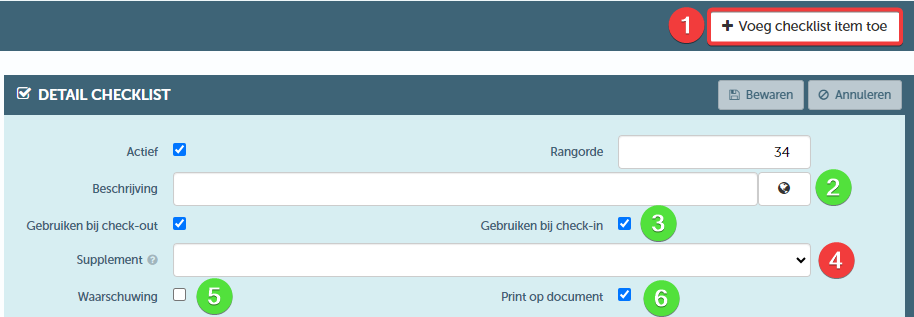
- Description (2), Use at check-out and/or check-in (3), Warning (5) and Print on document (6) -
How to fill in this data can be found in this article 'how to set up a checklist' - Supplement (4) - This detail becomes visible when the supplement module is in use, here a supplement can be linked to the newly created checklist item. The selected supplement will be automatically charged if this item was checked at check-out but not at check-in
The display on tablet looks as follows:
Checklist (1) - As already known, the supplements will be displayed in the form of a checklist, and automatically charged if applicable
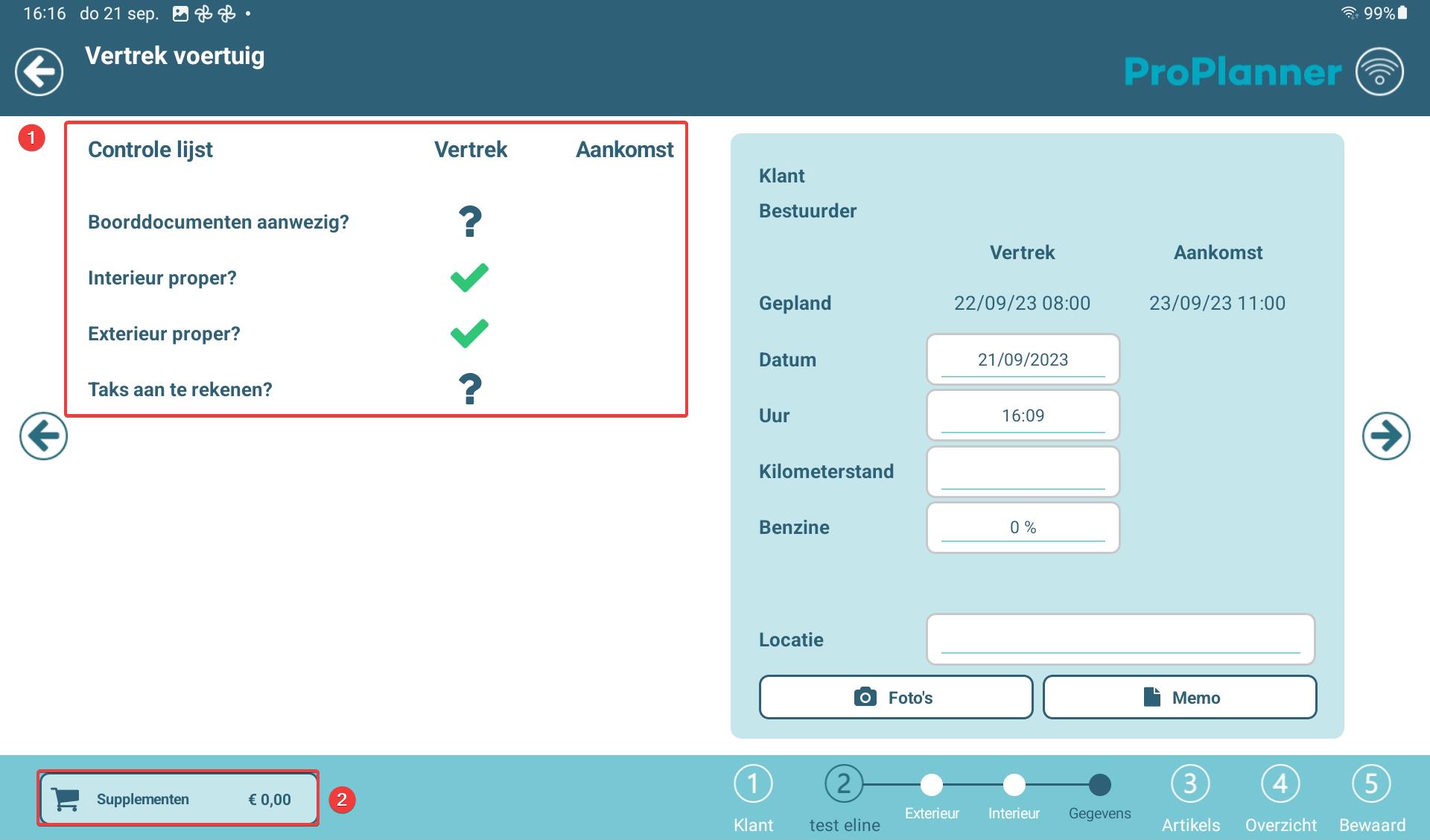
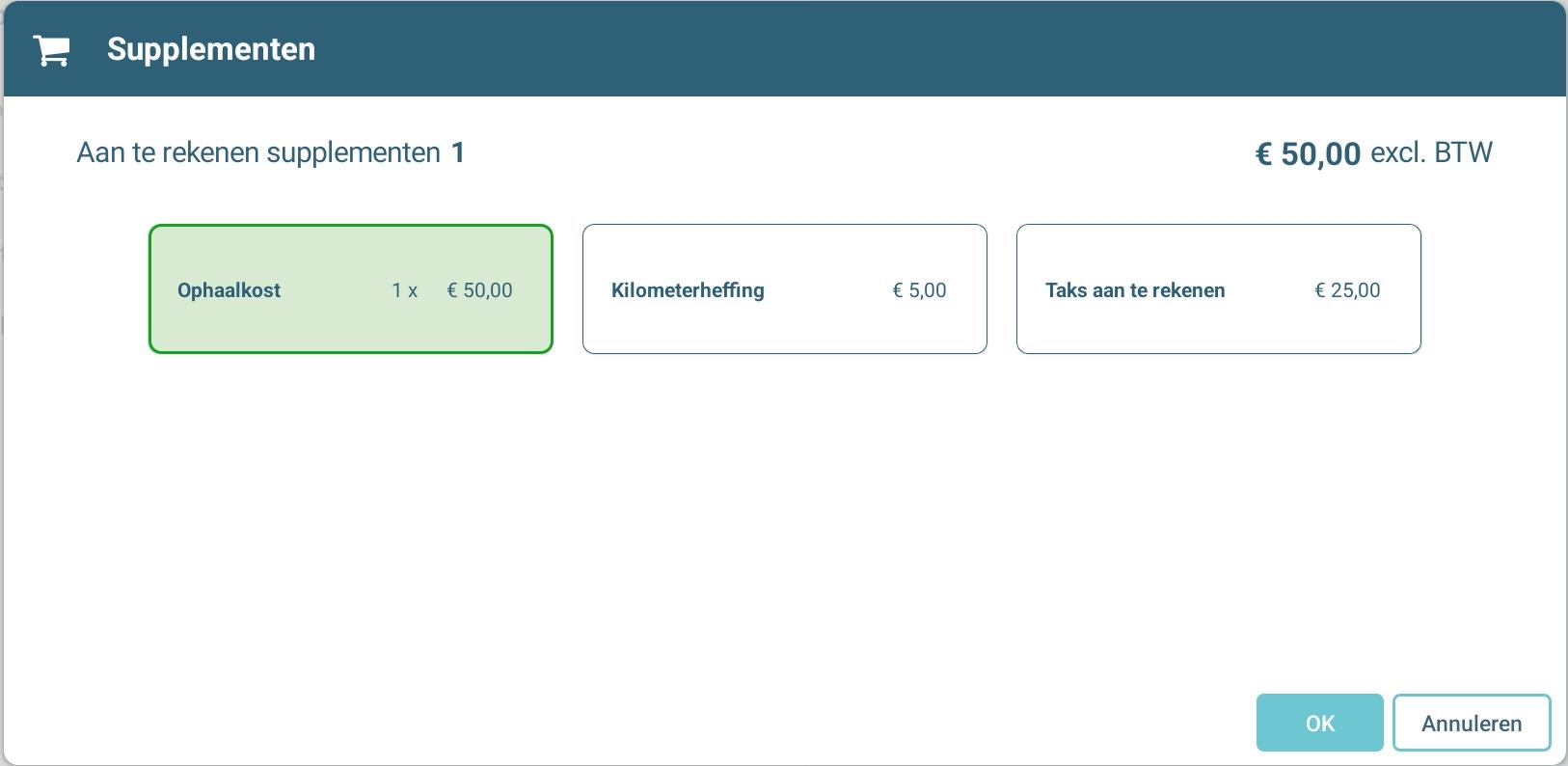
Supplements (2) - It is also possible to manually add a supplement
A drop-down list will appear. When choosing one or more supplements from this list, the total amount to be charged will be displayed at the bottom.

A supplement can also be added manually to the contract under the tile 'tariffication'
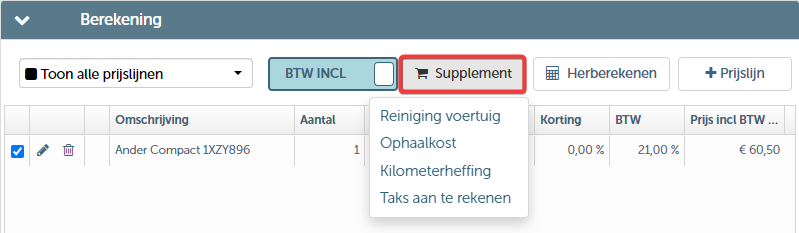
When adding supplements, an input screen will appear. Here, the parameters can be defined in the same way as input price line.
If interested, you can always contact us.This module works even better when combined with the carwash module.Note that the user needs the 'manage supplements' right to be able to make adjustments