During the check-in or check-out of a resource, situations may arise that require further follow-up. To ensure that no action is overlooked, ProPlanner offers the ability to create an action directly from the check-in or check-out process on the tablet.
How does it work?
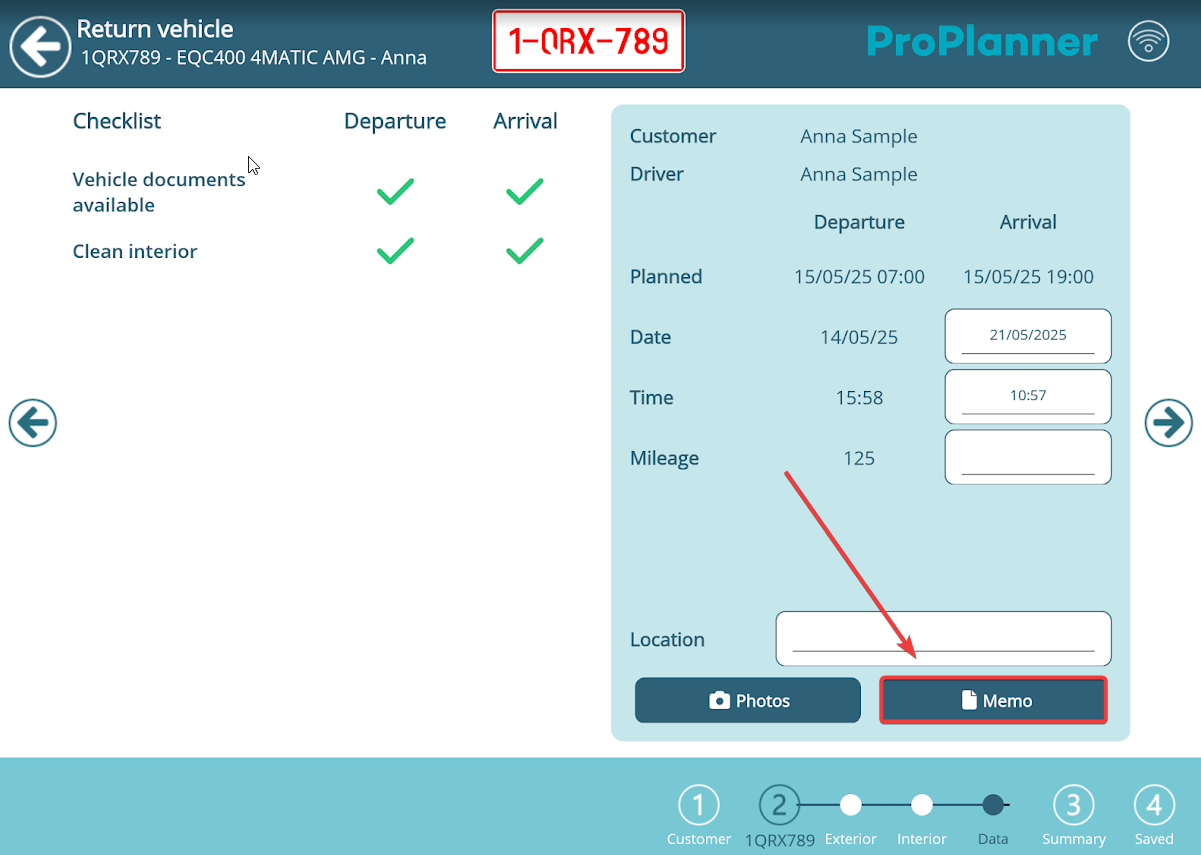
During the usual check-in or check-out flow, you’ll reach a screen where you tick off checklist items, adjust the mileage and fuel level, and optionally add a memo.
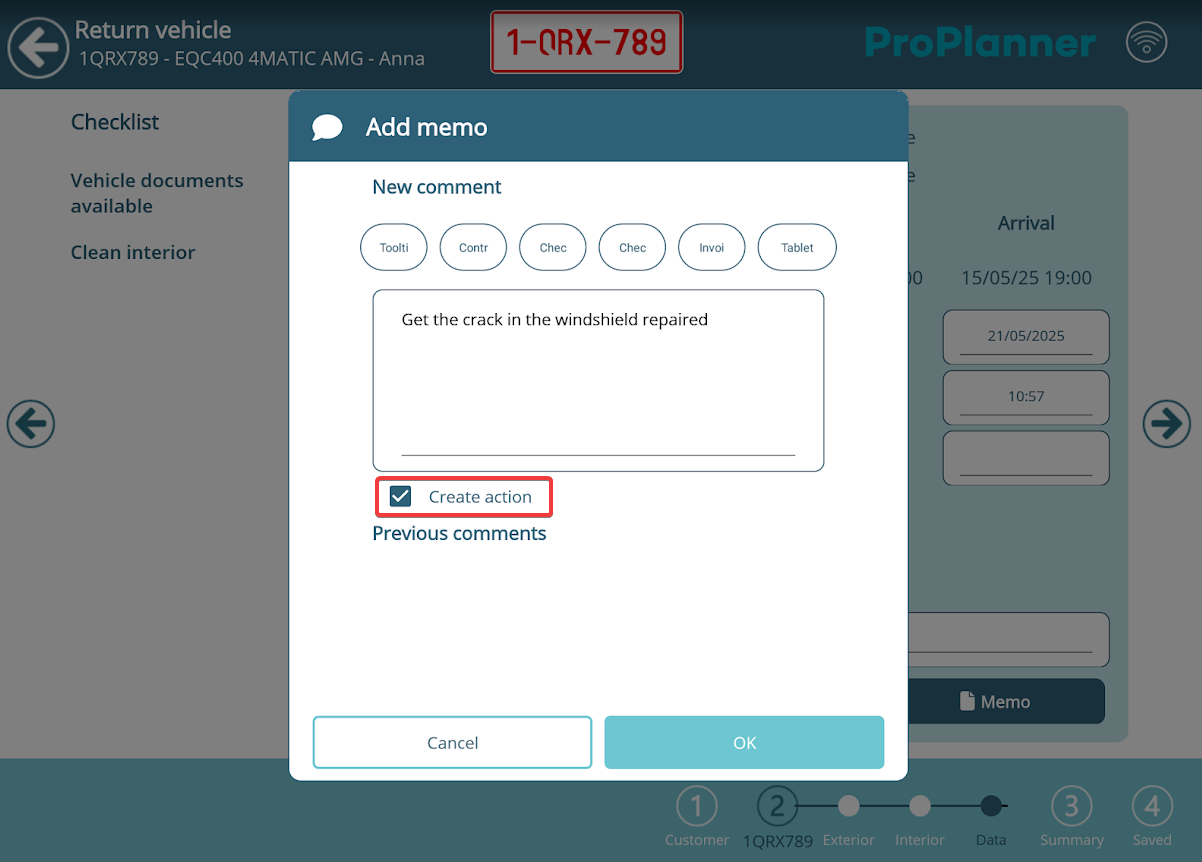
By clicking the ‘Memo’ button, you can not only add a comment, but also – via the ‘Create action’ checkbox – immediately register an action in ProPlanner.