When you wish to sell a resource from the fleet, you can generate a sales invoice where the necessary data of the sold resource will automatically be included on the invoice. This information does not need to be entered manually, allowing for the sales invoice to be created efficiently and minimizing the risk of errors.
You can generate the sales invoice for the respective resource in several ways:
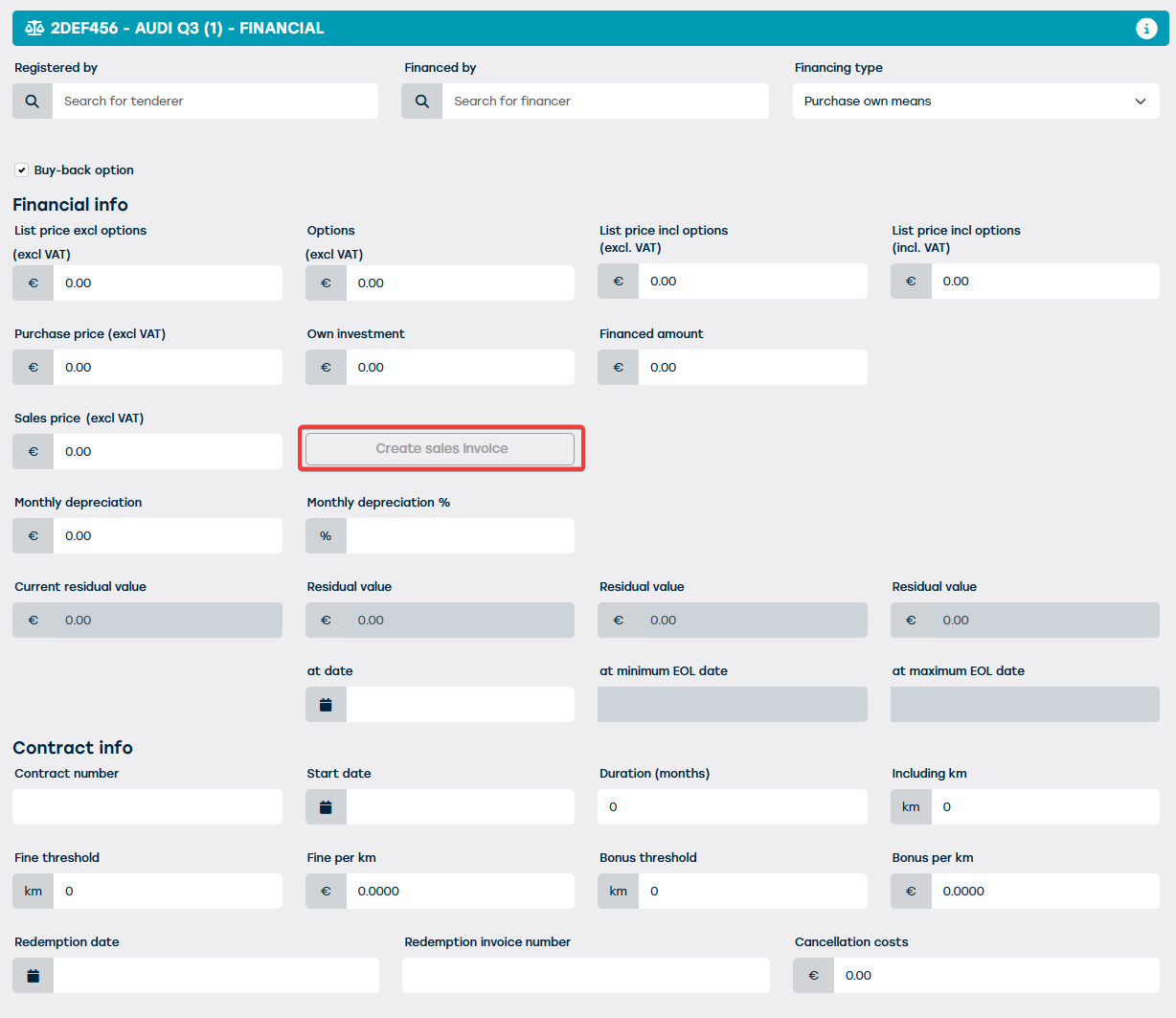
- From the resource sheet itself:
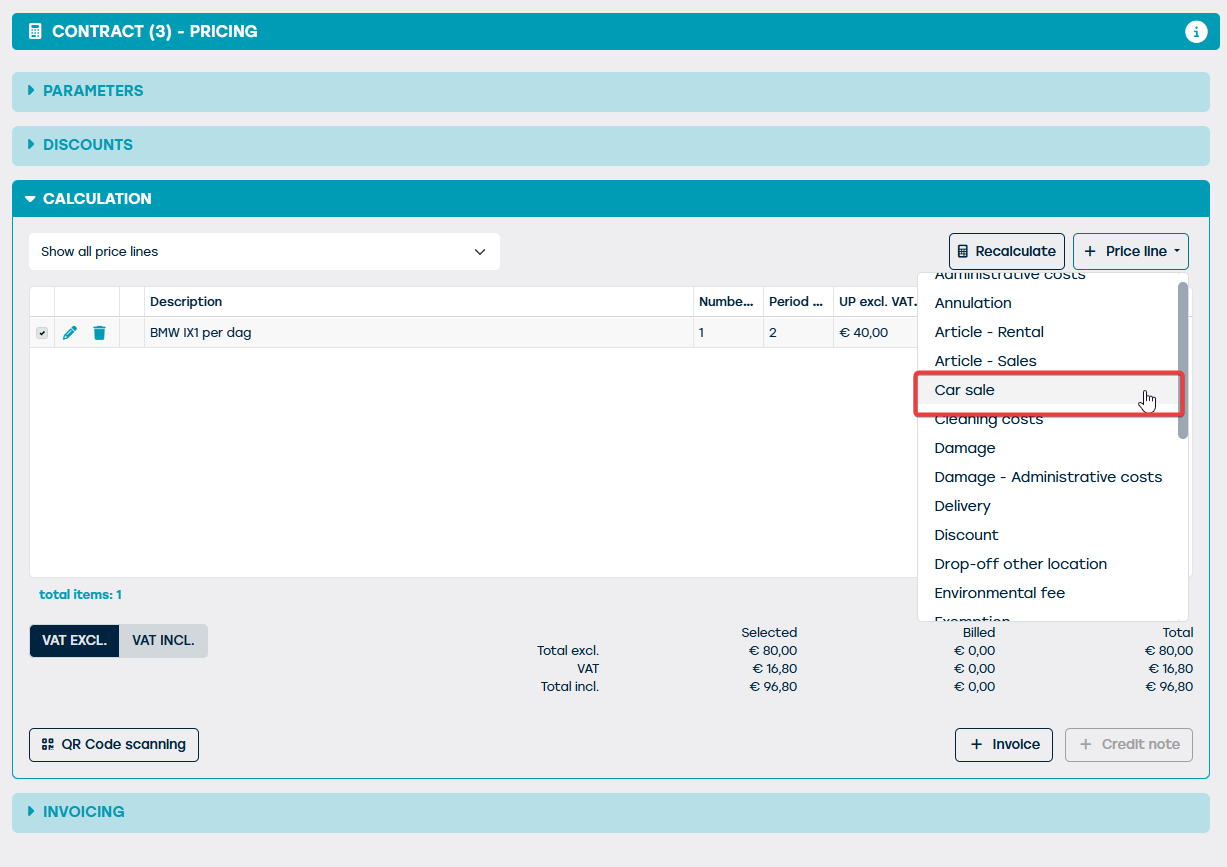
- From a contract to which the resource to be sold was added:
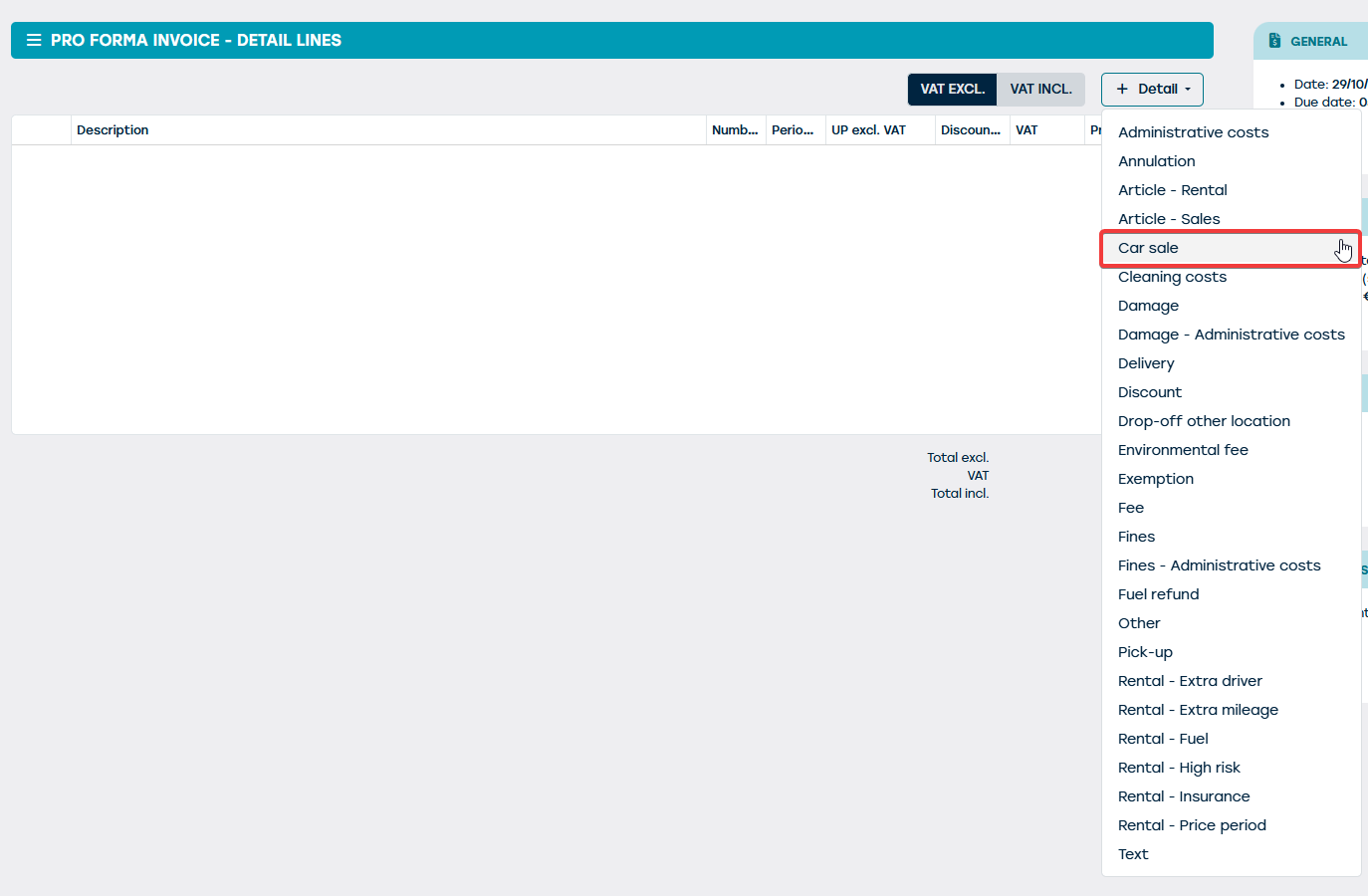
- Starting from a blank invoice
However, if you wish to create a sales invoice for a resource for which a sales invoice already exists, you will receive an alert about this. This is not blocking, which means you can still choose to continue with creating the invoice.
When generating this invoice, the necessary data of the selected resource will be filled in automatically.
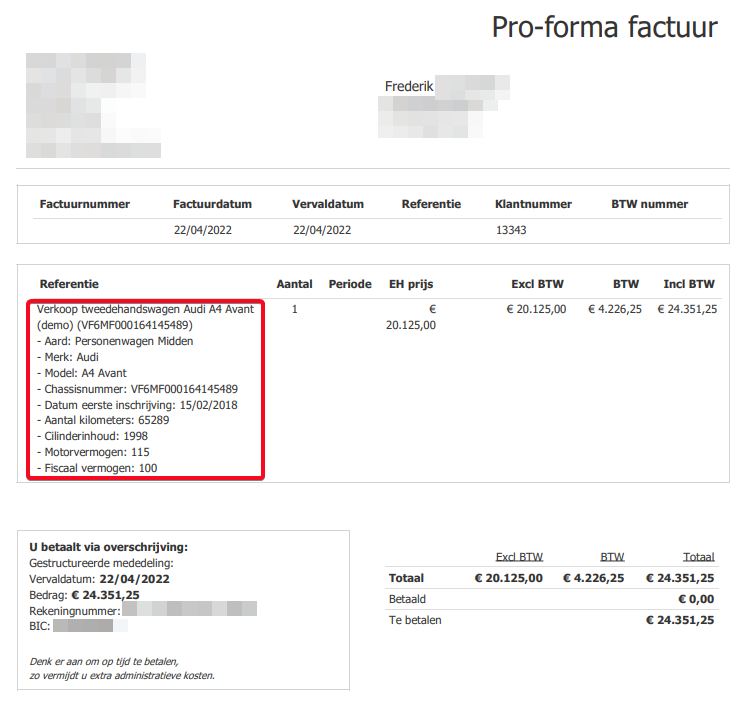
All of this data comes from the resource sheet of the respective resource. The sales price of the resource is also determined on this sheet (see first screenshot). You can always adjust this sales price at the moment you create the actual sales invoice. In that case, this changed sales price will also be saved on the respective resource sheet.
When you confirm the sales invoice of the resource, it will be saved on the "Documents" tile of the resource sheet. Furthermore, both the pro-forma and confirmed sales invoices will be shown in the invoice overview.