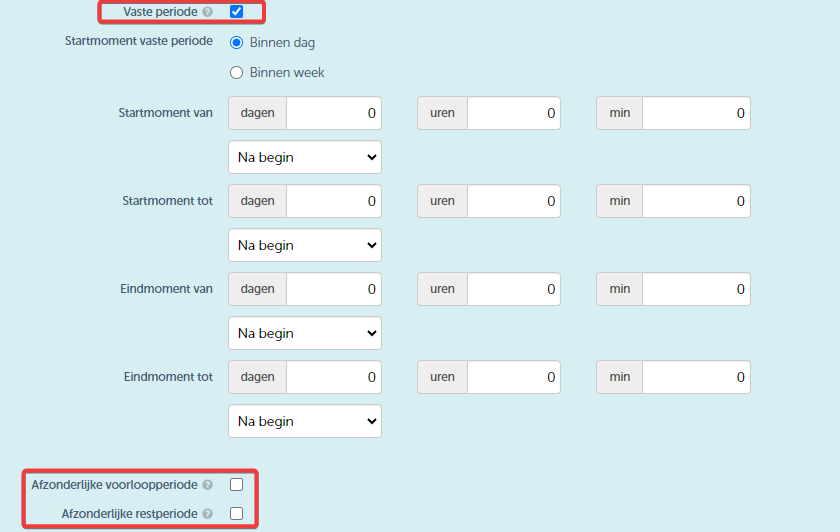
A residual rate is the rate applied to a remaining period that does not fully fit within a standard rate. For example, if you have a monthly rate and the total period covers 2 months and 5 days, the monthly rate applies to the first two full months and the remaining 5 days fall under the residual rate.
A derivative of the main rate, as selected in the contract, can be used for the residual rate. All parameters applied to the rate, such as kilometres, will also be settled pro-rata on the remaining amount.
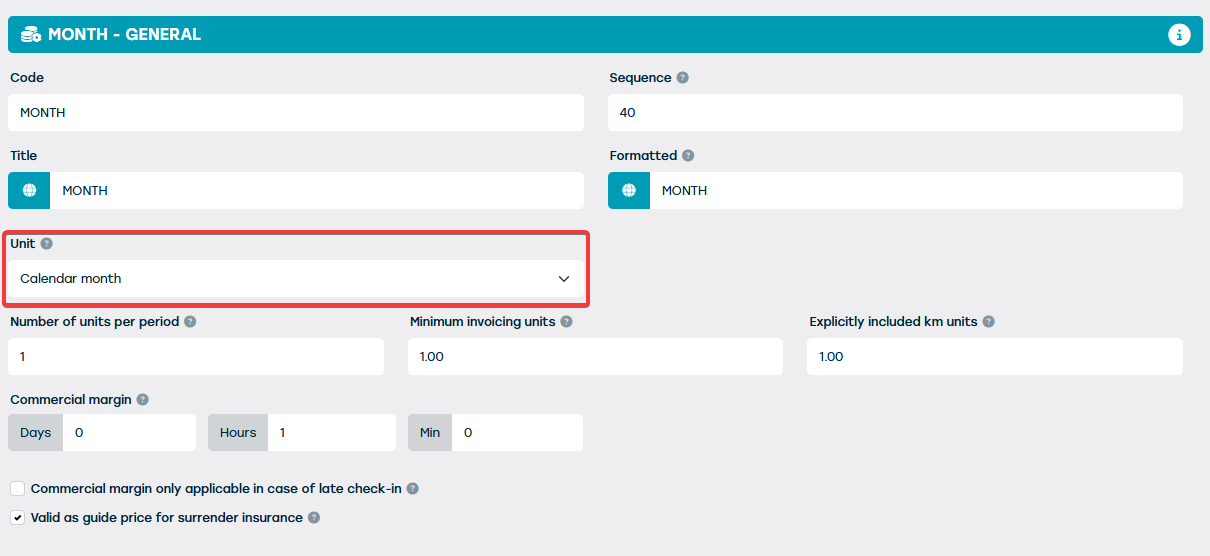
To set this up, go to Management > Prices > Rate types. Create a new rate type or edit an existing one and ensure that the unit of the rate type is 'calendar month'. Only then can you use a derivative to determine the remaining amount.
Next, in the ‘Parameters’ tile, you can indicate how the remaining amount will be settled on this rate type.
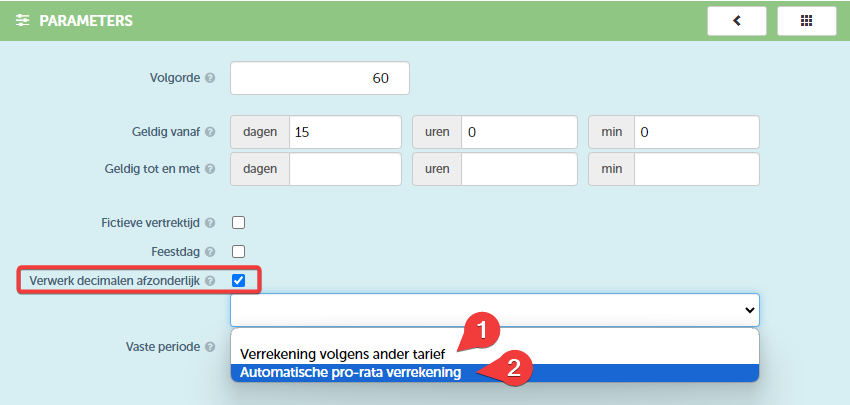
You can set this under 'process decimals separately'. You will get a dropdown with two options:
- Settlement according to another rate: This is the already known method where ProPlanner will select another rate for the remaining amount that meets the requirements, such as 'day sup' or 'extra day'.
- Automatic pro-rata settlement: In this case, the remaining amount is derived from the selected rate and settled pro-rata.
If you choose option 2, an extra field will appear where you need to specify which unit this rate should use for the remaining amount. This allows you to specify how many days one calendar month consists of. For example, if you divide 365 days by 12 months, you get 30.4166 days per month.

Then, with this rate type, you can create a rate.
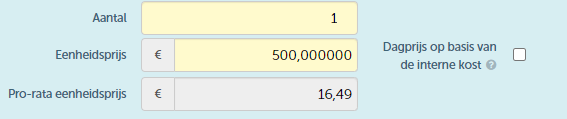
When you determine the unit price of a rate, a pro-rata amount will appear after saving. This amount shows the calculated daily price:
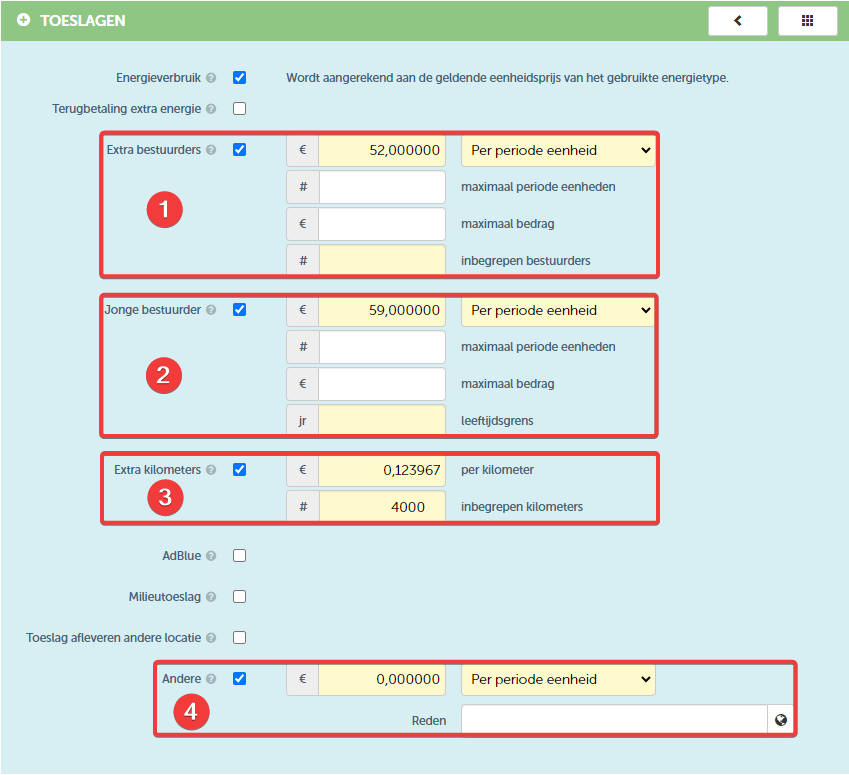
You can then further determine the surcharges. Take note of the following:
- Extra drivers
- Young driver
- Extra kilometres
- Other
For item 1, 2 and 4, when applying a residual rate, these amounts will also be calculated pro-rata as soon as you choose 'per period unit'. For item 3, the extra kilometres are always settled pro-rata.
Once the rate has been completed and you use this rate for a contract of 3 months and 18 days, you will see the following calculation on the ‘pricing’ tile:
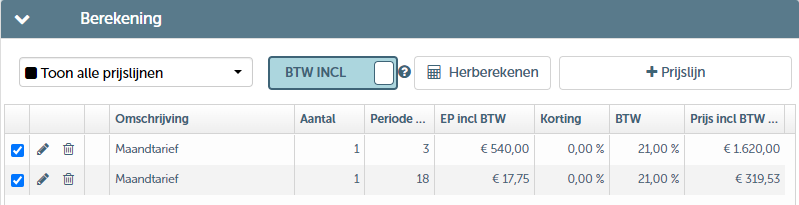
- 3 months are charged at the monthly rate
- 18 days are settled pro-rata based on the monthly rate
In short: This improvement ensures the correct settlement of the amount and the included kilometres on the selected standard rate, as well as the correct calculation of the costs for extra drivers, young drivers and any other additional costs.
Note:
- To set this up, you must have the necessary permissions.
- This improvement is not automatically activated (Extra day, Day Sup is not replaced) due to possible impacts on the current rate structure. Contact the support department for assistance with the setup.
- The ‘separate rest period’ option, which you previously saw on the ‘parameters’ tile, is no longer applicable when you choose to use ‘process decimals separately’. However, the ‘separate rest period’ still applies when you choose a ‘fixed period’.