In this video:
If you want to schedule a Resource as unavailable—for example, for planned Maintenance—you can easily add this to the Planning.
The simplest way to do this is by creating a Contract for the period of unavailability.
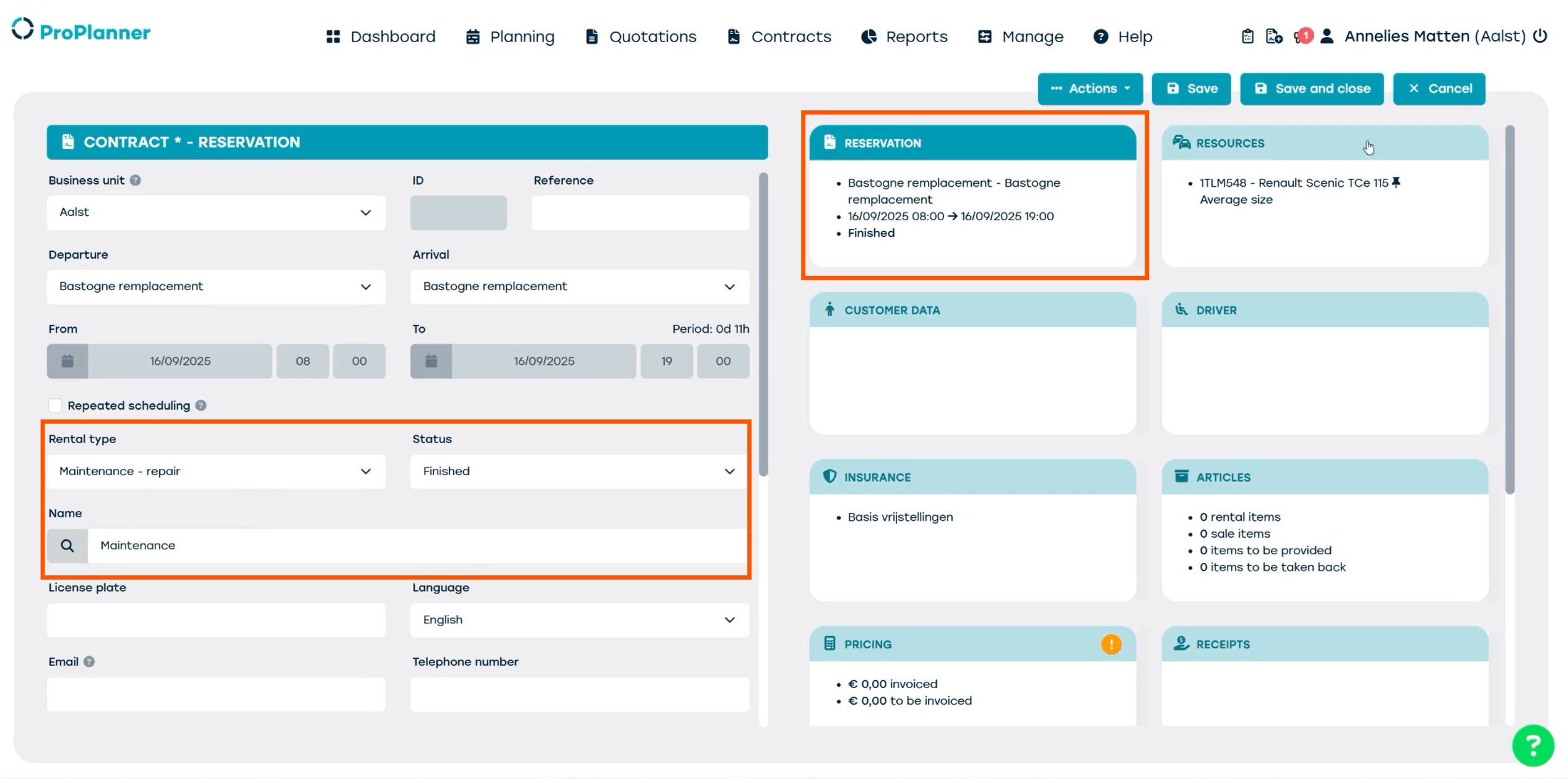
From the Planning screen, select the time period during which the Resource will be unavailable. A new Contract window will open. In the ‘Reservation’ Tile, locate the ‘Status’ field and set it to ‘Finished’. This ensures that no Alerts will be triggered for this Contract.
You can specify the rental type as ‘Maintenance – Repair’ to give the reservation a different color in the Planning view, making it easier to identify.
In the ‘Name’ field, you can enter a label such as ‘Maintenance’ to clearly indicate the reason for the unavailability.
Once you save and close the Contract, the reservation will appear in the Planning view.