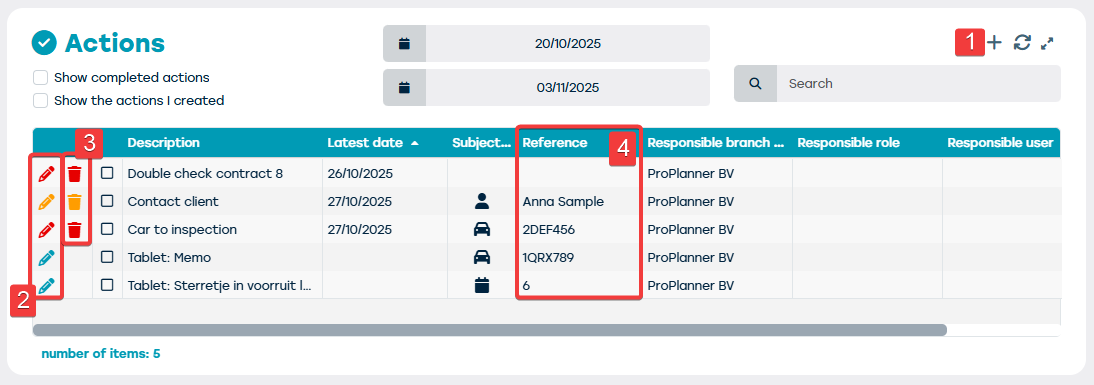
The "Actions" tile shows the actions:
- Which you created yourself
- Which were assigned to you (or to a group you are part of)
- The deadline of which is within the specified period
These actions have a pencil and trash bin icon on the left side in different colors:
- A blue pencil and trash bin icon means the action is informative
- An orange pencil and trash bin icon means the action has the "Warning" status
- A red pencil and trash bin icon means the action has the "Alarm" status
The following is possible via the "Actions" tile:
- Add an action (1)
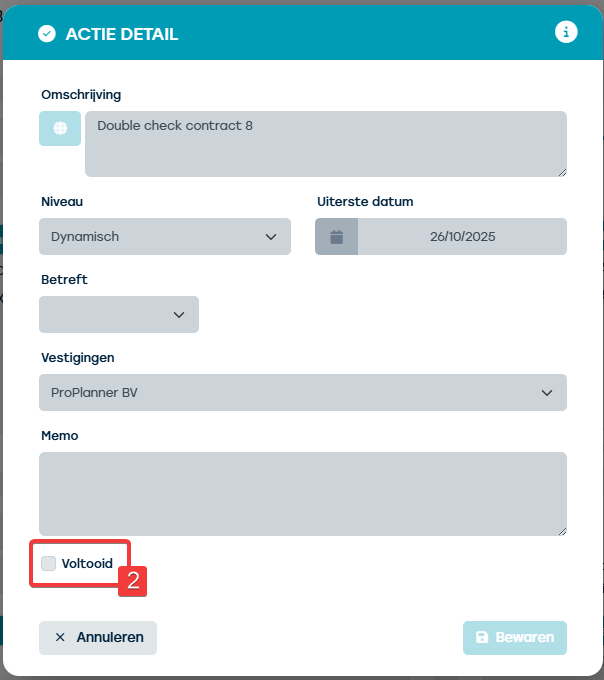
- Edit an action (only for actions you created yourself) and complete (2)
- Delete an action (only for actions you created yourself) (3)
- Click through to the subject of a specific action from where you can then perform the action (4)
Adding actions to this tile can be done in several ways:
- Via the tile itself (see above)
- Via the action buttons at the top right in the menu bar
- Via the "Alerts" tile in the home screen