Temporary block after multiple incorrect login attempts.
To ensure the security of user accounts, a user is temporarily blocked after multiple consecutive incorrect login attempts.
When is a user blocked?
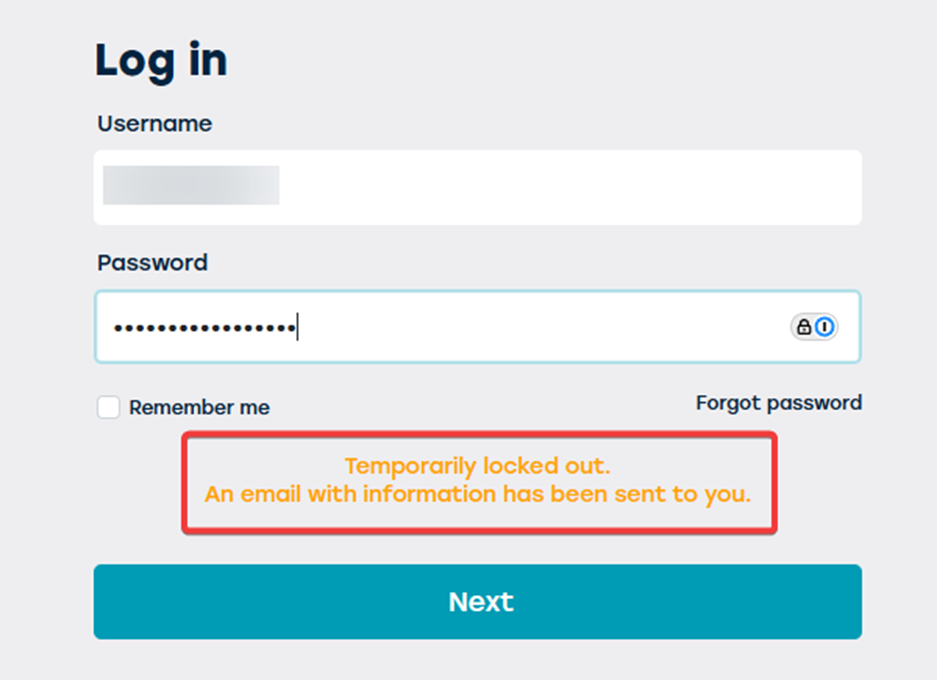
A user is automatically temporarily blocked when X number of incorrect attempts have been made to log in with an incorrect password. The exact number of tries is preset and applies to all users within the organization. By default, this is set to 5 tries.

What happens during the block?
- The user cannot try to log in again during the block period.
- An alert appears stating that the account is temporarily blocked.
- The user receives an email with the first lock-out.
How long does the block last?
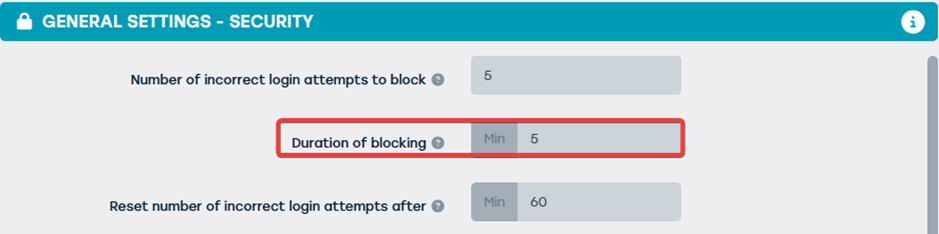
The duration of the block is preset by the system administrator. By default, this is set to 5 minutes. After this period, the block is automatically lifted and the user can try to log in again.
What can the user do after block?
- Wait until the block is automatically lifted.
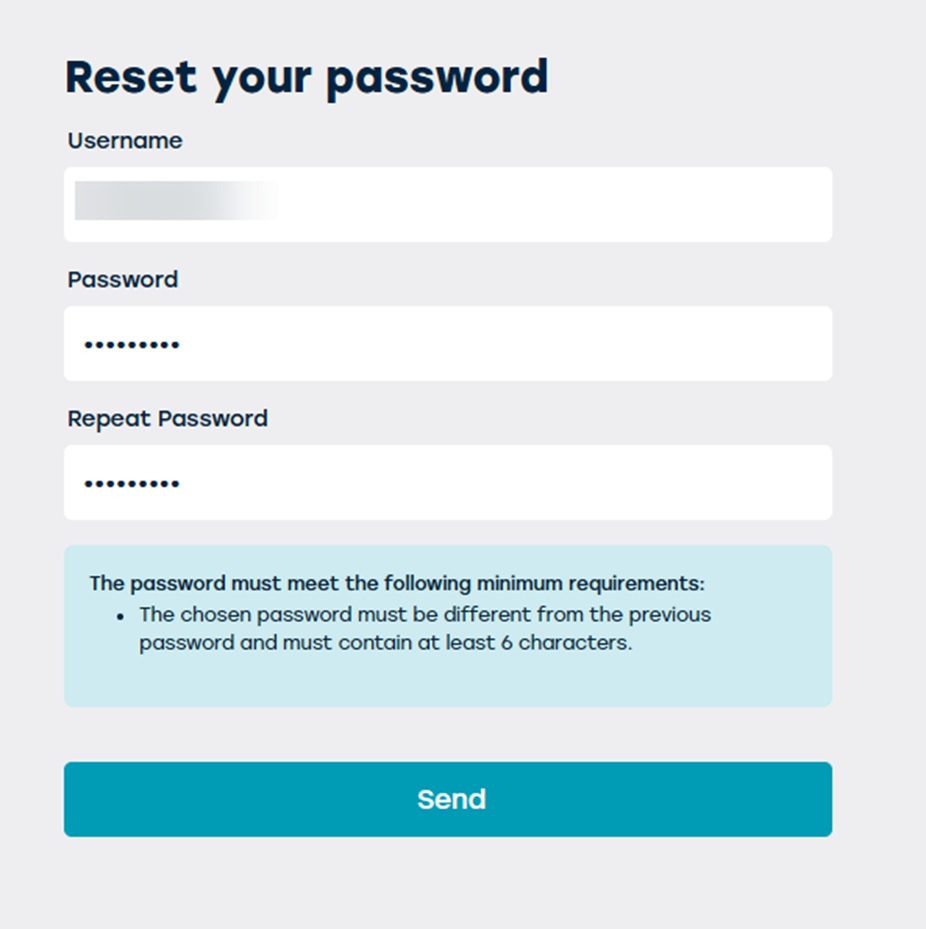
- From the email sent, the user can reset their password and log in immediately again.
What can an administrator do?
Administrators can:
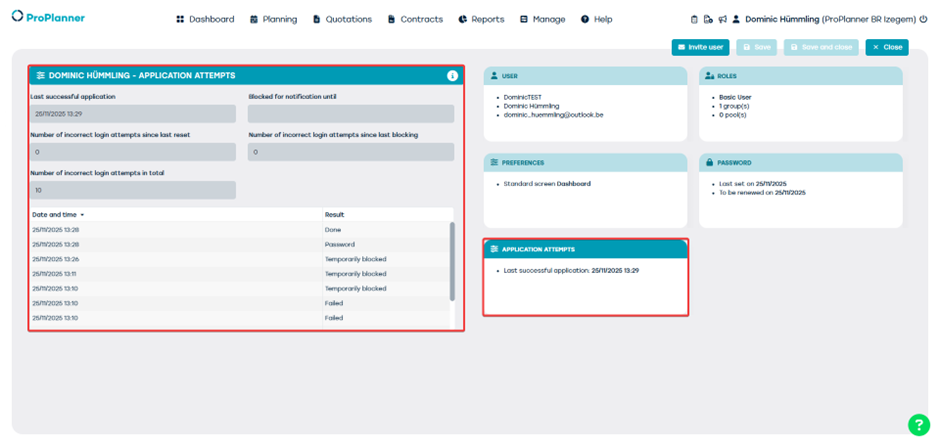
- View which users are blocked via the administrator dashboard.
- Support users in resetting their password.
Tips to avoid being blocked
- Always check that the correct username and password are being used.
- Use a password manager to prevent mistakes.
- Reset the password in good time if you think you have forgotten it.