By default, the Tile "Check-out" on the home screen shows all contracts that need to depart within the specified period. By default, the contracts that should have departed during the past 30 days will be shown.
If you wish to change the default period of the past 30 days, you can contact us at support@proplanner.eu.
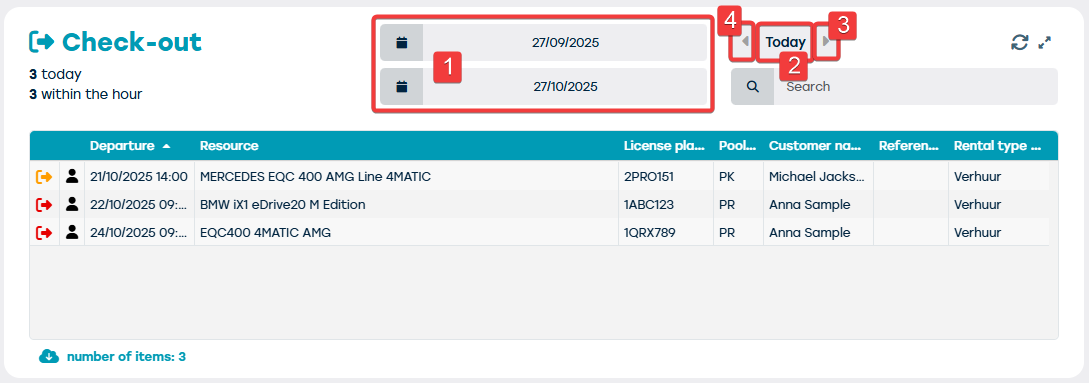
Using the date filters and associated navigation buttons, you can adjust the shown list of contracts to depart. This allows you to:
- Change the period shown by adjusting the date fields (1)
- Show only the contracts that need to depart today by clicking the "Today" button (2)
- Show only the contracts that need to depart the next day by clicking the right arrow (3)
- Show only the contracts that need to depart the previous day by clicking the left arrow (4)
It is important to note that the buttons with the arrows (3 and 4) will only be available if the period shown is one day.
The dates in the date fields will always display the period for which the contracts to depart are listed.