Customers who regularly receive custom reports by email can now manage and consult them in the 'Reports' tab.
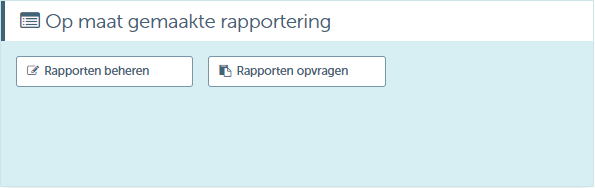
Under 'Manage Reports' you can perform the following actions:
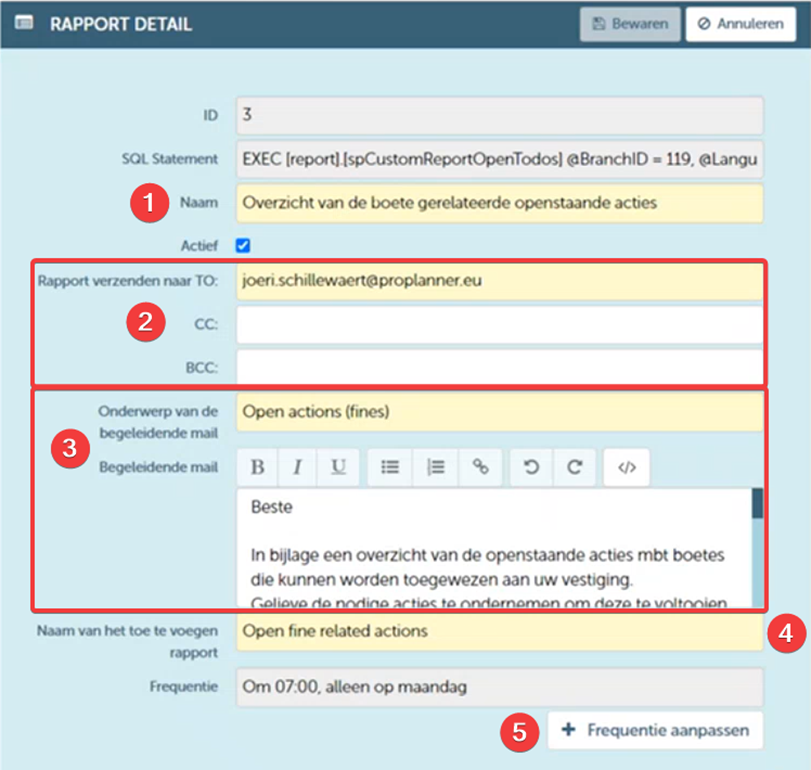
- Edit the report name.
- Edit the report recipients.
- Edit the subject and accompanying email.
- Change the report name.
- Adjust the frequency of the emails.
You can then consult the relevant report (i.e., display it on the screen) or send (i.e., send to the set recipient) using the buttons in the title bar.
Note that not every report can be consulted on the screen. Reports that are too complex to be generated instantly can only be requested via email.

In the 'Reports' tab, you can not only manage reports but also request them. Here, too, you can choose to consult a certain report (i.e., display it on the screen) or send it (i.e., send to the set recipient. By clicking one of the buttons, you will be able to select the desired report from a list. Again, not all reports can be consulted on the screen for the same reason mentioned above.