Reimbursements are only possible if you use the "Payments" module
It is possible to process the requested reimbursements in bulk. This saves you a manual and time-consuming task that is also very error-prone. The way this works is very simple:
- Within the overview of reimbursements, you can manually select a number of reimbursements to process (1) and then click the export icon (2):
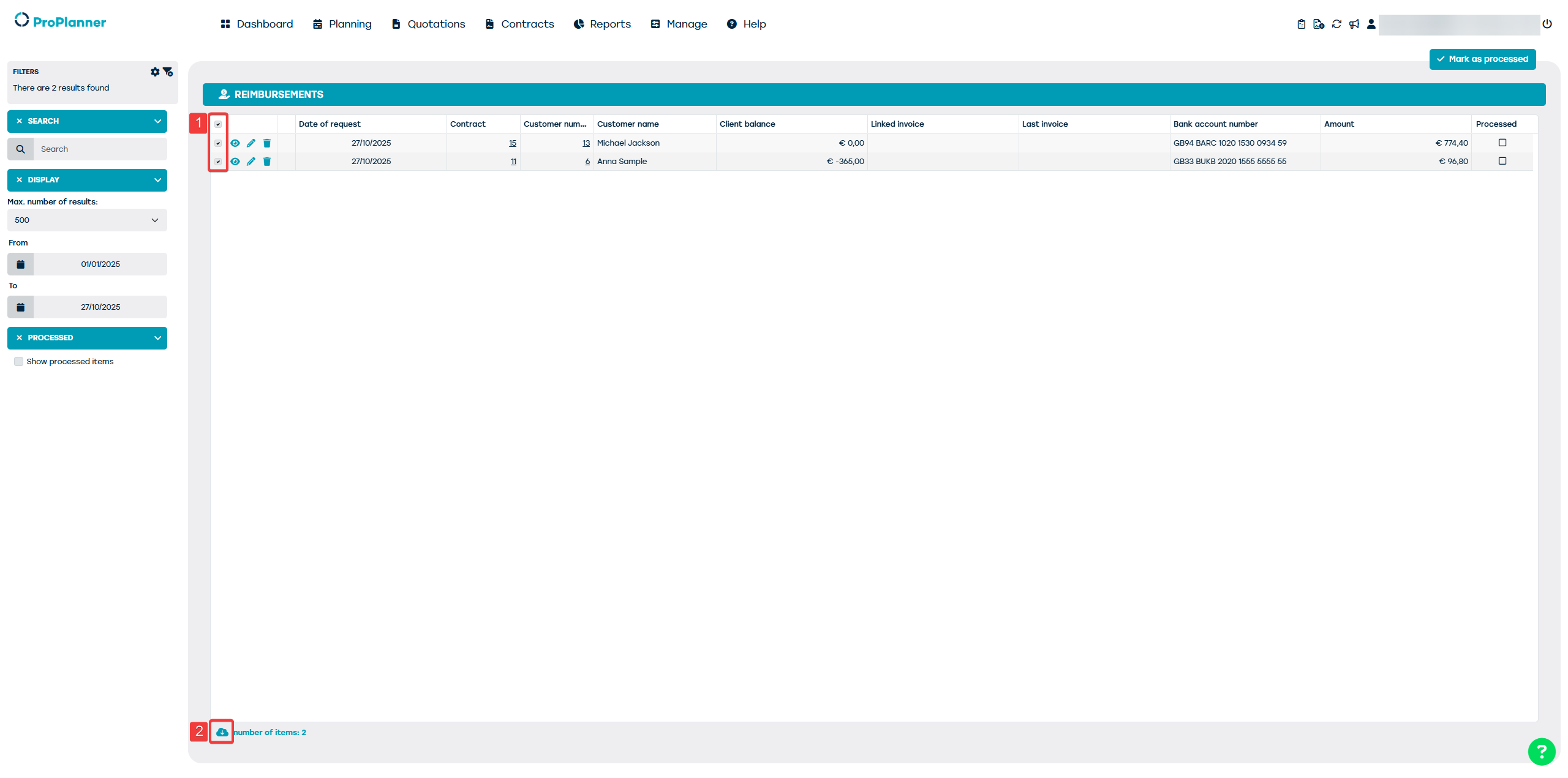
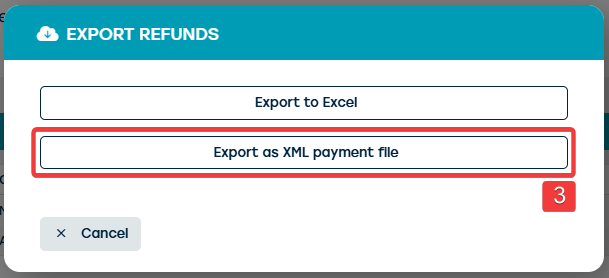
- However, you can also choose to click the export icon straight away without making a selection first. Next, click the option "Export as XML payment file" (3), after which you can indicate which reimbursements you want to export. Here, you can export your manually made selection (4), or choose the automatic selection of not yet processed reimbursements within a certain period (5).
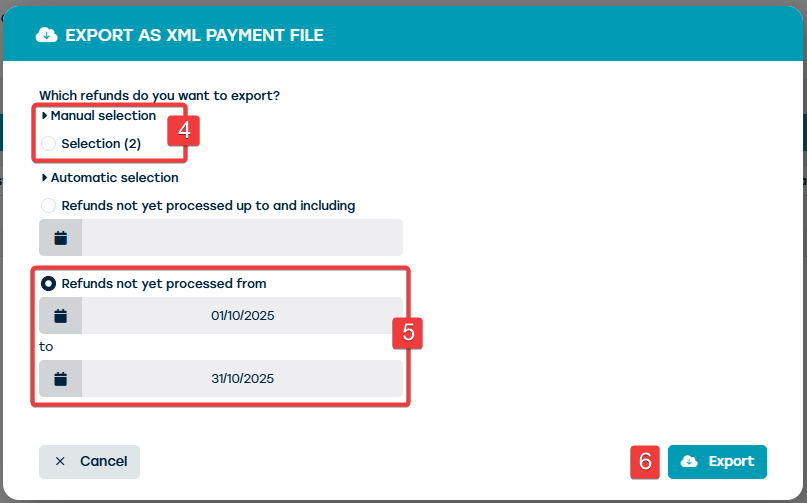
- When you then click the "Export" button (6), an XML file will be downloaded. You can then upload this file to your payment application, where the exported reimbursements will be processed in one go.
- Within ProPlanner, the exported reimbursements will automatically be marked as "Processed".
If you have manually completed a reimbursement, you can also manually mark it as "Processed" using the "Mark as processed" button at the top of the screen (7). This button will only be active if reimbursements are selected in the list.
If you wish to use the above functionalities, contact us via support@proplanner.eu