To be able to manage and use cash registers, it is necessary to enable the module "Collections". If you wish, contact us at support@jumik.be.
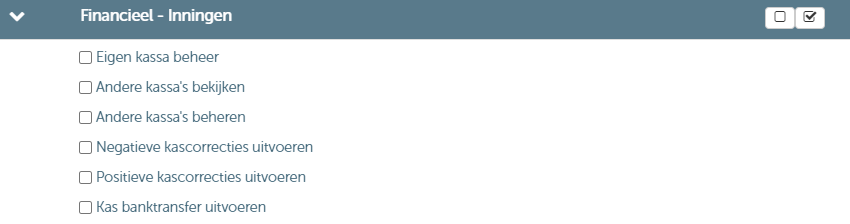
Besides enabling the "Collections" module, it is also necessary to assign the rights related to cash register management to the desired roles. You can assign these rights via 'Management' > 'Users and rights':
You can access the management screen of the cash registers as follows: Management > Financial > Cash registers.

Via this management screen, you can:
- Add a new cash register
- Manage an existing cash register
Add a new cash register
When you click the "Add" button, the following screen will open where you can enter the details of the new cash register:

- In the field "Business unit" you can select the business unit where the cash register will be used.
- In the field "User" you select the responsible user for the cash register.
- In the tile "Transactions" you can register cash register transactions
- In the tile "Cash counts" you can register the count of the cash register
Manage an existing cash register
By double-clicking on an existing cash register (or by clicking the pencil icon), you will enter the detail screen of that particular cash register. This screen is fully analogous to the screen described above, with the difference that the fields "Business unit" and "User" cannot be changed.