According to Directive 2014/55/EU of the European Parliament, European entrepreneurs are required to send their invoices electronically in the context of public procurement and concession contracts (B2G). Soon, this obligation will also apply to invoicing to other businesses (B2B).This means that these invoices must comply with a specified standard and be submitted via the PEPPOL network, a European initiative for standardized electronic document exchange between companies and governments in the EU.
PEPPOL facilitates seamless collaboration between different systems, reduces administrative burdens, and enables easy communication between companies and governments in the EU.
ProPlanner is also integrated with PEPPOL via Access Point Billit.
How can you indicate that an invoice may be sent via the PEPPOL network?
- Go to the ‘financial’ tile on the customer record and open the ‘delivery method’ dropdown.
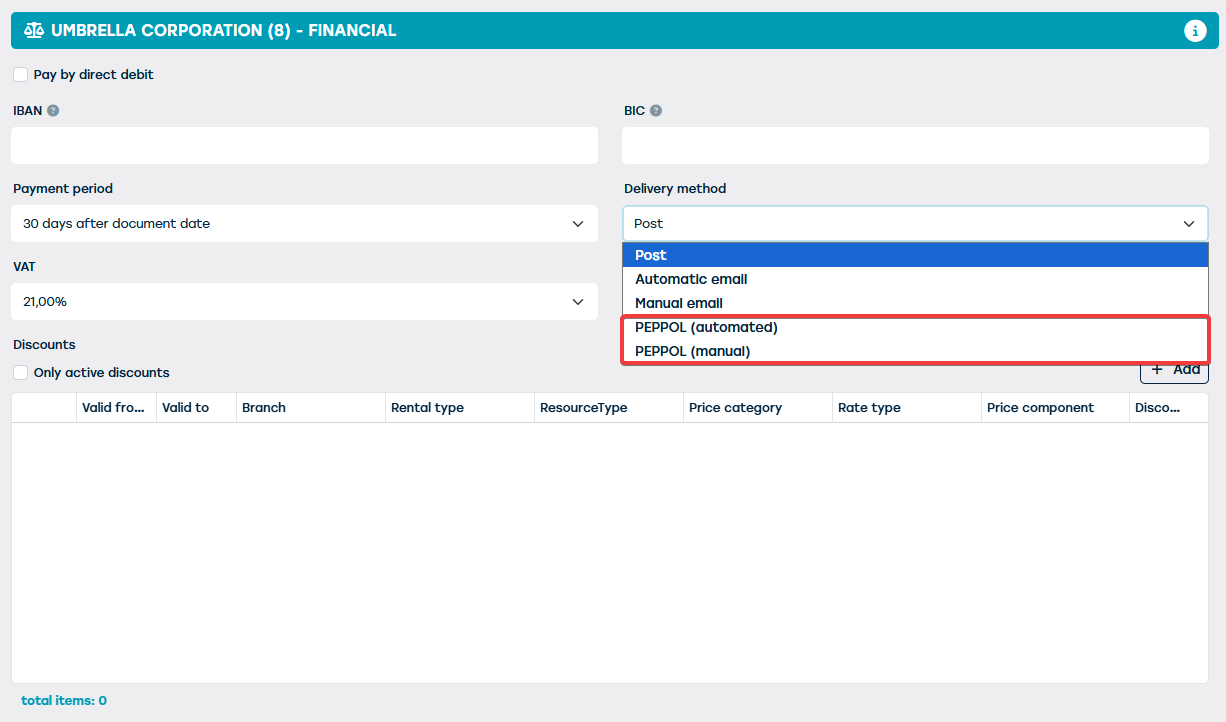
- Only if the PEPPOL module has been enabled, two extra options will appear:
- PEPPOL automatic
- PEPPOL manual
- When one of these options has been selected, a check will be performed when sending invoices for this customer. ProPlanner verifies if the respective customer is known within the PEPPOL network via the entered VAT or company number.
- Customer is known: the invoices will be sent via PEPPOL.
- Customer is not known: Sending via PEPPOL is not possible. A warning will appear and the delivery method will be changed to the general delivery method of your ProPlanner environment.
- If the invoice is sent successfully, the respective customer will receive an email with the invoice. This file can be imported without problems into the accounting package of the customer. PEPPOL not only ensures efficient working but also guarantees the successful delivery of the invoice.
Note:
- The PEPPOL module must be activated; for this, please contact our support.
- The PEPPOL network is only searched if the correct VAT or company number has been entered.
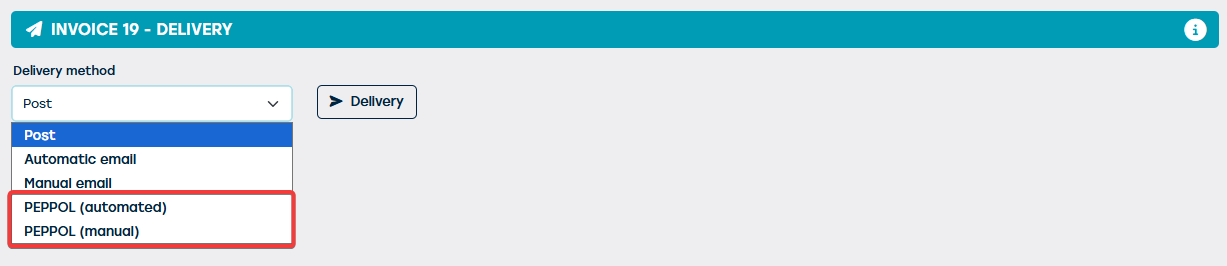
- Sending invoices via PEPPOL can be determined not only at the customer level but also per invoice; for this, go to the desired invoice > tile ‘delivery’ > delivery method.
- Currently, integration is possible via the Access Point (AP) Billit.