From now on, there is a setting to place a customer in warning or blocked status based on their outstanding balance. The outstanding balance consists of all open invoices in the customer's name, which you can find under the customer on the tile 'invoices'. Note that this can only be interpreted correctly when the invoices are reconciled in ProPlanner.
Customers can be set to warning or blocked status at two levels:
General level - applies by default to all customers
The parameters for status 'warning' and 'blocked' at the general level are configured for you by ProPlanner. When you contact us, you can provide us with an outstanding balance from which customers must be set to status 'warning' and/or 'blocked'. You can also determine here from when a customer falls under both statuses. This can be x days before the due date or x days after the due date, or on the due date itself.
Customer level - applies to specific customers
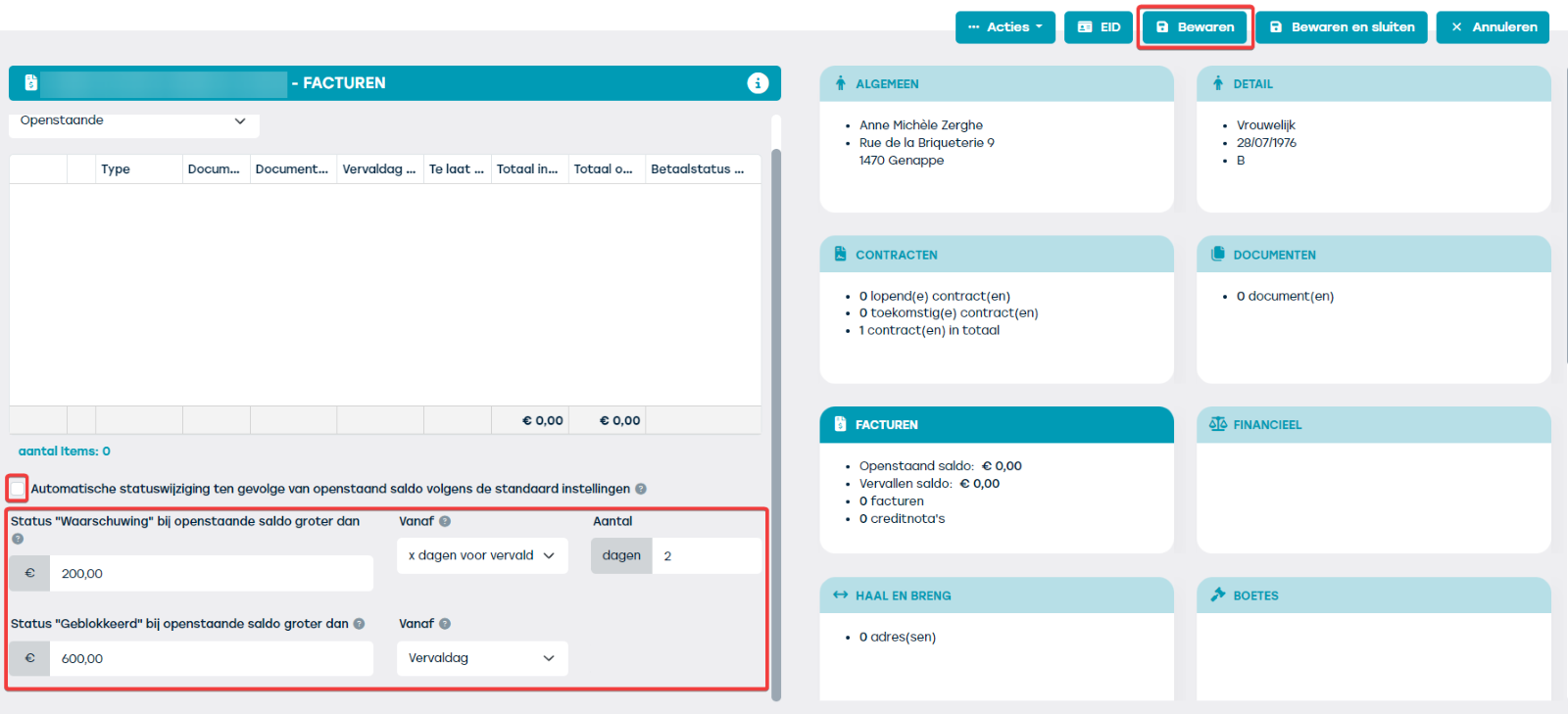
Via Management > Customers > 'select customer' > tile 'invoices', you will see that the general setting 'automatic status change due to outstanding balance according to the default settings' is checked by default. If you uncheck this setting, the parameters for status 'warning' and 'blocked' will expand for you to input customer-specific values. Here you can define parameters based on outstanding amount and period. Select 'save' to store this customer-specific setting. This setting then overrides the parameters set at the general level.
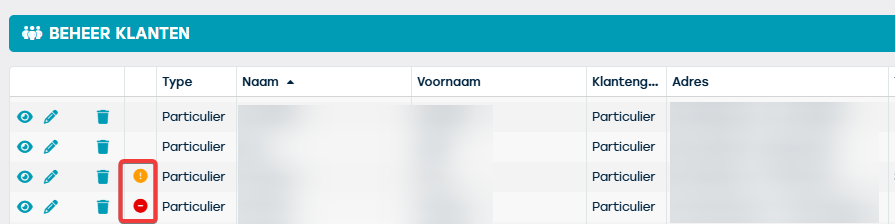
Every night a check is performed to determine whether the customer should be set to warning or blocked status. If the next day a customer is blocked or in 'warning' status, you will see a red (=blocked) or orange (=warning) icon appear for that customer in the 'manage customers' overview and on the tile 'general' tile when you click through to the customer.
Also when creating a contract, if you select a customer with status 'warning' or 'blocked', based on these icons you will immediately be informed via the tiles 'customer data' and 'driver' tiles about their status. A check-out on an existing contract will not be possible if the customer is blocked, but a check-in will always be allowed. If you want to create a new contract, you will not be able to add customers in status 'warning' or 'blocked' to that contract.
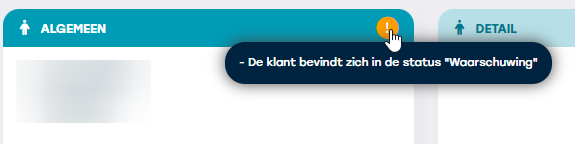
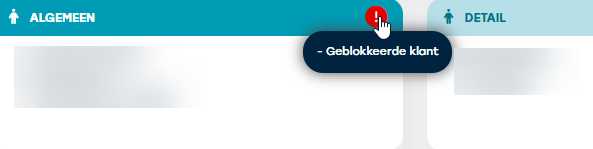
Once the customer no longer meets the parameters, the warning or block will be automatically lifted. Note that when the next run occurs and the customer meets the parameters, they can again receive a 'blocked' or 'warning' status.
Note: if you want the customer status to be changed only by the automatic flow, then deactivate the right 'edit customer status'.