Measuring is knowing. That is why we have also provided a Turnover Report with more detailed information.
To consult this report, you must have the appropriate permissions. Within the General role, the right to detailed turnover reporting must be enabled under reporting.
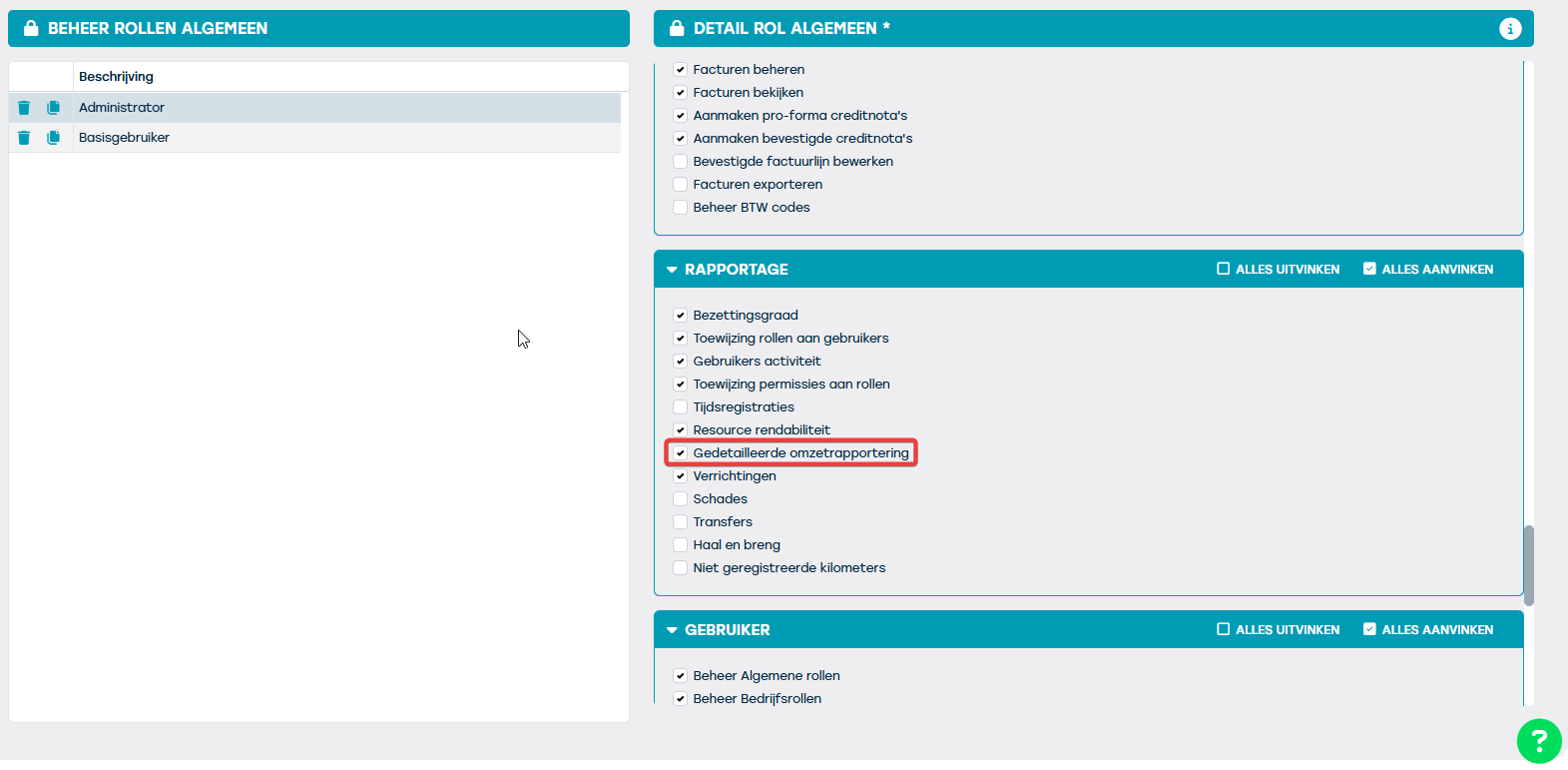
If you have these permissions, you can consult the detailed report via the menu bar: Reports > Financial > Price lines.
Set the filters in the filter bar on the left side of the screen until all desired contracts are displayed on the screen.
Once everything is visible, you can create an export using the cloud icon at the bottom. In the pop-up, you can choose between a Standard export and an Advanced export (detailed Turnover Report).
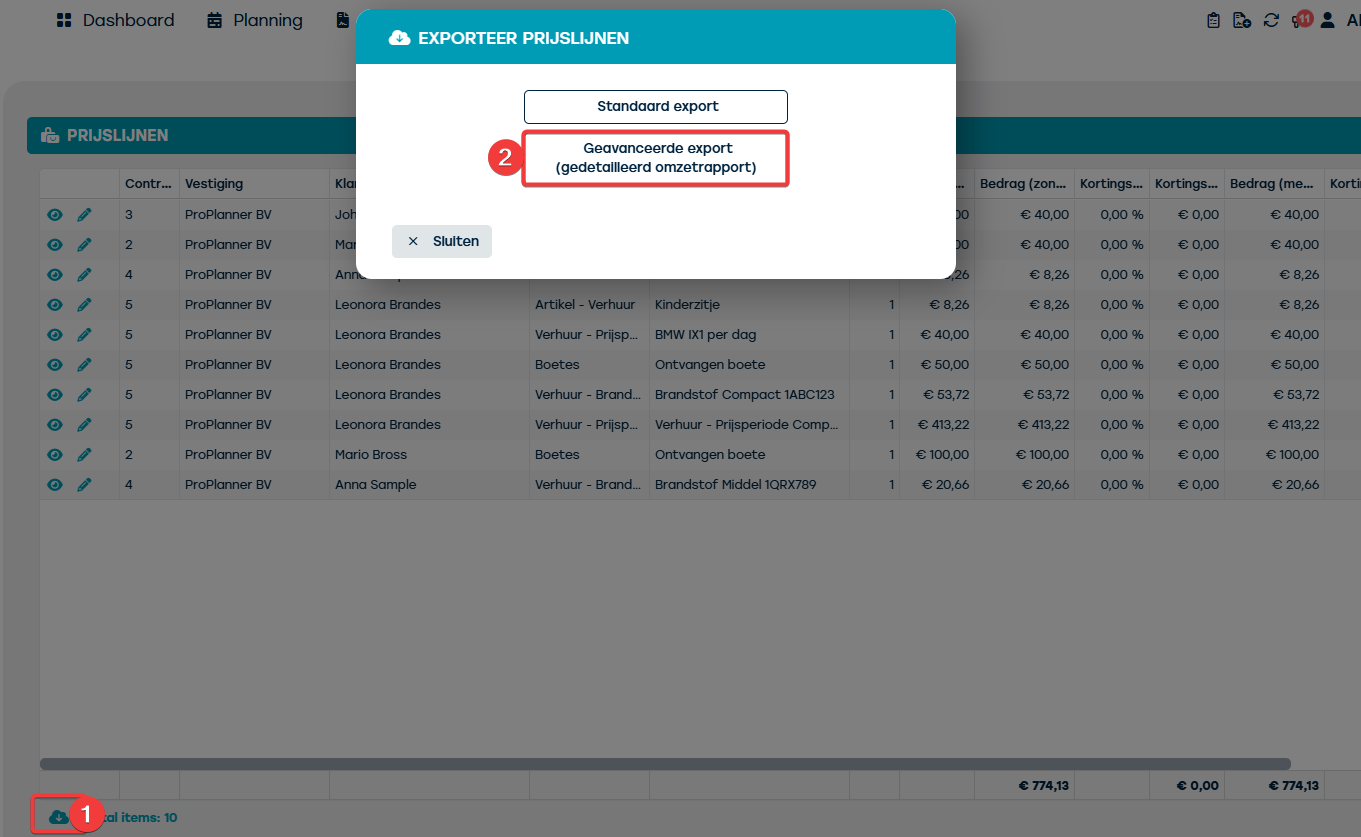
If you choose the advanced report, an Excel file will be downloaded with several sheets. On the first sheet, you will find the raw data. Additionally, there are two sheets with different pivot tables:
- Per resource per rental type
- Per customer per rental type
Thanks to the information in these pivot tables, you will gain better insight into the turnover per resource or per customer.