In this video:
Check-out
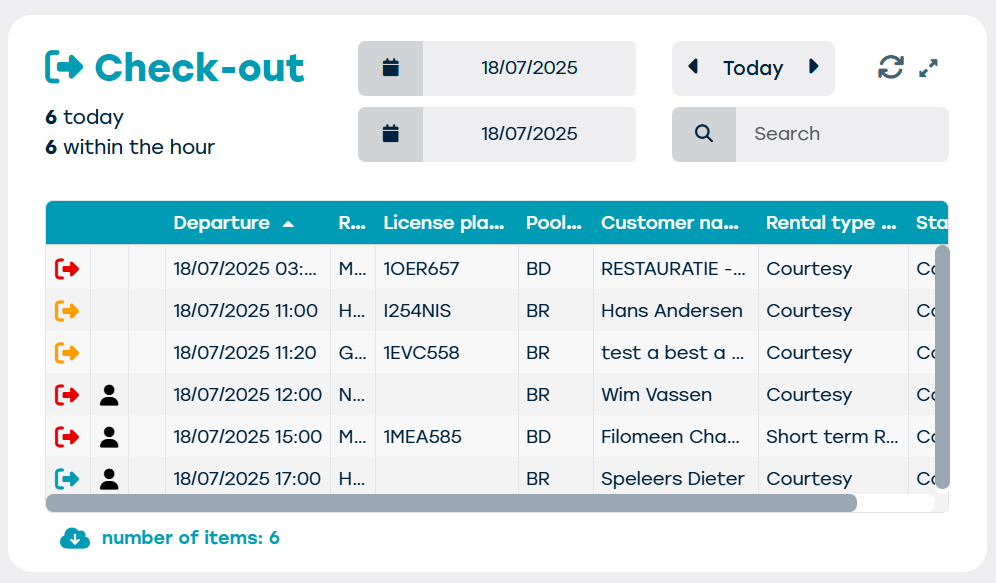
Here you get an overview of the departing vehicles/contracts from your fleet. The next departing vehicles will always be shown in order of priority.
Depending on the set time period, you can adjust the overview to view data for that specific period.

The icons (arrow) for each contract indicate a contract status depending on their color:
- Blue: contract on schedule
- Orange: resource should have already departed
- Red: multiple bookings for the same period, transfer required, resource still in use...
Check-in
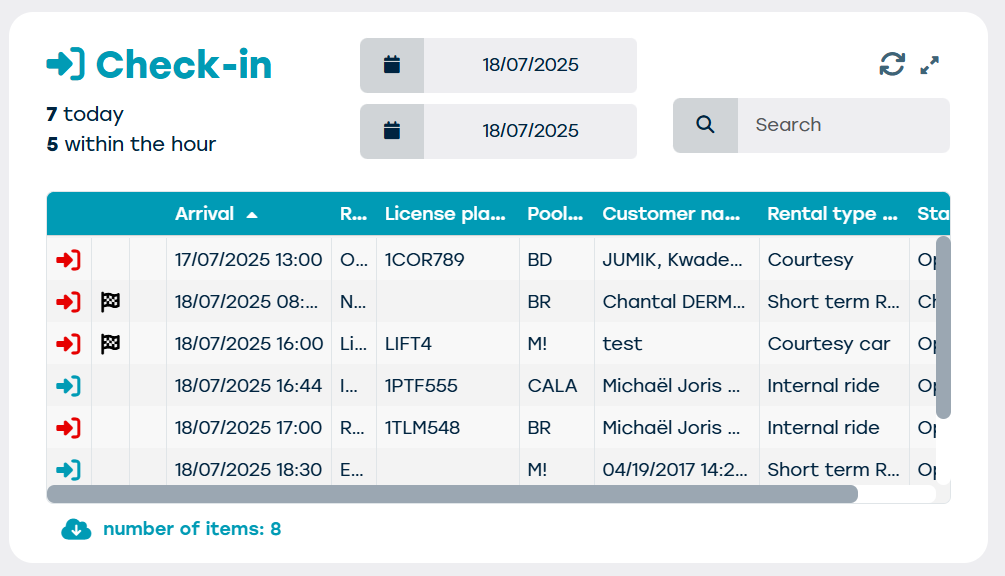
Here you get an overview of the returning vehicles/contracts from your fleet. The next arriving vehicles will always be shown in order of priority. Just like with the check-out, depending on the set time period, you can adjust the overview to view data for that specific period.
The icons (arrow) for each contract also indicate a contract status here depending on their color:
Blue: contract on schedule
Orange: articles can still be retrieved
Red: resource should already be returned...
If the check-out and check-in tiles are empty at the end of the day, you are completely up to date.
Alerts
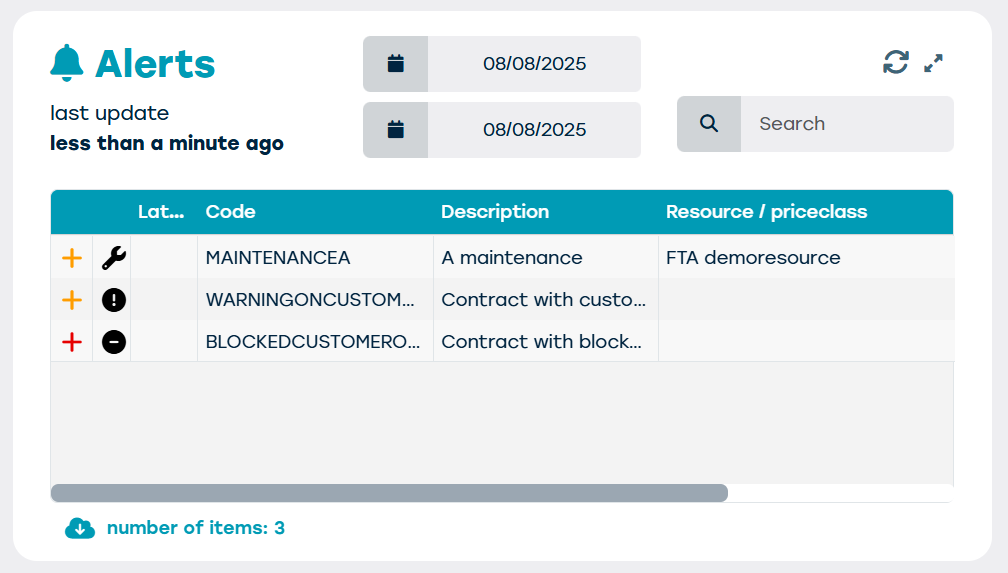
All notifications are collected under alerts. These are...
- Operational alerts: eg. when a vehicle is late for check-in or check-out
- Vehicle-related alerts: eg. for maintenance or an inspection based on milage or time.
Actions
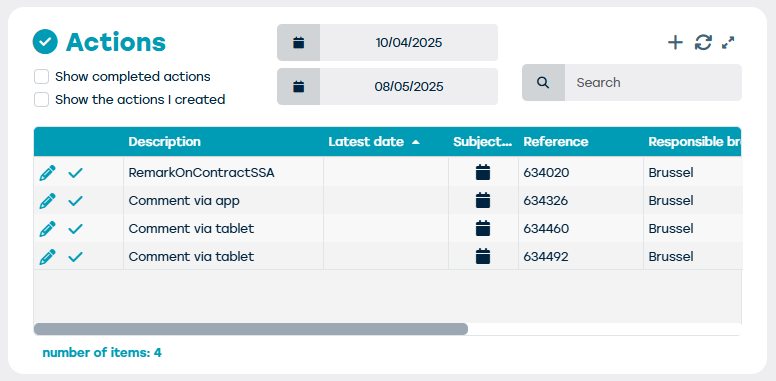
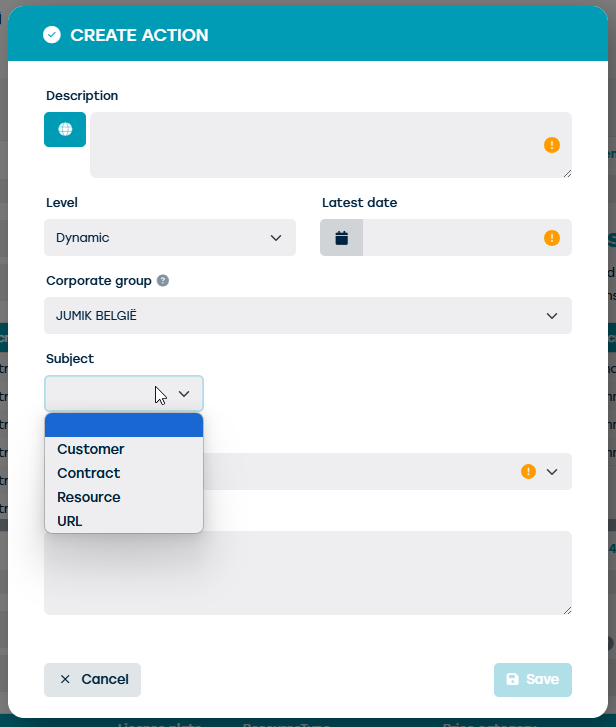
An action can be seen as a to do list among ProPlanner users. An action can be created from an alert via the PLUS (arrow).
Then some information is already linked, such as the contract about which this notification is about, but you can also enter a new action and start from scratch, without it already being linked to anything e.g. to have a colleague fill in the email address of a customer. The actions assigned to that colleague will then also be visualized on his specific user profile.
Availabilities
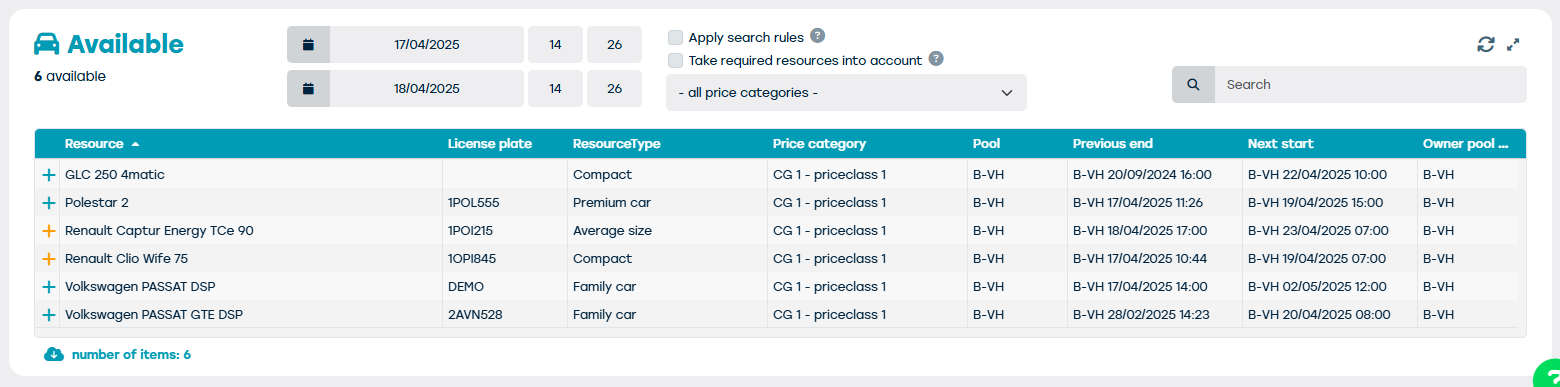
Under the tile available you get an overview of the vehicles that are available for new bookings within 24 hours. You can also adjust this period at any time.