In this video:
Managing and completing different tiles and options in the resource sheet.
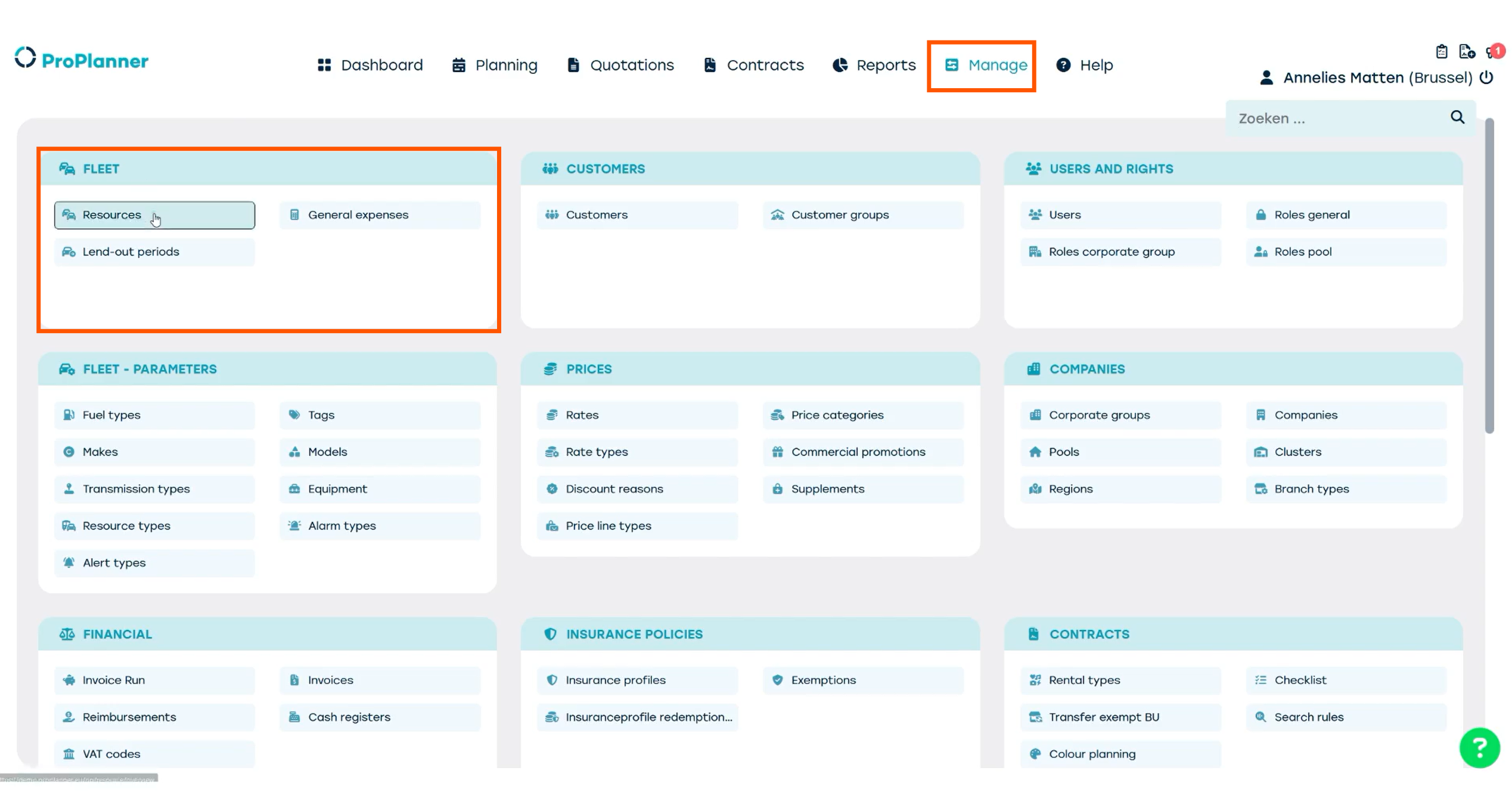
Go to the Manage screen and in the 'fleet' tile, select 'resources'.
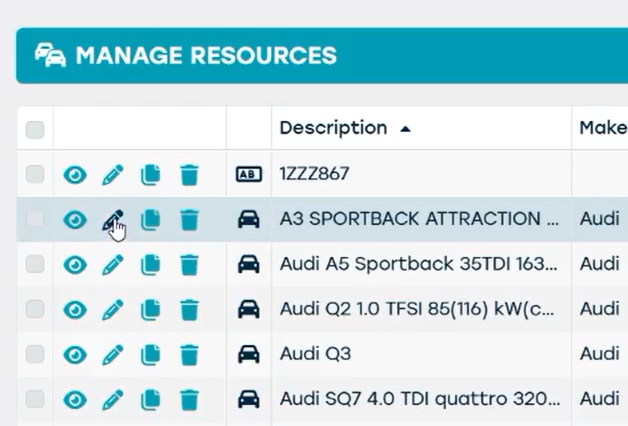
Click to load the data. You can use the filters on the side to find the resource you’re looking for. Once you’ve found your resource, click the pencil icon to view and manage the resource sheet.
The resource sheet looks similar to a contract, with multiple tiles on the left and a detail screen on the right.
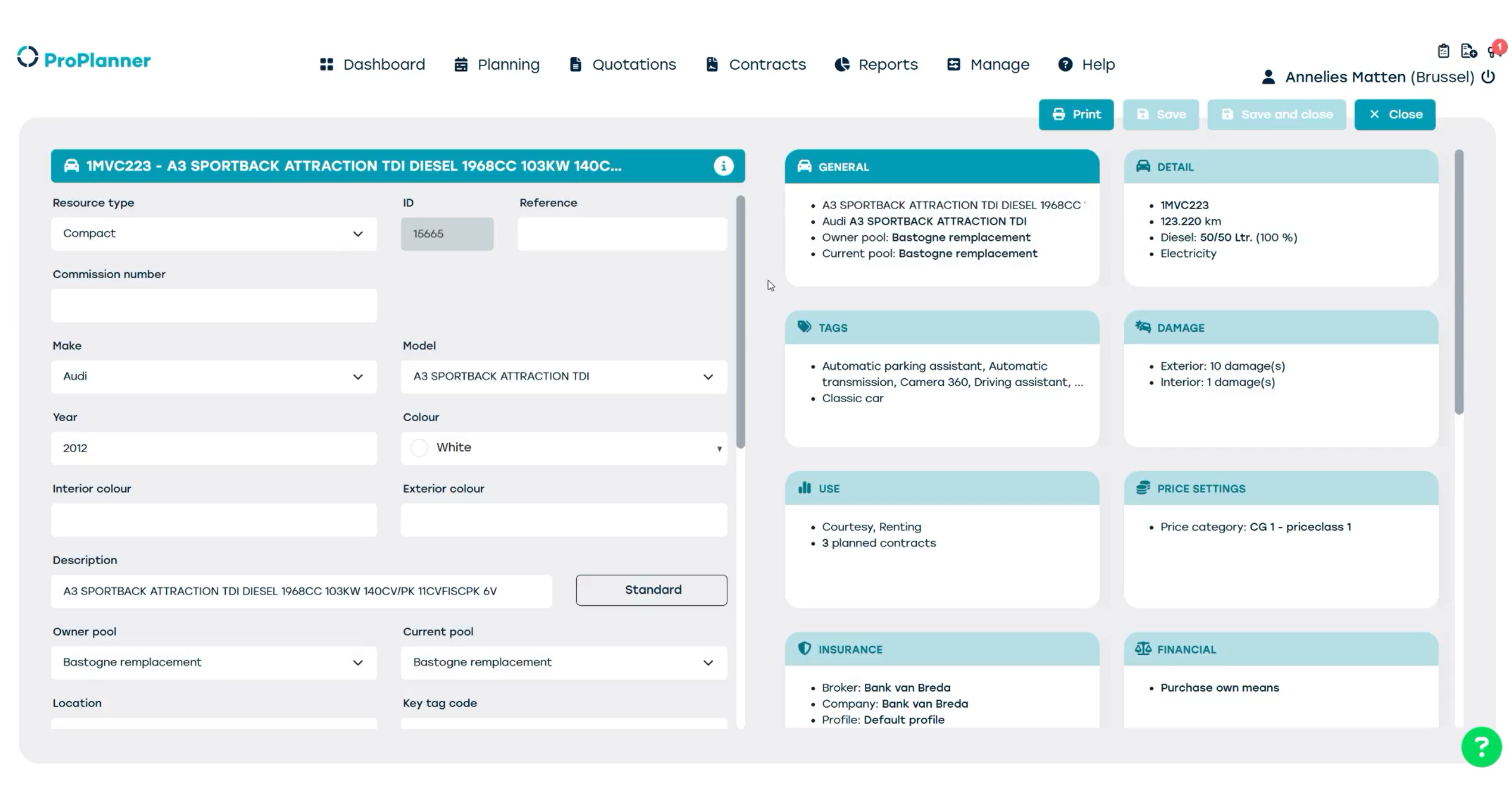
Let’s take a quick look at some of the tiles.
Keep in mind, you might not see every tile in your ProPlanner environment — this depends on your access rights.
- General: general information like the brand, color, pool, minimum driver age, and so on.
- Detail: operational info such as the current license plate, mileage, fuel level, energy type, CO₂ emissions, etc.
- Tags: specific tags to the resource for further specification (eg. winter tyres)
- Damage: any interior or exterior damage the car has. If it’s had repairs, you’ll also find that history here.
- Price settings: the different price rates based on the selected price category.
- Insurance: assigning and consulting an insurance profile and an insurance agent.
- Financial & TCO: financial details about the costs for this specific vehicle. This helps analyze the resource’s profitability.
- Lifecycle: key dates like the delivery date and first registration date. The 'active from' and 'active up to' dates indicate when the resource is active in ProPlanner and available for reservation.
- Marketing: manage data that syncs to your rental website or app. For this resource, the tile is empty, so it’s not available online.
- Inspections: view information about inspections that have taken place.
- Alerts: planned alerts or create an alert based on time range or mileage. You’ll learn how to do that in a different video.
- Lend-out periods: used for lending resources to another business unit.
- Documents: files linked to the vehicle.
- External: references to other software applications related to this vehicle.