In this video:
Now that we’ve discussed the structure of the rates, let’s take a look at how this translates into a contract. This will clarify how ProPlanner automatically selects the correct rate based on the rental type and the duration of the contract.
We are now going to create a contract with a duration of three days and the rental type "Replacement Car."
To do this, we open the planning page in ProPlanner. With a simple drag & drop, we select a period of three consecutive days.
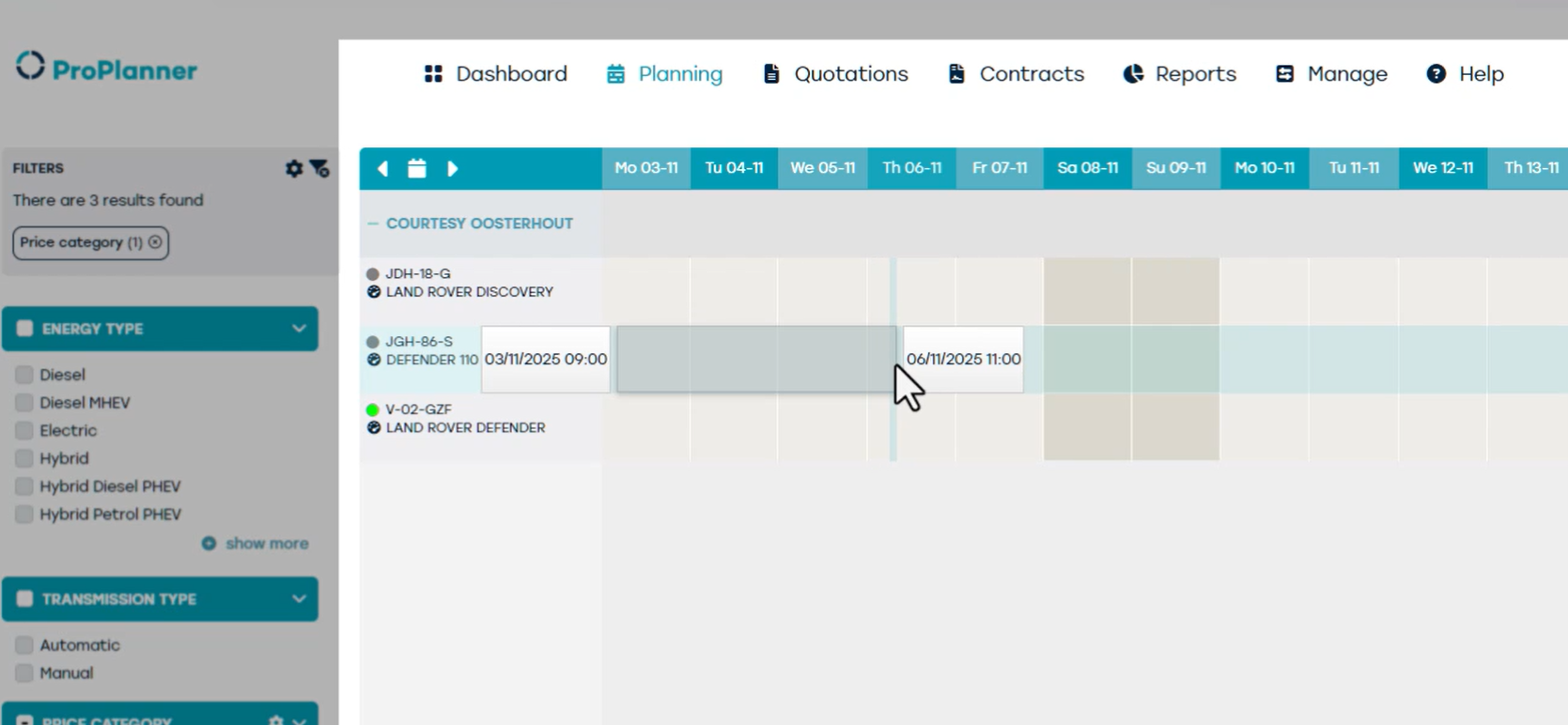
As soon as the period is selected, a new contract is automatically created. In this contract, we set the rental type to "Replacement Car."
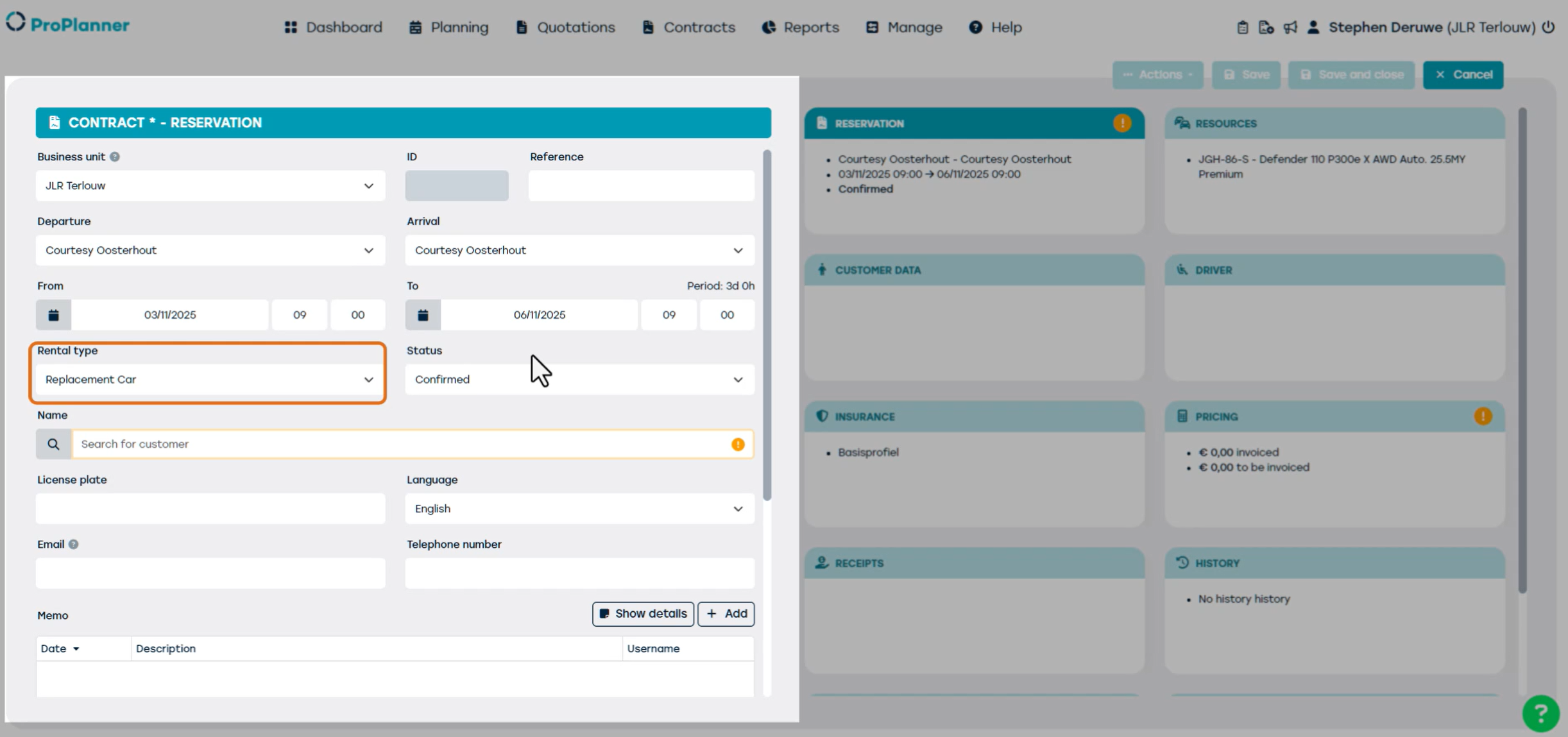
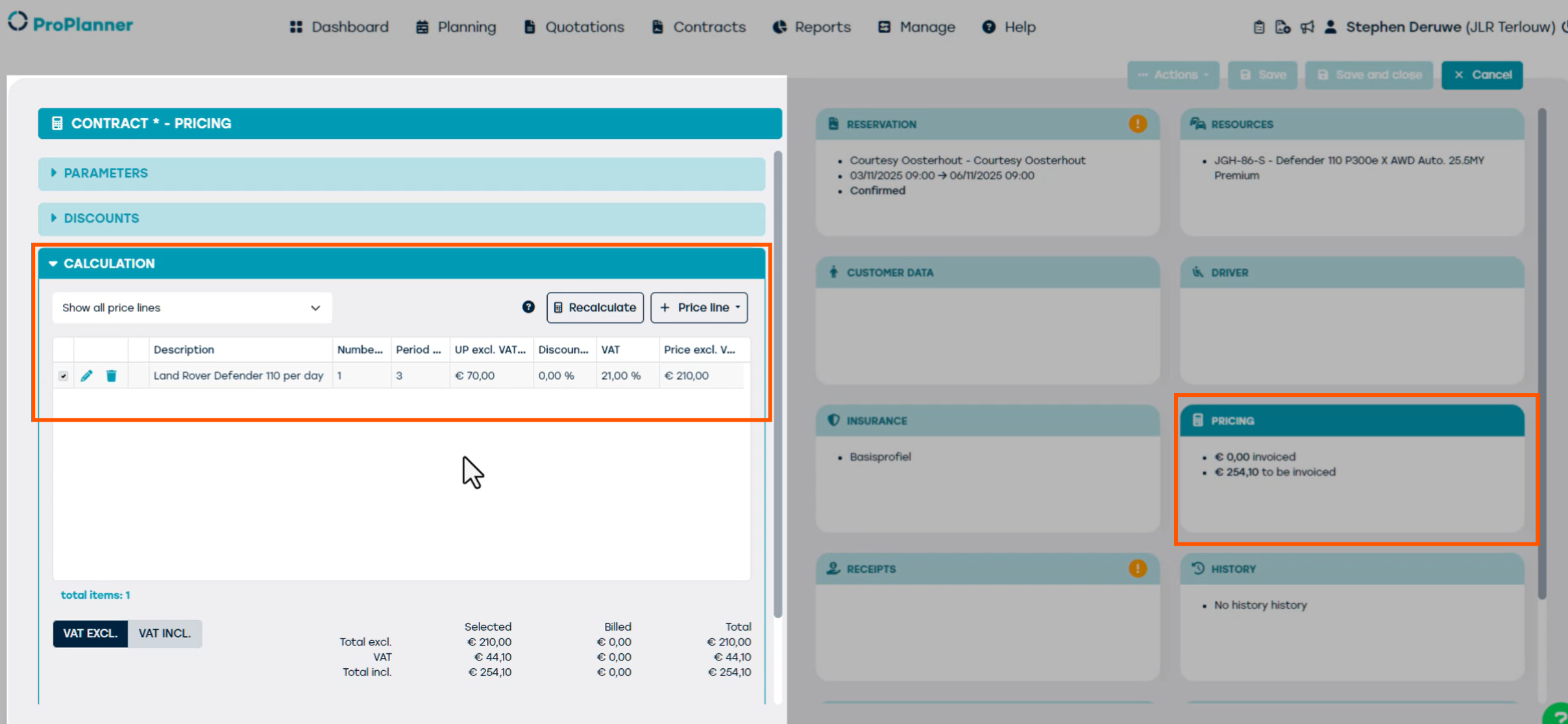
Because the selected rental type "Replacement Car" is linked to the DAYfix rate type, ProPlanner will automatically apply a daily rate, regardless of the total duration of the contract.
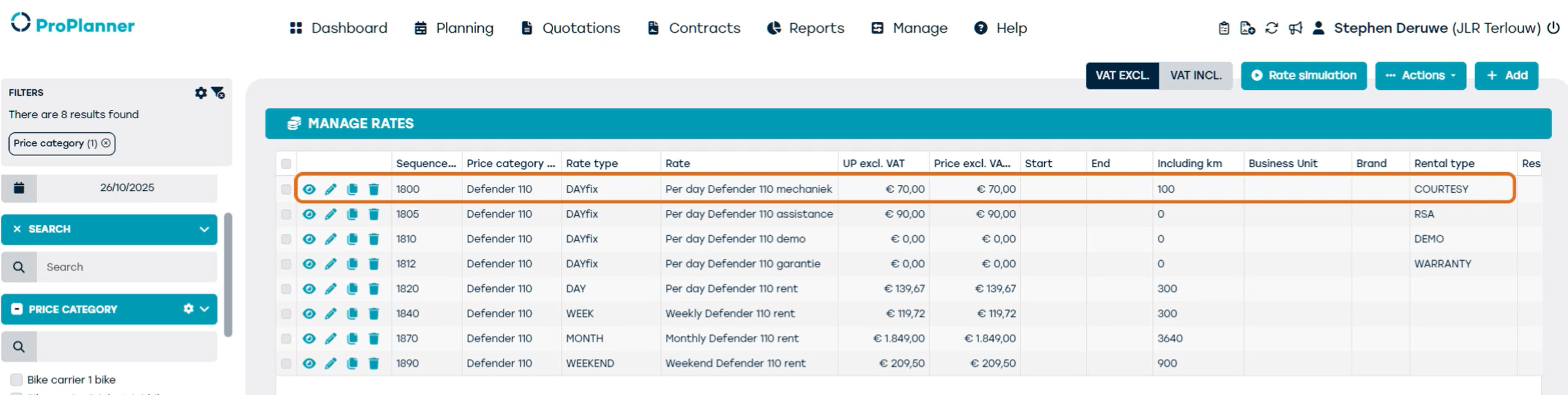
In this case, we have selected a period of three days, which means that three individual days will be charged.
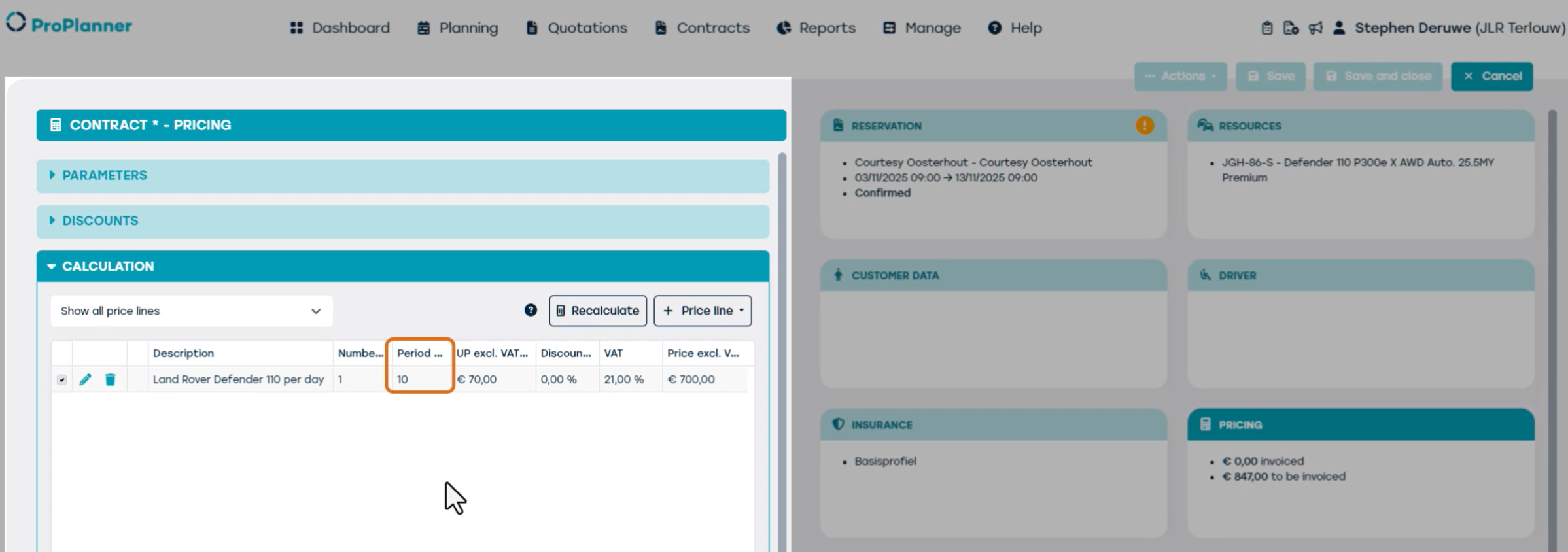
Let’s now extend this same contract to a period of 10 days.
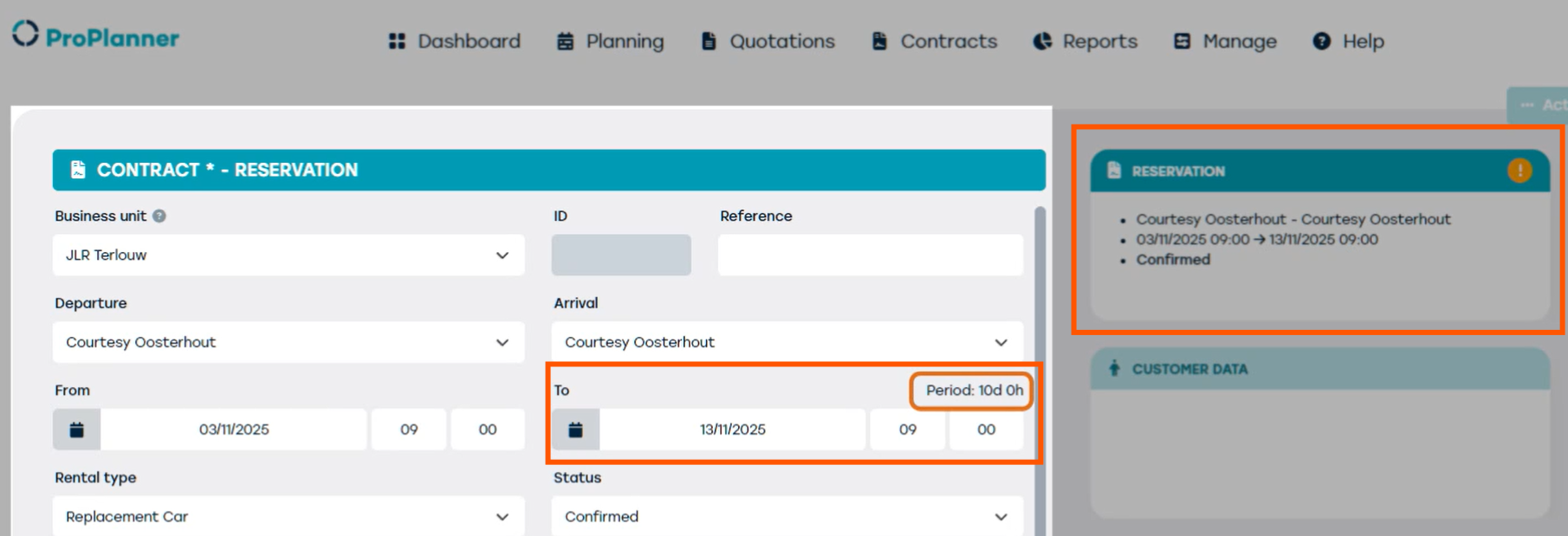
You can see that in this case, 10 days are charged. ProPlanner will still take the rental type "Courtesy vehicle" into account and calculate a daily rate for the entire period.
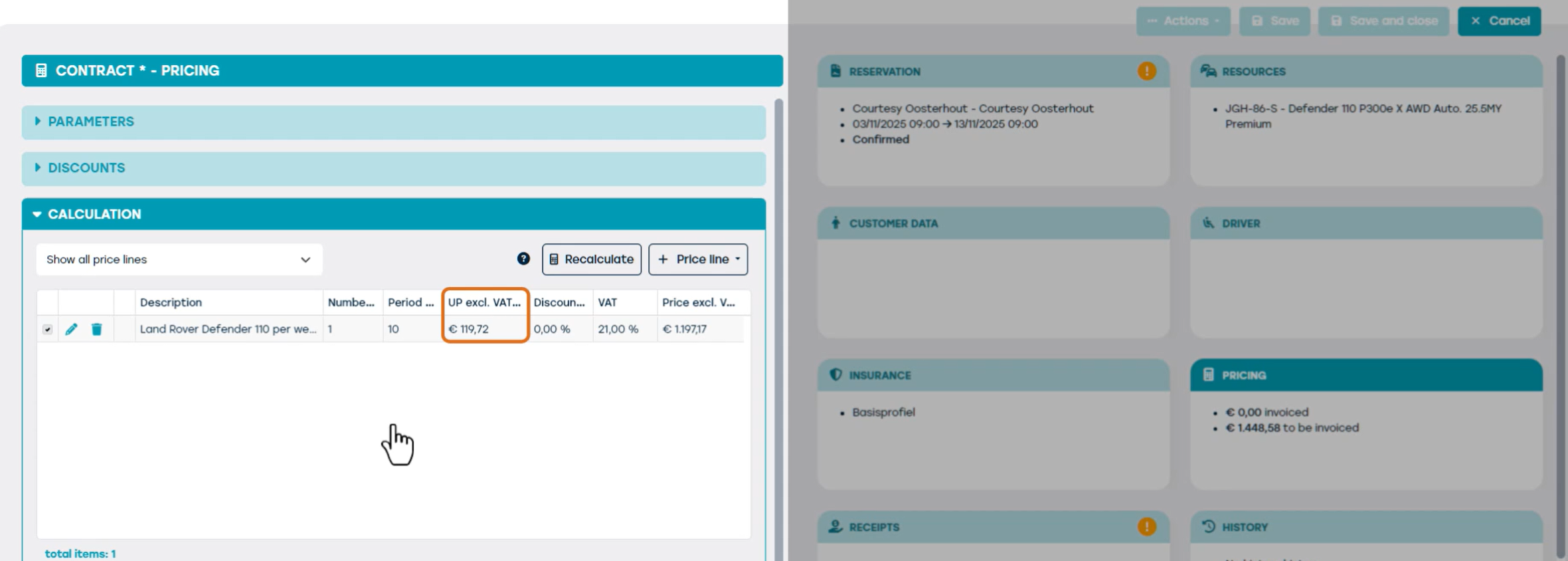
We are now going to change the rental type on the same 10-day contract to "Rental."
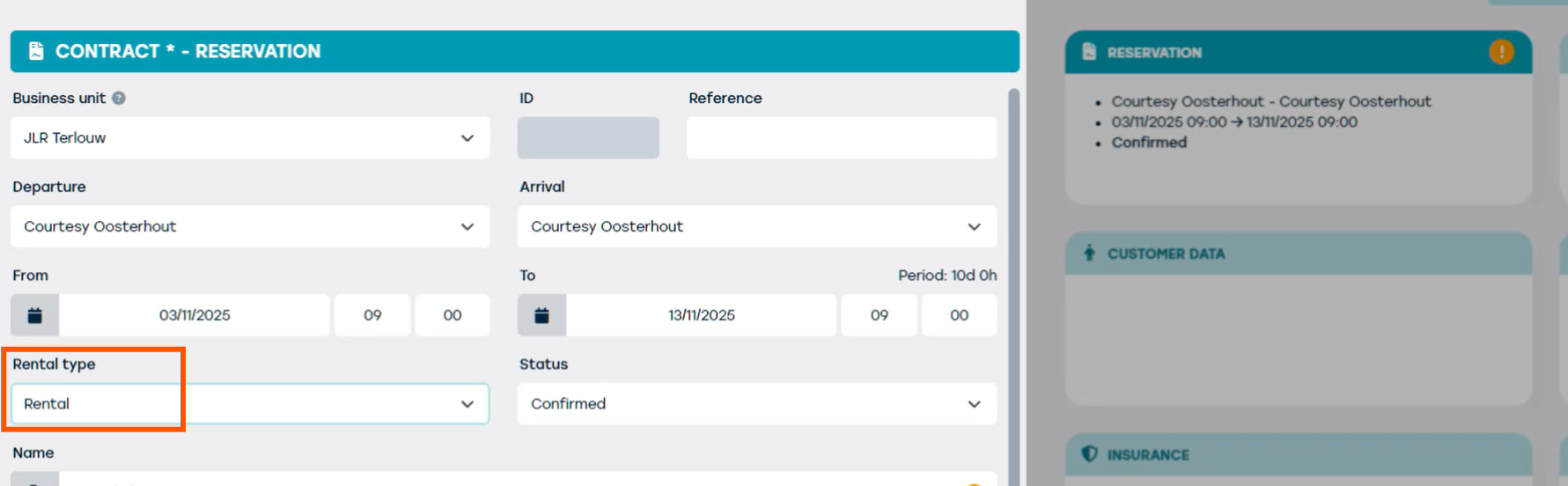
Although the contract duration is still 10 days, ProPlanner will now apply the 'Week' rate type.
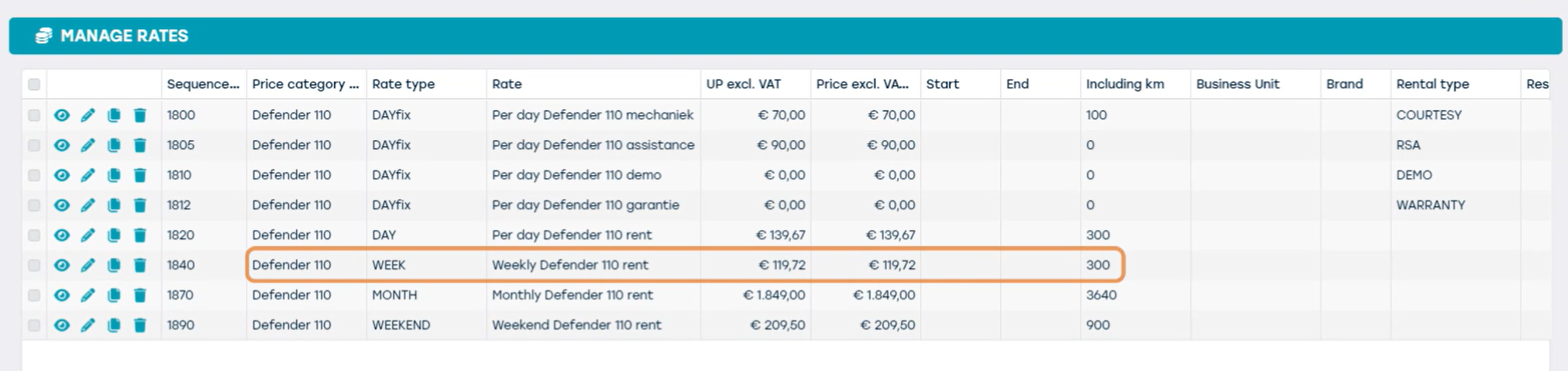
This means the system will charge the daily rate that applies from 7 days onward.
We now adjust the contract to a period of one month. Because the rental type is still set to "Rental," the system will now apply the monthly rate.
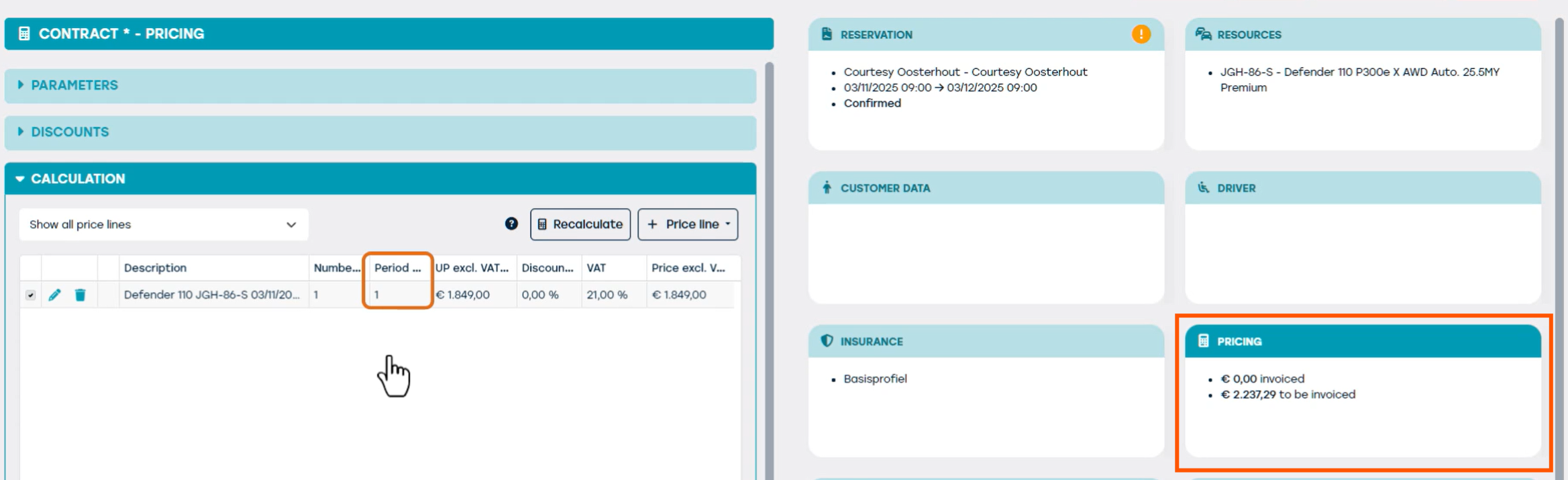
ProPlanner recognizes that the duration of the contract corresponds to a full month and therefore charges the monthly rate once — regardless of whether that month has 28, 30, or 31 days.
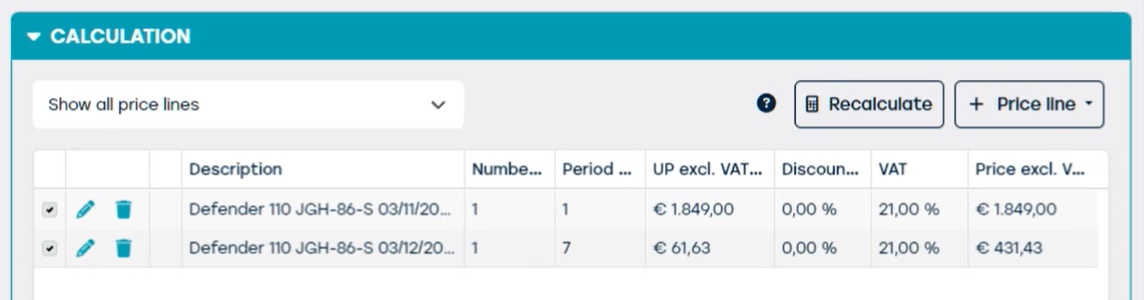
We are now extending the contract by a few days, bringing the total duration to 1 month and 1 week. ProPlanner now recognizes that the contract includes a full month and will apply the monthly rate for that month.
For the additional days beyond that month, ProPlanner will calculate the cost per day on a pro rata basis within the monthly rate. That daily rate is then multiplied by the number of additional days.
We will now change the rental type on this contract back to Replacement Vehicle.
ProPlanner will now switch back to a daily rate calculation: each day will once again be charged individually at the daily rate, regardless of the total duration of the contract.
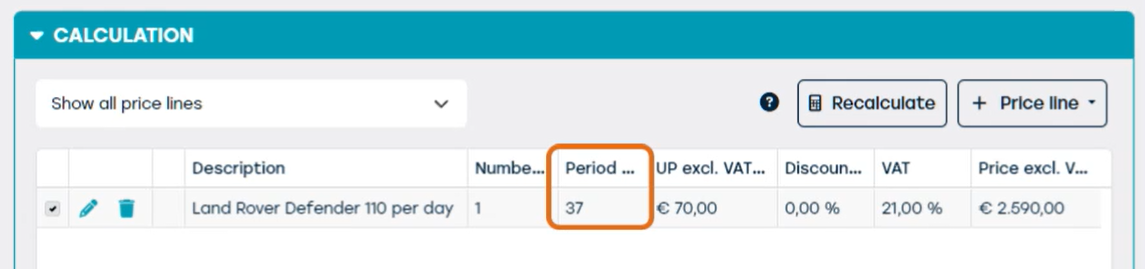
So even though the contract now covers 1 month and 1 week, the rental type causes ProPlanner to count all individual days and multiply them by the daily rate linked to the 'Replacement Vehicle' rental type.