Add and manage financial years
Setting up financial years in ProPlanner is essential to guarantee correct and simple invoice numbering.
You can easily add financial years via the Management > Financial years menu.
Here you set the start and end date of the financial year and you choose at which level it applies: Global, Company group, Company, or Business unit. For organizations with multiple entities, this offers flexibility.

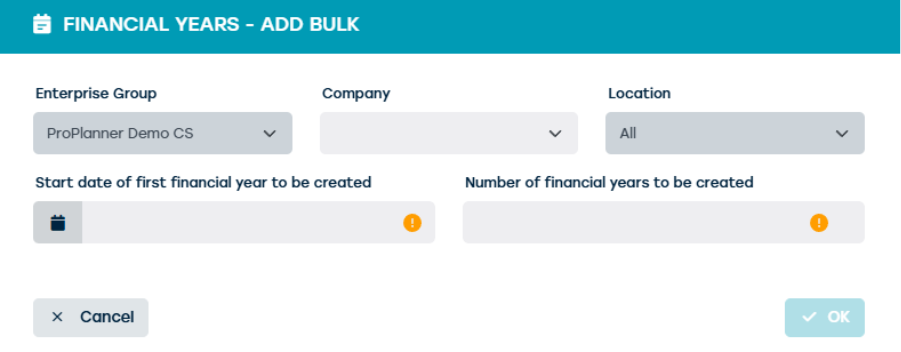
Would you like to add multiple financial years?
Then you can use the bulk function to create them all at once. This saves time and prevents errors. Once the financial years are set, this forms the basis for correct invoicing.

Why are financial years important?
Financial years ensure a clear separation between administrative periods. Without financial years, invoice numbers just continue running, which can lead to confusion and errors in bookkeeping. By setting up financial years correctly, you maintain control over invoice numbering and prevent invoices from ending up in the wrong year. This is not only important for internal processes, but also for legal and fiscal obligations.
Rights for management
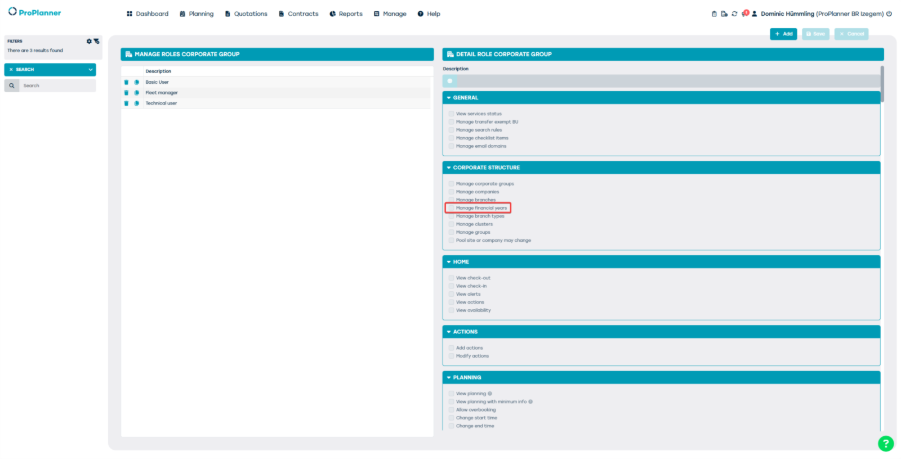
Not everyone can simply modify financial years. For this, the right Manage Financial years is required. This right can be assigned at company group level, so you can determine who within your organization is responsible for setting and managing financial years. It is important to carefully assign these rights to avoid errors in administration.
Invoice numbering and alerts
ProPlanner actively helps you to keep invoice numbering correct. When you create the first invoice in a new financial year, a pop-up appears where you can set the starting number. By default, this starts at 1, but you can adjust it to your internal numbering rules.
In addition, you receive alerts to guide you:
- If you create an invoice in a previous financial year, a non-blocking reminder appears.
- If the next financial year has not yet been created, you receive a blocking alert. This prevents invoices from ending up in a non-existent financial year.
Thanks to these alerts and settings, your invoice numbering remains consistent and you avoid administrative issues.